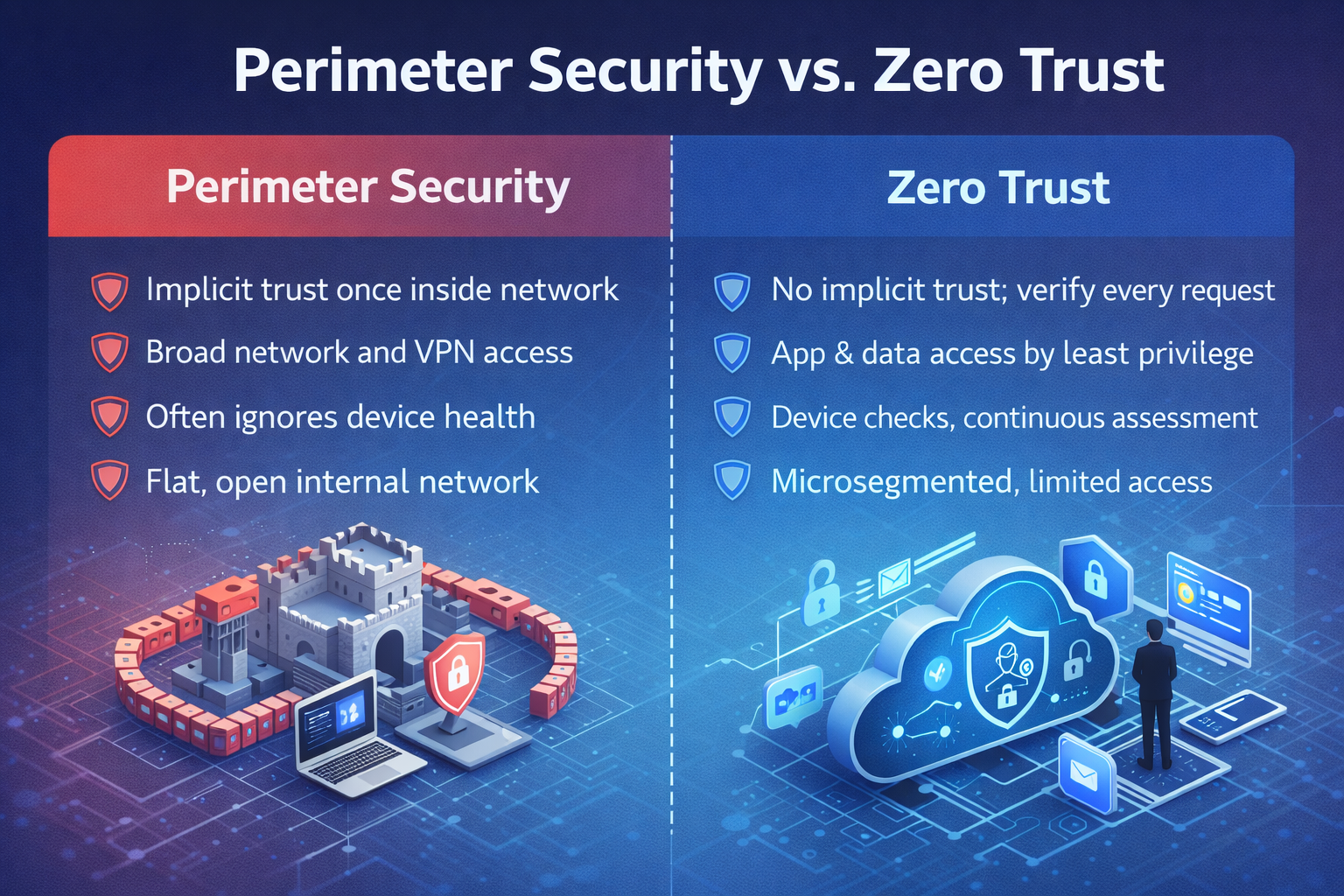
For decades, cybersecurity was built like a castle: thick walls on the outside and a bustling town on the inside. Firewalls, VPNs, and network zones drew a sharp line between “trusted” and “untrusted.” That world is gone. Cloud apps live everywhere, employees work from anywhere, partners connect as first-class citizens, and attackers don’t politely wait at the drawbridge. The idea that everything inside the corporate network is safe has become a liability. Zero Trust replaces implicit trust with continuous verification and least-privilege access—two principles that meet today’s reality head on.
The Old Perimeter Model
Traditional security grew up in a world of fixed offices, owned servers, and clearly defined network borders. The design pattern looked like this: keep the bad guys out, let the good guys in, and let the inside talk to the inside freely. Firewalls enforced policy at the edge. Virtual private networks (VPNs) extended that edge to remote users by virtually placing them inside the walls. Intrusion detection and content inspection were typically centralized, and applications were published to the internal network first, then to the internet.
That model worked when most assets were on premises, and “inside equals safe” was not wildly inaccurate. Security controls were concentrated at choke points: internet gateways, data center firewalls, and VPN concentrators. Authenticate once and you had sweeping access to the internal network. Admins are granted access to network segments rather than specific applications or data. The assumption was that keeping the outside out was both possible and sufficient.
Why it was attractive
- Simple mental model: A wall to defend, gates to control, guards to watch.
- Centralized visibility: Routing all traffic through a few perimeter devices made logging straightforward.
- Predictable costs: Hardware refreshes and support contracts were easy to forecast.
- Low friction for insiders: Once connected, users moved freely across internal resources.
Why the Perimeter Fails Today

Today’s environment exploded the castle. Business now depends on SaaS, public cloud, partner integration, contractors, and a workforce that moves fluidly between office, home, and travel. Data sprawls across devices and platforms. Attackers exploit identity, APIs, and supply chains as much as network ports. The once-clean line between inside and outside has blurred into irrelevance.
Four forces that broke the moat
- Hybrid work & BYOD: Users connect from everywhere on a mixture of managed and unmanaged devices. A VPN tunnel doesn’t magically make those devices trustworthy.
- Cloud & SaaS: Critical apps live outside your network edge. Backhauling traffic through on-prem gateways adds latency and cost without adding meaningful security.
- Identity-driven attacks: Phishing, business email compromise, session hijacking, and token theft are the front door for most breaches. A firewall can’t tell a compromised account from a legitimate one.
- East-west movement: Once inside, flat internal networks let attackers move laterally, discover credentials, and escalate privileges with little resistance.
What “implicit trust” costs you
- Over-privileged users and service accounts
- Broad network access after a single successful phish
- Difficulty proving compliance controls actually work
- VPN bottlenecks that frustrate users and break availability
- Blind spots for cloud-to-cloud traffic that never touches your perimeter
In short, the perimeter never aligned with how modern work happens. It treats location as a proxy for trust. But location is the least interesting thing about a request. Who is asking? On what device? In what condition? With what risk signals? And for exactly what resource? Those are the questions Zero Trust is built to answer.
What Zero Trust Really Means
Zero Trust is not a product to buy or a single box to rack. It’s a security strategy and operating model that assumes breach and requires continuous, context-aware validation before granting the least possible access. Instead of asking “Is this inside or outside the network?” Zero Trust asks, on every request: who is this, what are they using, how risky is the session, and what is the narrowest access they actually need?
The details vary by environment—SMB vs. enterprise, on-prem vs. cloud, IT vs. OT—but the organizing principles are consistent. You move trust decisions closer to the user, device, and workload, apply least privilege everywhere, and design your controls so that a single compromised account or endpoint becomes a contained event rather than a business-wide crisis.
Core principles of Zero Trust
- Verify explicitly: Authenticate and authorize every user, device, and workload using all available signals—identity strength, device posture, location, time, behavior, and risk.
- Use least-privilege access: Grant the minimum permissions required to perform a task, often time-bound and scoped to a specific application or dataset.
- Assume breach: Design controls—segmentation, inspection, alerting, backup, and recovery—under the assumption that something will eventually go wrong.
- Microsegment: Limit lateral movement by isolating systems and controlling service-to-service communication.
- Continuously monitor: Collect telemetry across identity, endpoints, networks, and cloud to detect and respond quickly.
What it looks like day to day
- MFA is enforced for all users, with step-up challenges for sensitive actions.
- Device health checks (encryption, patch level, EDR status) before access is granted.
- Conditional access policies applying risk-based controls—block, allow, or require additional verification.
- Application access through ZTNA or identity-aware proxies rather than flat VPN.
- Privileged sessions are recorded and time-boxed. Standing admin privileges removed.
- Data access is governed by classification and context, not by where a user is sitting.
Zero Trust vs. Perimeter
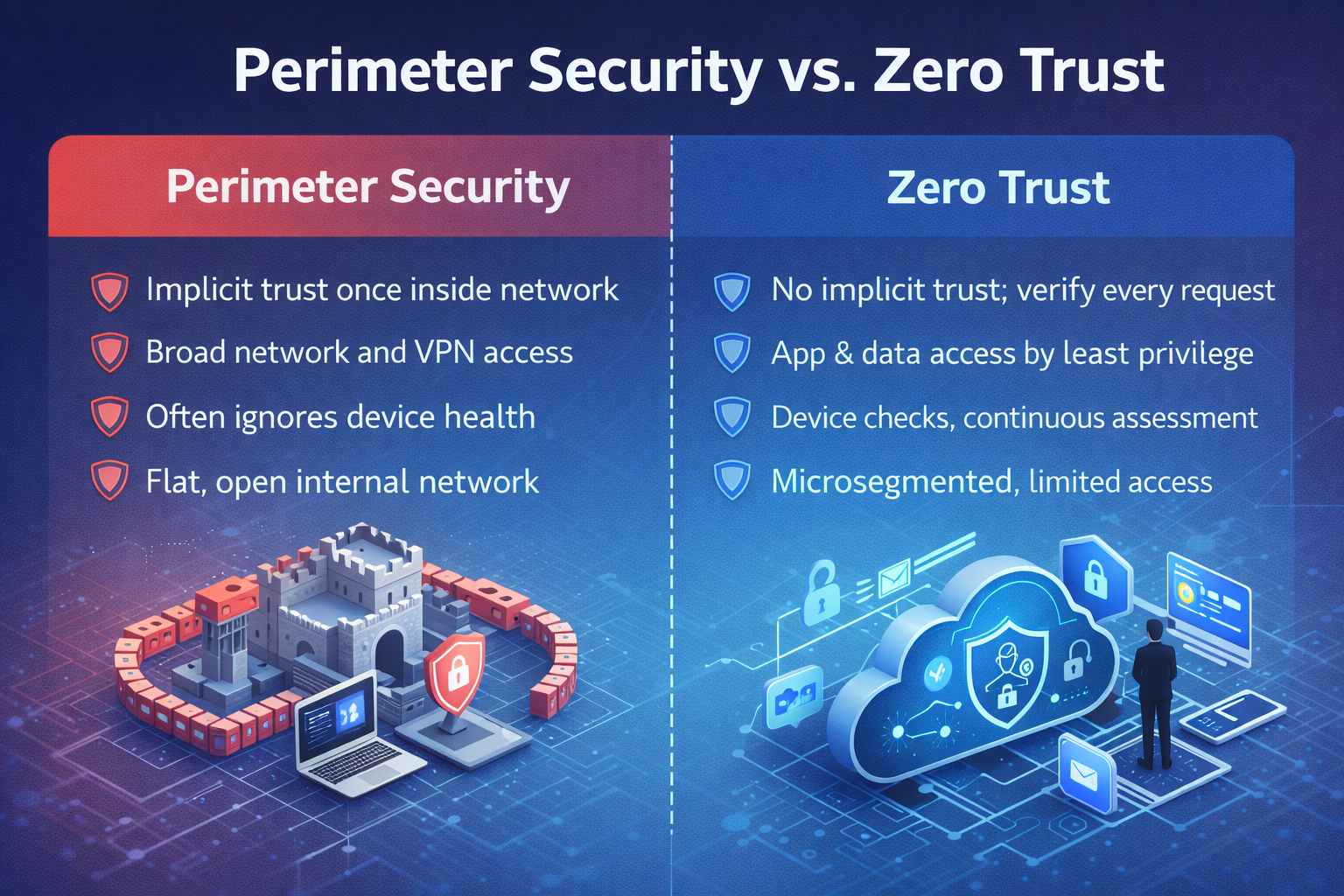
| Capability | Perimeter Security | Zero Trust |
|---|---|---|
| Trust Model | Implicit trust once inside the network | No implicit trust; continuous verification per request |
| User Access | Broad network access via VPN; coarse VLANs | App- and data-scoped access via identity-aware controls |
| Device Posture | Often ignored after the connection is established | Pre-access checks and continuous evaluation |
| Lateral Movement | Common due to flat internal networks | Limited via microsegmentation and least privilege |
| Cloud/SaaS | Backhauls traffic through the gateway; blind to cloud-to-cloud | Direct, secure access; API-level visibility and control |
| Incident Containment | Hard; many systems share credentials and networks | Easier; blast radius minimized via scoped access |
| User Experience | VPN friction; inconsistent remote performance | Seamless SSO, adaptive authentication, no backhaul |
| Compliance Proof | Device and access evidence are fragmented | Policy-as-code, centralized telemetry, audit-ready |
A Practical Zero Trust Roadmap for SMBs
You don’t need a big-bang transformation. The most successful organizations take a phased approach, building on quick wins while laying the foundation for advanced controls. The roadmap below prioritizes controls that reduce the highest risks for small and mid-market teams and leverages tools you may already own (e.g., Microsoft 365, Google Workspace, leading EDR/XDR platforms).
Phase 0 – Baseline & Exposure Reduction (Weeks 1–4)
- Inventory identities and devices: Consolidate to a single identity provider (IdP) for users and SSO to key apps. Pull an initial device inventory from EDR/MDM tools.
- Eliminate low-hanging fruit: Turn off legacy authentication protocols, enforce passwordless or phishing-resistant MFA, and close unused external services and admin portals.
- Backups and rapid recovery: Protect critical data with immutable backups and test recovery time objectives (RTOs).
Phase 1 – Identity First (Weeks 4–12)
- Conditional access policies: Block risky sign-ins and require device compliance for access to sensitive applications.
- Role-based access control (RBAC): Map business roles to least-privilege entitlements. Remove standing global admin rights.
- SSO everywhere: Connect SaaS apps to the IdP to centralize policy, MFA, and audit logs.
Phase 2 – Device Trust & Endpoint Resilience (Months 2–4)
- EDR/XDR with containment: Standardize endpoint protection with the ability to isolate compromised devices quickly.
- Device compliance: Enforce encryption, OS and browser patch levels, screen lock, and disk protection before granting access.
- Mobile device management (MDM): Enable app protection policies for BYOD to protect corporate data without invading personal privacy.
Phase 3 – App Access Without the VPN (Months 3–6)
- Zero Trust Network Access (ZTNA): Publish private apps using identity-aware access brokers rather than exposing network segments.
- Microsegmentation: Break apart flat networks. Restrict east-west traffic between servers and sensitive systems.
- Privileged access management (PAM): Time-bound, just-in-time admin access with session recording.
Phase 4 – Data Centric Security & Continuous Improvement (Months 6+)
- Data classification and DLP: Label sensitive data and enforce policy in email, endpoints, and cloud collaboration suites.
- Security operations maturity: Centralize logs, tune detections, and practice incident response with tabletop exercises.
- Automations and governance: Use workflow to remove access upon role changes, rotate secrets, and validate controls continuously.
Key Technologies: From MFA to ZTNA & Microsegmentation
Zero Trust translates into a set of interoperable capabilities. Here’s how they fit together:
Identity & Access
- MFA & Passwordless: Phishing-resistant authenticators (e.g., FIDO2 keys, platform biometrics) reduce the risk of account takeover.
- SSO & Conditional Access: Centralize policy decisions and apply risk-based controls to each sign-in and app launch.
- RBAC & Just-in-Time (JIT) access: Replace static admin roles with request-based elevation and automatic expiration.
Device Trust
- EDR/XDR: Detect malicious behaviors and isolate devices automatically. Feed alerts to your SOC or MDR provider for rapid response.
- MDM/UEM: Validate configuration baselines and protect data via containerized mobile apps and selective wipe.
- Posture Signals: Use device health in access decisions—no encryption, no access.
Network & Application Access
- ZTNA: Replace broad VPN tunnels with least-privilege, app-centric access enforced by identity and device posture.
- Microsegmentation: Control east-west traffic between workloads. Think “deny by default,” with explicit service policies.
- SASE/SSE: Converge secure web gateway, cloud firewall, CASB, and DLP into a cloud-delivered service for consistent policy anywhere.
Data Security
- Classification and labeling: Apply machine-readable labels to docs and emails. Automate where possible.
- DLP & encryption: Enforce rules for sharing, downloading, and printing sensitive data. Encrypt content at rest and in transit.
Security Operations
- SIEM & UEBA: Correlate identity, endpoint, and cloud telemetry. Detect anomalies in account behavior.
- SOAR & automation: Speed response by codifying routine actions—disable accounts, isolate endpoints, revoke sessions.
- MDR partnership: Close the 24×7 gap with an expert team watching your environment while your team focuses on the business.
Protecting Data, Not Just Networks
Many teams start Zero Trust with identity and network access, but the endgame is to protect data wherever it lives. That requires knowing what you have, where it flows, who needs it, and how it’s used in real processes. Begin with a short list of your most sensitive information—customer PII, payment data, health records, source code, or merger documents—and tie each to the systems, users, vendors, and workflows that touch it.
For each of these “crown jewels,” document where the data is created, how it’s stored, which apps process it, and how it’s shared across email, file sync, collaboration tools, and third parties. Identify who truly needs access to perform their job versus who has access today out of convenience or legacy permission models. This becomes the foundation for meaningful data classification, least-privilege policies, and DLP controls. Once you can see the full path of your critical data—from endpoint to SaaS to backup—you can start applying Zero Trust decisions at every hop, not just at login or at the network edge.
Data protection building blocks
- Classification: Define labels such as Public, Internal, Confidential, and Restricted. Automate detection with document scanners and train users to label content correctly.
- Access & usage controls: Apply conditional policies to downloading, copying, printing, or forwarding sensitive content, especially on unmanaged devices.
- Encryption & key management: Control who can decrypt sensitive items even if files leave your environment.
- Data lifecycle: Retention and disposal policies prevent long-term accumulation of toxic data you no longer need.
Operating Zero Trust: KPIs, Detection, & Response
Zero Trust must be measurable. Clear, agreed-upon metrics give you a way to demonstrate progress to executives, validate that your investments are working, and decide where to focus next. When you can show trends—fewer risky sign-ins, higher device compliance, faster containment—you turn Zero Trust from a theoretical model into an operational program that can be managed and improved over time. These same metrics also satisfy auditors and insurance providers, who increasingly expect hard evidence that controls are not only deployed but effective, consistently enforced, and monitored.
- % of users with phishing-resistant MFA enabled
- % of devices compliant (encryption, EDR, patching)
- # of apps behind SSO and conditional access
- Mean time to detect (MTTD)
- Mean time to respond (MTTR)
- # of standing privileged accounts (target: zero)
- % of sensitive data with labels applied
Detection & response in a Zero Trust world
- Identity is the new perimeter: Prioritize detections for impossible travel, MFA fatigue abuse, token theft, and privilege escalation.
- Containment by design: Use EDR isolation, network microsegmentation, and access revocation to minimize blast radius.
- Tabletop exercises: Practice phishing, ransomware, and BEC scenarios with executives and IT to harden muscle memory.
Pro tip: plug your detection gaps by integrating your IdP, EDR/XDR, cloud platforms, and email security into a central SIEM or MDR service.
COMMON PITFALLS & HOW TO AVOID THEM
1) TREATING ZERO TRUST AS A PRODUCT PURCHASE
Vendors will happily sell you “Zero Trust in a box.” Resist. Start with your risk objectives and map technology to outcomes. Measure progress in reduced attack surface and faster response—not in gear acquired.
2) Big-bang rollouts that spike user friction
If you flip every switch at once, you will break legitimate workflows. Stage changes, pilot with friendly teams, and use adaptive policies that nudge users into compliance. Communicate early and often.
3) Ignoring machine identities & service accounts
Attackers love non-human identities because they’re rarely monitored. Rotate secrets, scope permissions tightly, and onboard service accounts into your PAM tool with the same rigor as human admins.
4) Over-indexing on network gear
Firewalls still matter, but the most consequential decisions occur at the identity and application layer. Prioritize MFA, conditional access, and ZTNA before expensive network refreshes.
5) No exit plan for legacy systems
Some apps won’t support modern authentication right away. Gate them behind ZTNA, isolate them with stringent segmentation, and plan their retirement or modernization on a defined timeline.
Budget, ROI, & Cyber Insurance
Executives want to know: what’s the payoff? Zero Trust improves security and operational efficiency in ways you can measure and report. By validating identity, device health, and context on every request, it materially decreases both the probability and impact of breaches, constrains lateral movement, and shortens recovery time when something does go wrong. At the same time, it modernizes user access with SSO, passwordless authentication, and app-specific connectivity, rather than clunky, all-or-nothing VPNs—giving your teams faster, more reliable access to the tools they need while quietly enforcing stronger controls in the background.
Where the return comes from
- Risk reduction: Fewer successful phishing incidents and dramatically less lateral movement.
- Productivity gains: SSO and passwordless logins reclaim hours. Removing VPN backhaul improves app performance for remote teams.
- Lower recovery costs: Segmentation and strong backups shorten outages and limit data loss.
- Insurance readiness: Insurers increasingly require MFA, EDR, and access governance. Meeting these controls prevents premium hikes and coverage exclusions.
- Compliance acceleration: Zero Trust controls map cleanly to NIST CSF, CIS Controls, HIPAA Security Rule, CMMC, and PCI DSS.
Mini Case Studies
MANUFACTURER REPLACES VPN WITH ZTNA
A 400-employee manufacturer relied on a legacy VPN to access an ERP system hosted in a small data center. Performance lagged, and vendors had overly broad access. By moving the ERP behind an identity-aware access broker and enforcing device posture checks, the company eliminated the VPN for most users, cut remote login times by 60%, and reduced third-party access to the minimum set of app APIs. A later phishing incident was contained to a single user because lateral network access had been removed.
Healthcare group hardens identity & endpoints
A regional healthcare organization struggled with credential reuse and unmanaged tablets used by clinicians. Implementing MFA, conditional access (block by risk score and device non-compliance), and mobile app protection secured access without disrupting workflows. EDR containment isolated two ransomware attempts within minutes—no downtime, no data loss, and clear audit evidence for HIPAA.
Finance firm adopts just-in-time admin
A financial services firm had six standing global administrators across its SaaS suite. After a privilege review, they moved to just-in-time elevation with session recording. The number of high-risk changes dropped sharply, and auditors received exact evidence of who did what, when, and from which device.
Zero Trust FAQs
Is Zero Trust realistic for small teams?
Yes. Start with identity, MFA, and device posture using your existing cloud suite, then grow into ZTNA and data protection. Many organizations see meaningful improvements within 90 days without a massive budget.
Do we still need firewalls?
Yes, just don’t confuse them for a strategy. Firewalls prevent a range of threats and help meet compliance. Zero Trust makes them one control among many, not the gatekeeper of trust.
What about on-prem and OT/ICS?
Zero Trust applies there, too. Use strong identity layers, network segmentation, and brokers to safely publish legacy applications. For OT, pair segmentation with strict allow-lists and jump hosts.
How do we handle contractors & partners?
Treat them like first-class identities: issue time-boxed accounts in your IdP, require MFA and device checks, and scope access to specific apps or APIs. Avoid shared passwords or VPN accounts.
Will Zero Trust slow audits?
Quite the opposite. Centralized identity logs, policy-as-code, and automated reports reduce audit time and prove control effectiveness.
Ready to Retire the Perimeter & Move to Zero Trust?
Cyber Advisors helps SMB and mid-market organizations migrate from perimeter-centric networks to modern Zero Trust frameworks—without disrupting your business. Our engineers start by assessing your current controls, identity stores, and critical applications, then design a pragmatic sequence of changes that your team can actually operationalize.
From identity hardening and endpoint protection to ZTNA, microsegmentation, and data security, our team will tailor a phased roadmap to your goals. We focus on quick wins first—like enforcing phishing-resistant MFA, consolidating identities, and standardizing EDR—then expand into app-centric access, segmentation, and data protection. Throughout the journey, we align every step to your compliance requirements, cyber insurance expectations, and operational constraints. Hence, you gain measurable risk reduction, better user experience, and a security model built for how your business works today.