
Healthcare IT teams live in a world where “good enough” uptime isn’t good enough. EHRs, imaging, lab systems, pharmacy platforms, VoIP/nurse call, and a growing list of clinical and revenue-cycle apps have to be available when clinicians need them—often across multiple sites, with a mix of on-prem, cloud, and SaaS dependencies. At the same time, security expectations keep rising: ransomware resilience, least-privilege access, continuous logging, and audit-ready evidence are no longer “nice to have.” They’re table stakes.
For many organizations, VMware—specifically vSphere and vCenter—remains the foundation of that clinical application platform. Even as licensing and strategy conversations evolve, VMware estates remain widespread in healthcare, and they can be highly reliable when they’re designed, secured, and operated with healthcare realities in mind. The problem isn’t that virtualization “doesn’t work.” The problem is that, left unattended, virtualization becomes a patchwork: capacity sprawl, inconsistent standards, aging hosts, untested recovery plans, and a management plane treated like a utility rather than a critical clinical system.
This guide breaks down why VMware still matters in healthcare, what common pain points are really telling you, and a pragmatic, phased roadmap to improve resiliency, performance, and HIPAA-aligned readiness. You’ll also get practical KPIs that tie infrastructure outcomes to patient care and clear signals for when a managed partner can help you reduce risk and keep teams focused.
Why VMware still matters in healthcare
VMware’s staying power in healthcare isn’t about tradition—it’s about how well the platform matches healthcare’s operational requirements.
Uptime requirements for EHRs & clinical workflows
Clinicians don’t schedule their work around maintenance windows. Inpatient care runs 24/7. ED volume spikes unpredictably. Imaging orders and results move continuously. When the EHR is unavailable, organizations quickly feel the downstream effects: delayed medication administration, longer wait times, reduced throughput, and frustrated staff. A resilient virtualization layer helps keep workloads running through routine events (host failures, patching, workload bursts) and supports planned downtime reduction through features such as clustering, live migration, and automated restart policies.
Standardization, scalability, & operational consistency
Healthcare environments are notoriously heterogeneous: multiple facilities, acquired clinics, legacy apps, vendor appliances, and a mix of Windows and Linux workloads that often carry regulatory constraints. Virtualization provides a standardized compute and management layer that can reduce “snowflake” server builds and make operational processes repeatable. That repeatability becomes essential for audit readiness, incident response, and staff efficiency.
A platform that can be engineered for failure
Resiliency doesn’t come from hoping nothing breaks; it comes from designing for failure and practicing recovery. VMware supports strong patterns for building redundancy into the compute, storage, network, and management-plane layers, so a single failure doesn’t cascade into a clinical outage. But those patterns require intentional design and disciplined operations.
Security and control points that support HIPAA-aligned practices
HIPAA’s Security Rule emphasizes administrative, physical, and technical safeguards. VMware itself isn’t “HIPAA compliant” in a checkbox sense, but it provides powerful control points: role-based access control in vCenter, separation of duties, logging and event trails, segmentation options (especially when paired with modern network controls), and integration points for hardening, monitoring, and configuration drift detection. When those controls are documented as procedures and measurable outcomes, your virtualization layer becomes an asset for compliance rather than a liability.
Bottom line: VMware can be a rock-solid healthcare foundation, but only if you treat it like clinical infrastructure—engineered, secured, monitored, and continuously improved.
Common pain points
When leaders say, “Our VMware environment feels fragile,” they usually describe symptoms—slow applications, surprise outages, inconsistent performance, or anxiety about audits and ransomware. Those symptoms often point to a handful of root causes.
Capacity sprawl & “noisy neighbors”
In many environments, virtualization’s convenience becomes its own risk. New VMs appear quickly, resource limits are rarely revisited, and clusters become “everything buckets” that mix latency-sensitive clinical workloads with low-priority jobs.
- Overcommitted CPU or memory without clear policies
- Storage latency spikes during backups, scans, or batch jobs
- Critical workloads competing with test/dev or “temporary” VMs that never get retired
- Cluster capacity plans that live in spreadsheets instead of monitored thresholds
What it really means: you need a governance model for resources—right-sizing, tiering, and capacity planning that’s tied to service criticality and business priorities.
Aging hosts, inconsistent patching, & configuration drift
Healthcare often runs on long refresh cycles and stretched teams. Over months and years, you end up with drift—differences in versions, baselines, and settings that increase risk.
- Mixed host generations and inconsistent BIOS/firmware levels
- Different ESXi patch versions across clusters
- Storage multipathing settings and NIC configurations that vary by host
- Hardening settings that were applied once but not continuously verified
What it really means: drift is the enemy of uptime and audit readiness—and it makes routine changes more dangerous than they should be.
Single points of failure in storage, network, or the management plane
A vSphere cluster can survive a host failure, but it can’t survive weak dependencies:
- A single storage controller failure without proper redundancy
- A collapsed core switch or a misconfigured upstream network
- A vCenter outage that stalls operations and complicates incident response
- DNS/NTP issues that break authentication, logging, or certificate validation
- Backup infrastructure that’s not resilient or is co-located with production in risky ways
What it really means: resiliency is end-to-end—compute, storage, network, identity, monitoring, backup, and the management plane.
Unclear ownership & inconsistent operational processes
- Changes made without impact analysis or maintenance coordination
- No standardized runbooks for common tasks (patching, expanding datastores, failover)
- Limited visibility into what’s running and what it supports
- No agreed-upon RPO/RTO targets per application tier
- DR tests skipped or treated as “check the box” tabletop exercises
What it really means: resiliency is a design + operations discipline.
A practical resiliency roadmap
A roadmap works best when it’s phased. Healthcare teams can’t “pause operations” to rebuild everything, and budgets often require incremental wins.
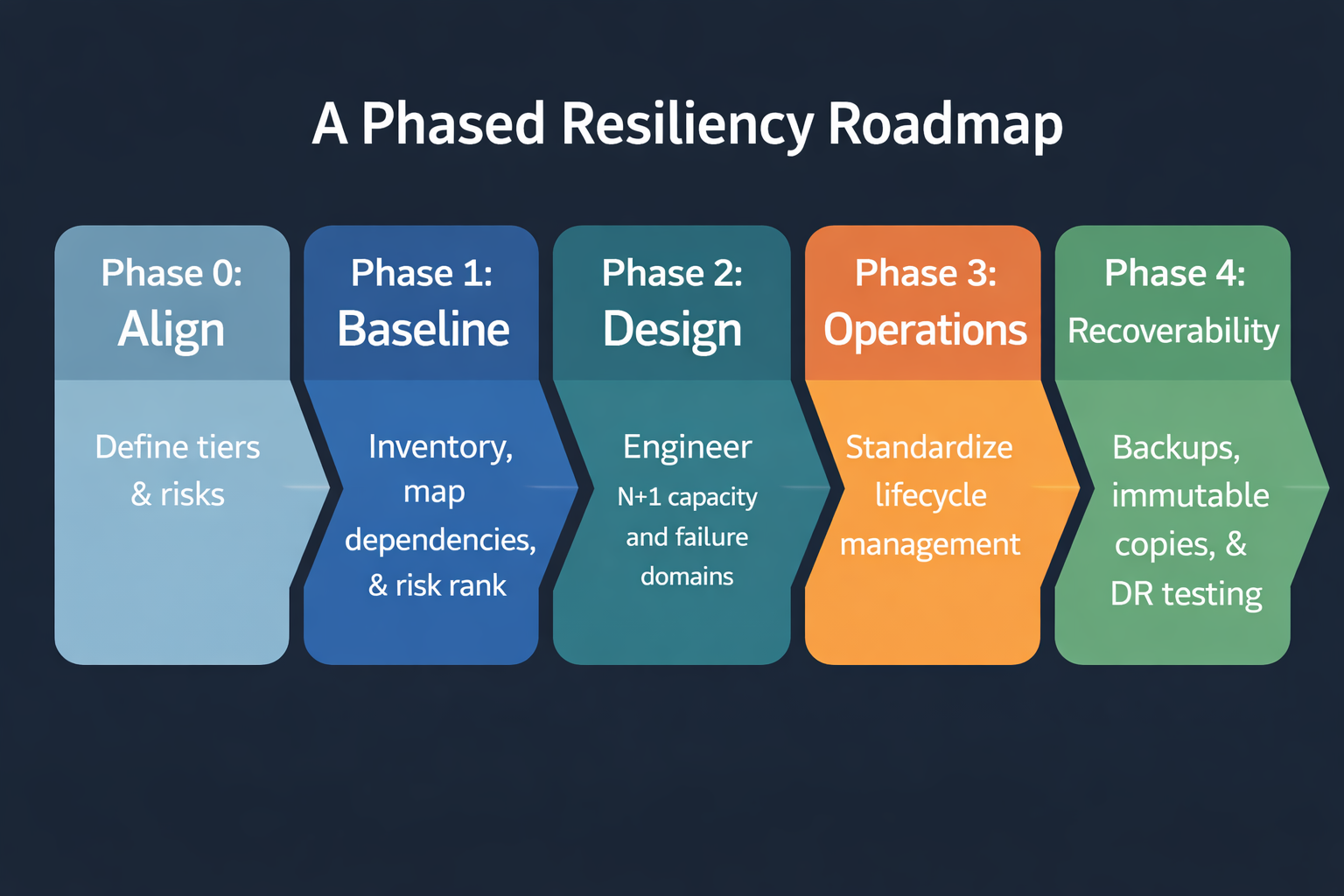
Phase 0: Align on what “resilient” means
- Tier 0/1 (critical clinical): EHR, imaging/PACS, medication systems, ADT, core integration engines
- Tier 2 (important business): revenue cycle, scheduling, collaboration platforms, line-of-business apps
- Tier 3 (supporting): dev/test, reporting, batch jobs
For each tier, document availability, RTO, RPO, peak demand windows, and dependencies.
Phase 1: Baseline — inventory, dependency mapping, & risk ranking
Inventory the estate, map dependencies for Tier 0/1 apps, and rank risks by likelihood and patient-care impact.
Phase 2: Design — N+1 capacity & failure-domain planning
Engineer clusters to survive predictable failures with N+1 headroom, failure-domain planning, properly configured HA/DRS, and a resilient management plane.
Phase 3: Operations — lifecycle management, change control, & documentation
Standardize patching and baselines, reduce drift, and build runbooks that work during real incidents.
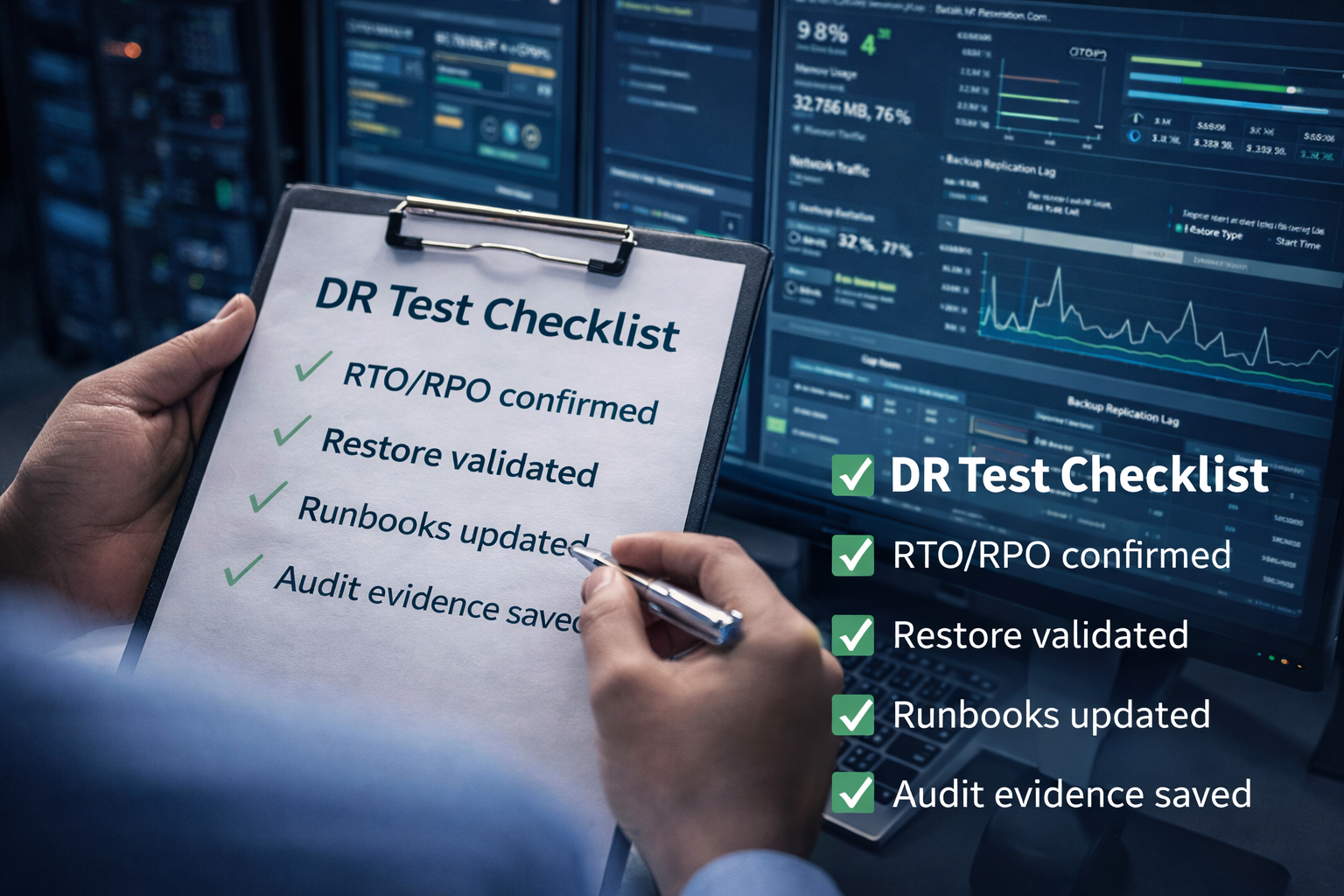
Phase 4: Recoverability — backups, immutable copies, & tested DR
Design backups for restore outcomes, add immutable/protected copies, and run measured DR tests tied to clinical reality.
Phase 5: Observability — monitor what matters & respond faster
Layer monitoring across infrastructure, app experience, security telemetry, and backup/DR—then align alerting to clinical impact.
Security & compliance alignment
HIPAA readiness is about safeguards you can demonstrate with policies, procedures, and evidence—not just tools.
Least privilege & access governance in vCenter
- Define RBAC roles by function and minimize standing Administrator access
- Separate duties between virtualization admins and backup/security admins
- Enforce MFA and audit privileged group membership regularly
- Log administrative actions and maintain time synchronization (NTP)
Segmentation, logging, & immutable evidence for audits
- Separate management networks from workload networks
- Segment Tier 0/1 workloads and restrict east-west traffic
- Forward vCenter/ESXi logs to centralized logging/SIEM
- Protect logs/config histories from tampering
Hardening standards & continuous configuration monitoring
- Adopt a consistent hardening baseline and document exceptions
- Continuously verify settings and alert on critical changes
- Report patch/vulnerability status in leadership-friendly terms
What to measure: KPIs that link to patient care
EHR availability and response time targets
- EHR service availability (% uptime) during clinical hours and 24/7
- Median and 95th percentile response times for key workflows
- MTTR for Tier 0/1 services
- Severity-1 incidents impacting clinical operations per quarter
Backup success, restore time, & DR test outcomes
- Backup job success rate for Tier 0/1 systems
- Restore success rate from routine tests
- Actual RTO/RPO achieved in DR tests vs. targets
- Time to detect/respond to backup failures
Patch compliance & security telemetry coverage
- ESXi/vCenter patch compliance within SLA
- Firmware/driver baseline compliance by host model
- MFA coverage for privileged accounts
- Log forwarding coverage for critical systems
- Unauthorized configuration changes detected and remediated
Capacity & performance indicators that prevent outages
- Cluster headroom under N+1 assumptions
- Storage latency thresholds and duration over threshold
- Network error rates and saturation indicators
- Right-sizing completion and stale VM cleanup rate
When to use a managed partner
24/7 monitoring & incident response
- Monitor Tier 0/1 indicators and triage quickly
- Coordinate incident response during ransomware or outages
- Maintain runbooks and escalation paths
Proactive patching, capacity planning, & reporting
- Maintain lifecycle schedules aligned to compatibility and risk
- Execute rolling maintenance to reduce downtime
- Forecast capacity and provide executive reporting
Governance & compliance support
- Maintain documentation/evidence collection and change records
- Support risk assessments and remediation planning
- Coordinate DR testing and capture results for auditors
Turn VMware into a resilient, audit-ready healthcare platform
Healthcare organizations don’t need more complexity—they need a virtualization foundation that supports clinicians, protects PHI, and stands up to audits and modern threats. Cyber Advisors helps healthcare IT teams strengthen VMware environments with a practical, outcomes-driven approach.
- VMware resiliency assessment: We evaluate cluster design, failure domains, capacity headroom, and operational maturity—then deliver a prioritized roadmap to reduce risk and improve EHR uptime.
- HIPAA-aligned security hardening: We help implement least privilege in vCenter, implement segmentation strategies, integrate logging and SIEM, and enable continuous configuration monitoring to produce audit-ready evidence.
- Business continuity and disaster recovery: We design and test backup and DR strategies with measurable RPO/RTO outcomes, including immutable backup options and ransomware-resilient recovery plans.
- Managed IT services for healthcare: We provide 24/7 monitoring, proactive patching, capacity planning, and reporting so your team can focus on higher-value initiatives.
Call to action: Want a healthcare-focused VMware resiliency assessment? Cyber Advisors will review your vSphere/vCenter architecture, security posture, and operational processes—then deliver a prioritized, phased roadmap to reduce risk, improve EHR uptime, and strengthen audit readiness.