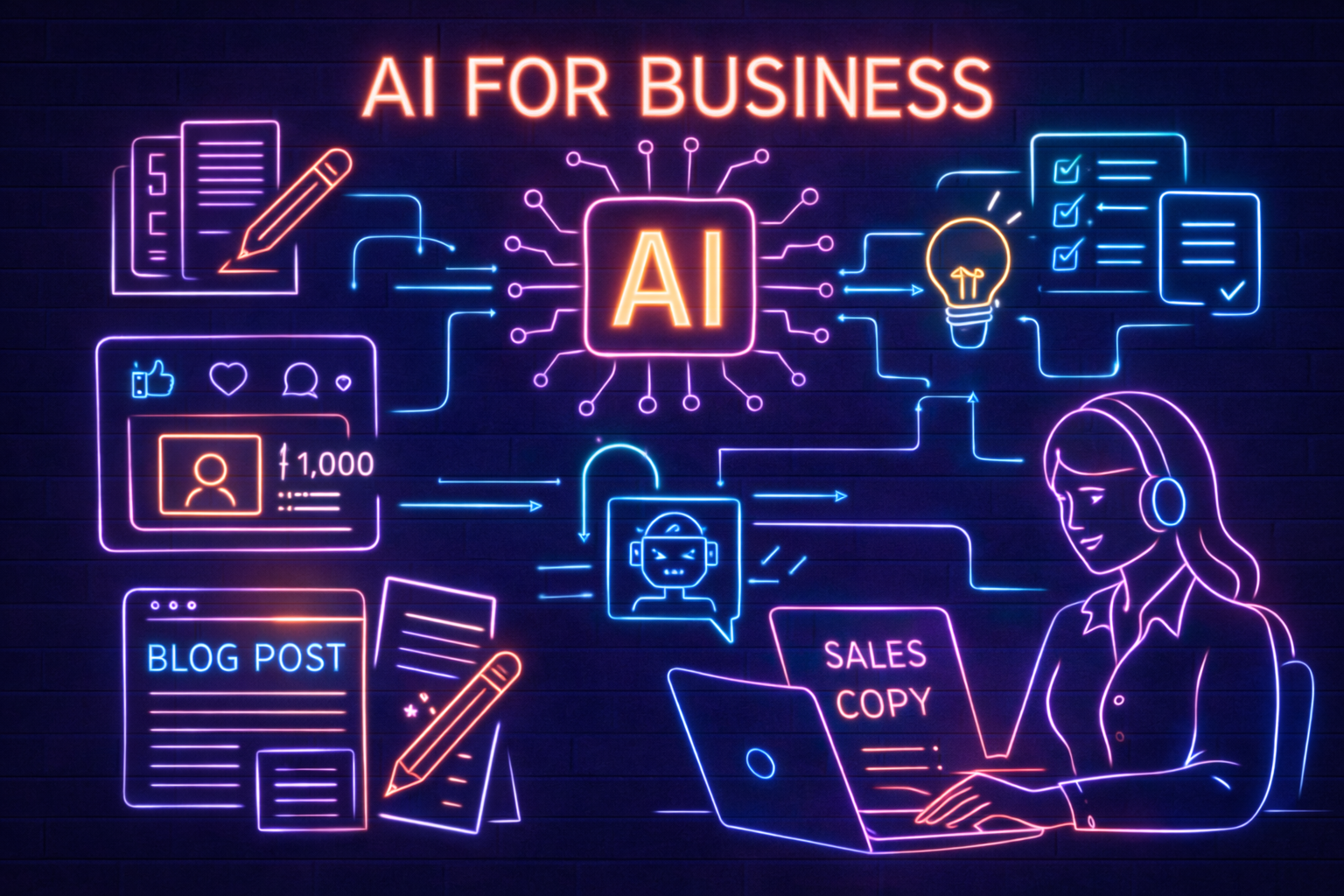
If you’ve been curious about artificial intelligence (AI) but feel overwhelmed by the technical jargon or don’t know where to start—this guide is for you. The truth is, AI doesn’t have to be complicated, expensive, or reserved for tech giants. In fact, today’s AI tools are more accessible than ever and can help businesses of all sizes, from local shops to growing enterprises, save time and boost productivity.
Let’s walk through five of the easiest and most impactful ways you can start using AI in your business—no tech background required. These are real-world, low-risk ideas you can try today.

1. Generate Social Media Content (Fast & Consistently)
Why it matters: Staying active on social media helps build trust, drive engagement, and attract new customers. It keeps your brand visible, reinforces your expertise, and gives prospects a reason to remember you when they’re ready to buy. The challenge is that creating posts consistently is time-consuming—between writing, editing, and designing, it’s easy for content creation to get pushed down the to-do list or forgotten altogether.
How AI helps: Generative AI tools like ChatGPT, Jasper, or Canva’s Magic Write can help you brainstorm, draft, and even design posts in a matter of minutes. You can feed them a few bullet points about your offer, audience, and desired tone, and they’ll return multiple post variations you can refine instead of writing from scratch. Many of these tools can also suggest visuals, layouts, or design elements to match your brand, so your posts look as polished as they read—without needing a full-time designer or copywriter.
Real-World Examples:
-
Need LinkedIn posts to promote your latest service? AI can suggest 5 options with different tones—professional, witty, inspirational, conversational, or highly technical—so you can match the message to your audience. You can even ask it to tailor posts for specific decision-makers, like a CFO, COO, or IT director, and include clear calls to action, such as booking a security assessment, downloading a checklist, or registering for a webinar.
-
Want to promote a holiday sale on Instagram? Describe the offer, your target audience, and the tone you want to use, and AI can write a catchy caption, suggest multiple hashtag sets, and even recommend posting times or image concepts to maximize engagement.
Bonus: Use AI to repurpose existing content across channels so you’re not starting from scratch every time. Turn a blog post into five different tweets, a short LinkedIn series, or a script for a 60-second video. Convert a customer testimonial into a Facebook post, a case study highlight, or a quote graphic for Instagram. This helps you stay consistent, extend the reach of your best content, and keep your brand visible without adding hours of work to your week.
How to start:
-
Try free tools like ChatGPT (chat.openai.com) or Canva’s content features. Start by pasting in a recent promotion, blog post, or service description and ask the tool to generate 3–5 variations tailored for LinkedIn, Facebook, or Instagram. You can then fine-tune the wording, adjust the tone to match your brand, and pair it with on-brand visuals or templates so you have a ready-to-post asset in minutes instead of hours.
-
Give clear instructions like: “Write a LinkedIn post promoting our year-end IT security assessment offer for small and mid-sized businesses. Highlight how the assessment identifies hidden vulnerabilities, reduces downtime risk, and supports compliance for industries like healthcare, manufacturing, and local government. Use a professional, confident tone, include a strong call to action to book an assessment before year-end, and keep it under 200 words.”
2. Summarize Meetings &Transcribe Notes
Why it matters: Meetings are important—but taking notes, remembering key takeaways, and following up on action items can be a pain. Someone is always stuck as the “scribe,” context gets lost when people are multitasking, and it’s easy to miss who committed to what. After a busy day of back-to-back calls, those details blur together, and by the time you sit down to follow up, you’re hunting through scattered notes, chat logs, and emails. When things fall through the cracks—whether that’s a missed deadline, an unassigned task, or a forgotten client request—productivity suffers, projects slow down, and critical decisions may not get the follow-through they need.
How AI helps: AI transcription tools like Otter.ai, Fireflies.ai, or built-in features in Microsoft Teams and Zoom can automatically record, transcribe, and summarize your meetings—often in real time. Many of these tools identify speakers, pull out key themes, action items, and decisions, and let you quickly search past conversations by keyword or topic. Instead of relying on scattered notes or memory, you get a structured summary and transcript that your team can review, share, and reference later—so nothing important gets missed, even if someone couldn’t attend live.
Real-World Examples:
-
After a client call, you get a full summary of key discussion points, tasks, and decisions—ready to share with the team. Instead of replaying the entire recording or combing through chat logs, you can quickly scan a concise recap, see who owns which action items, and confirm next steps with a single email or message. If you’re juggling multiple clients or complex projects, this means every stakeholder—sales, operations, IT, and leadership—stays aligned on what was promised, what’s due, and when, without relying on memory or handwritten notes.
-
A project kickoff meeting turns into an automatic to-do list with assigned tasks, due dates, and owners. Key decisions, open questions, and follow-ups are captured and organized for you, so by the time the meeting ends, everyone has a clear, action-oriented recap and knows exactly what they’re responsible for next.
Benefits:
-
Never miss a detail.
-
Free up your team from note-taking so they can stay fully engaged in the discussion—asking better questions, thinking strategically, and building stronger relationships with clients and partners instead of scrambling to capture every word.
-
Create a searchable history of conversations and decisions, so you can quickly pull up what was said, who agreed to what, and why a specific path was chosen—without digging through old emails, chat threads, or scattered notebooks. This becomes especially valuable for recurring client check-ins, project reviews, and incident discussions, where having a clear record of commitments, deadlines, and rationale helps your team stay accountable, speeds up decision-making, and reduces the risk of misunderstandings or rework.
How to start:
-
Use Otter.ai’s free plan to test it out on a few real meetings—like your weekly team check-in or a client status call—so you can see how well it captures key points, decisions, and action items before you roll it out more broadly.
-
Connect it to your Zoom or Teams account and invite it to join meetings, where it can automatically record, transcribe, and generate concise summaries of the discussion—capturing key decisions, action items, and next steps without anyone having to take manual notes.
3. Create Blog Posts or Website Content
Why it matters: Fresh, helpful content attracts visitors, improves your SEO, and supports sales. It gives prospects a reason to return to your site, helps you rank for the questions your ideal customers are actually asking, and arms your sales team with resources they can share during the buying process. But writing it yourself—or hiring a writer—takes time and budget, especially if you’re trying to maintain a steady cadence of blog posts, service pages, FAQs, and thought leadership that speaks to different decision-makers across industries.
How AI helps: AI tools like ChatGPT, Jasper, or Copy.ai can help you brainstorm topics, create outlines, or even write full drafts based on a few simple inputs—such as your target audience, preferred tone, and key points you want to cover. You can ask them to generate SEO-friendly titles, suggest subheadings, and propose structure variations tailored to different decision-makers (for example, a COO, CFO, or IT director). Many of these tools can also adjust complexity, expand bullet points into full paragraphs, and rewrite sections for clarity or emphasis, so you can quickly move from a rough idea to a polished, well-organized article or page that’s ready for your review and final edits.
Real-World Examples:
-
You want to write a blog about “Top IT Security Tips for Remote Work.” AI can generate a detailed outline that covers topics like secure VPN usage, multifactor authentication, endpoint protection, data backup strategies, and employee training. From there, it can expand each section into a 1,000-word draft tailored to your audience—whether that’s remote employees, IT leaders, or executive decision-makers—highlighting best practices, real-world scenarios, and clear calls to action. You can then review the draft, add your specific services (like managed security, incident response, or compliance support), and quickly publish a polished, on-brand article that positions your company as a trusted cybersecurity advisor.
-
Need a quick update for your “About Us” page or a new service description? AI can give you a polished starting point in seconds—complete with clear messaging, benefit-driven language, and keywords tailored to your audience. Share a few details about who you serve, what problems you solve, and the outcomes you deliver, and AI can draft multiple versions you can refine, customize, and align with your brand and services.
Tip:
Treat AI content as a draft, not the final product. Add your brand’s voice, expertise, and real-world examples to make it shine—and to make sure it aligns with your actual services, values, and customers’ expectations. Use AI to handle the heavy lifting on structure and phrasing, then layer in your specific terminology, proof points, and stories from the field so the content sounds like it came from your team, not a generic tool.
For example, weave in details about how you serve industries like healthcare, manufacturing, or local government, reference real client scenarios (without exposing sensitive information), and highlight outcomes you’ve delivered—such as reduced downtime, stronger security posture, or improved compliance. This combination of AI efficiency and your real-world insight not only improves quality and accuracy, it builds trust with readers who rely on you for clear, credible guidance.
How to start:
-
Ask AI for an outline first so you’re not starting from a blank page. Give it your audience, goal, and a few key points you want to cover. For example: “Create a blog post outline about how SMBs can protect against phishing attacks. Include sections on common phishing tactics, how to train employees, technical controls like email filtering and multifactor authentication, and when to bring in a managed security provider.”
-
Use the outline to guide a detailed content draft, filling in each section with clear explanations, real-world examples, and calls to action tailored to your audience. Start by turning the main headings into H2s and H3s, then expand each bullet into 2–4 sentences that explain the concept, why it matters, and how your products or services can help. Make sure to layer in industry-specific terms, reference the challenges your customers are facing, and highlight concrete outcomes—like reduced downtime, stronger security posture, or improved compliance. Finally, review the draft to ensure it reflects your brand voice, aligns with your actual capabilities, and naturally leads readers to the next step, whether that’s contacting your team, booking an assessment, or exploring related resources.
4. Generate Product Descriptions or Sales Copy
Why it matters: Writing compelling product or service descriptions is essential for sales—but if you have dozens or hundreds of items, it becomes a bottleneck. Teams end up copying and pasting generic language, rushing through updates, or delaying launches because the copy isn’t ready. That slows down campaigns, weakens your message, and makes it harder for customers to quickly understand why they should choose you over another option.
How AI helps: AI tools can write clear, persuasive descriptions based on a few inputs like features, audience, and tone. This is especially helpful for eCommerce stores or sales/marketing teams launching new offerings, where you need consistent, benefit-focused copy across product pages, emails, and ads. You can feed AI a short brief that outlines who the buyer is, what problem the product or service solves, and which outcomes to emphasize—such as reduced downtime, improved security, or easier compliance—and it will generate multiple versions you can test and refine. Over time, this makes it much easier to keep messaging aligned with your brand, tailor copy for different decision-makers, and accelerate go-to-market efforts without adding extra strain on your internal team.
Real-World Examples:
-
Upload a spreadsheet with product names, key features, pricing tiers, and target audience, and AI can instantly generate multiple versions of on-brand descriptions for each item—short versions for category pages, longer versions for detailed product pages, and benefit-focused blurbs for emails or ads. You can tell it to highlight outcomes like reduced downtime, stronger security, or easier compliance, and it will turn raw specs into clear, persuasive copy that’s consistent across your website, proposals, and sales decks.
-
Need to pitch a new IT security package? AI can draft landing page content, promotional email copy, or a short blurb for a sales deck that clearly explains the offer, highlights benefits like reduced downtime and stronger security posture, and calls out key features such as 24/7 monitoring, incident response, or compliance support. You can also ask it to incorporate industry-specific language for sectors like healthcare, manufacturing, or local government, and align messaging with your existing campaigns so your sales and marketing materials stay consistent across channels.
Bonus: AI can tailor content for different audiences—like writing one version for a technical buyer and another for an executive. For example, it can emphasize architecture, integrations, and security controls for an IT director, while focusing on business outcomes like reduced downtime, predictable costs, and improved compliance for a COO or CFO. With a single brief, you can generate multiple variations of the same message, each aligned to the priorities, vocabulary, and decision criteria of the person reading it—so every stakeholder gets clear, relevant information without you having to rewrite everything from scratch.
How to start:
-
Use ChatGPT with a prompt like: “Write a 3-sentence product description for a managed security service for mid-sized law firms. Focus on benefits and professional tone. Highlight how the service protects sensitive client data, supports compliance requirements, and provides 24/7 monitoring and rapid incident response, while keeping the language clear and non-technical so a managing partner or COO can quickly understand the value.”
-
Use tools like Copy.ai or Writesonic if you need bulk generation—such as dozens of product descriptions, multiple email variations, or segmented ad copy for different audiences and industries. Upload a spreadsheet or structured data (product names, key features, target roles, and industries), and let the tool generate consistent, on-brand copy at scale. This lets your team focus on reviewing and refining messaging for accuracy, compliance, and tone instead of writing every asset from scratch, while still ensuring the final content reflects your services, security posture, and value to decision-makers.
5. Create Internal Documentation & SOPs
Why it matters: Standard operating procedures (SOPs) and internal documentation are critical for training, onboarding, and operational consistency—but creating them is tedious and often delayed. Busy teams are focused on “getting the work done,” so documenting how that work gets done usually falls to the bottom of the list. As a result, critical knowledge ends up trapped in people’s heads, processes vary from person to person, and new hires struggle to ramp up without clear, step-by-step guidance. When documentation is missing, outdated, or scattered across emails and shared drives, you see more errors, rework, and avoidable downtime—especially in areas like IT, security, and compliance where precise procedures really matter.
How AI helps: AI can quickly turn a voice memo, bullet points, or rough notes into clean, professional documentation. Whether it's an onboarding checklist, a how-to guide, or a process map, AI can speed up the entire workflow by structuring steps, clarifying responsibilities, and standardizing language across your team. Instead of spending hours formatting documents, chasing down missing details, or rewriting instructions, you can capture the core process once—then let AI organize it into repeatable, easy-to-follow SOPs that anyone on your team can use.
Real-World Examples:
-
Record yourself walking through how to reset a customer’s VPN access—step by step, in your own words, just like you would explain it to a new technician. Feed that recording into a transcription tool, paste the transcript into AI, and within minutes it’s converted into a clear, formatted SOP with prerequisites, step-by-step instructions, screenshots or callouts where needed, and troubleshooting tips your whole team can follow.
-
Provide bullet points for your onboarding process—such as IT access setup, security training, HR paperwork, and role-specific milestones—and AI can instantly turn them into a structured onboarding checklist and a polished, on-brand welcome email for new hires. This helps ensure every employee gets a consistent, secure, and well-organized start, while saving your team hours of manual writing and formatting.
Bonus: Keep documentation up to date by feeding old SOPs into AI and asking it to update them based on new instructions. You can specify what’s changed—new tools, revised security requirements, or updated compliance steps—and have AI rewrite the procedure accordingly, flag outdated references, and suggest clearer wording. This helps you refresh entire process libraries in minutes instead of hours, while keeping your playbooks aligned with current policies, regulations, and best practices.
How to start:
-
Try a prompt like: “Turn this list of steps into a clear, formal SOP for resetting user passwords in Microsoft 365. Include prerequisites (permissions, tools, and access needed), step-by-step instructions for the admin center and self-service reset options, verification steps to confirm the change was successful, and a short section on common errors and how to resolve them. Format it with headings, numbered steps, and bullet points so it’s easy for technicians and help desk staff to follow.”
-
Use AI to generate multiple formats: guide, checklist, or FAQ—so your best ideas don’t stay stuck in a single blog post or document. For example, you can take a long-form article about cybersecurity best practices and ask AI to turn it into:
- A step-by-step how-to guide your team can follow.
- A simple, scannable checklist your staff can use before audits or assessments.
- An FAQ that answers the most common questions from executives, regulators, or auditors.
This makes it easier to serve different stakeholders—front-line employees, IT, and leadership—with content tailored to how they consume information, while keeping your core message and recommendations consistent.
Getting Started: Tools & Tips
Popular Free or Low-Cost AI Tools to Try:
-
ChatGPT (Free & Plus versions): Best for writing, brainstorming, summarizing.
-
Canva: Social media and marketing visuals with AI writing support.
-
Otter.ai or Fireflies.ai: Meeting transcription and summaries.
-
Copy.ai: Sales and product copy generator.
-
Notion AI: Great for documentation and internal notes.
Tips for Success:
-
Be specific in your prompts. The more detail you give, the better the output.
-
Always review and edit. AI gives you a head start, but your human touch is still essential.
-
Start small. Pick one task—like a social post or meeting summary—and test it.
-
Educate your team. Get buy-in by showing how AI saves time, not replaces jobs.
Final Thoughts: AI Isn’t Just for Tech Companies
You don’t need a data scientist on staff to start using AI. These tools are designed for real people doing real work—business owners, marketers, sales leaders, and admins. With just a little experimentation, AI can become your virtual assistant, content writer, and brainstorming partner all rolled into one.
At Cyber Advisors, we’re always looking for ways to help clients streamline operations and adopt emerging technologies. Whether it’s AI, cybersecurity, or IT management—we’re here to help you stay one step ahead.