
Structure beats sprawl. When assets, contracts, and refreshes are managed end-to-end, cost curves flatten and audit exposure decreases. In this expanded guide, we detail the five fastest, lowest-friction lifecycle moves that reduce spend and improve your security posture—often paying for themselves within the first year. You’ll also receive an implementation playbook, ROI analysis, policy templates, and an executive checklist you can implement today.
CFOs, CIOs, and IT Directors at SMB and mid-market organizations seeking measurable cost control and risk reduction without slowing the business.
A practical five-step lifecycle playbook: visibility → standards → governed refresh → right-sizing contracts → continuous compliance, plus reporting metrics and change management tips.
90 days for first financial wins; 12 months for full savings run-rate and materially lower audit findings.
Why asset visibility, standardization, & governed refresh deliver measurable savings
Most IT groups don’t have a spend problem—they have a signal problem. Devices and software proliferate; support contracts auto-renew; cloud resources linger after projects end. Without a unified lifecycle lens across planning → procurement → deployment → support → refresh → disposal, costs leak out in dozens of small, uncontroversial decisions that compound into budget overruns and audit risk. Everyone is busy; few are orchestrated.
Lifecycle management solves this by making three disciplines non-negotiable:
- Asset visibility: Maintaining a single, accurate inventory of hardware, software, cloud subscriptions, warranties, and support levels—enhanced with ownership, location, and lifecycle status. Visibility shifts from 'I think” to “I know,” changing the approach from guesswork regarding renewals to data-driven negotiations.
- Standardization: Implementing curated catalogs, golden images, and support models that reduce variation, lower unit costs, and simplify support processes. Standards decrease exceptions, which in turn reduces workload and overall expenses.
- Governed refresh: Adopting risk-based refresh cycles aligned with warranty, performance, and security end-of-support (EOS/EOL) milestones—helping prevent costly emergency purchases and unplanned downtime while ensuring a modern, up-to-date, and patchable infrastructure.
These controls don’t slow the business; they quiet the chaos. With fewer exceptions and clearer data, your team spends less time chasing serial numbers and more time anticipating needs, creating negotiation leverage, and eliminating risk before it becomes cost.
What “good” looks like in practice
A mature lifecycle program connects five often separate elements: inventory, contracts, budgets, security status, and change history. The result is the ability to answer decision-grade questions in minutes rather than weeks.
- Which licenses are unused or underutilized by department?
- Which assets are out of warranty or past EOS/EOL in the next 12 months?
- What is the forecasted cost of refresh by quarter for the next two fiscal years?
- Where do we have 24x7x2-hour support on non-critical equipment that we could safely downgrade?
- Which exceptions have no owner or retirement date and should be resolved?
Answering those five questions consistently will reduce your annual run-rate and audit findings. The rest of this article shows exactly how to get there.
The Top 5 ways lifecycle management cuts cost & risk
Let’s move from principle to practice. Below are five moves we consistently see generating year-one savings while tightening security and compliance. Each includes concrete actions, where savings appear, and risk declines.
1) Eliminate shelfware & duplicate buys
Shelfware—licenses purchased but unused—happens because usage data lives in different systems, and renewals are treated as one-off events. Lifecycle discipline consolidates entitlement, contract, and telemetry data so you know exactly what’s deployed and who’s using it before renewing or buying more.
- What to do: Map entitlements → users → usage. Reclaim dormant licenses monthly. Require a usage justification before any net-new purchase. Prefer transfer/reuse over creating a new SKU.
- Where it saves: Fewer net-new purchases, lower renewal quantities, and elimination of redundant tools across departments.
- Bonus risk reduction: Less tool sprawl narrows your attack surface and lowers the chance of unpatched, forgotten software. Fewer vendors also simplifies access reviews and incident response.
How to verify impact: Track license utilization rate by product and the trend of reclaimed seats month over month. A healthy program shows a steady decline in “orphaned” licenses and growth in “pooled” seats available for immediate assignment.
2) Right-size warranties & support
Support levels are often purchased at a “more must be better” default—until a lifecycle review reveals mismatches. Not every asset needs 24/7/2-hour replacement. Conversely, high-impact systems running on expired warranties may be quietly raising downtime and security risk.
- What to do: Classify assets by business criticality and right-size support tiers (response time, coverage window, replacement SLAs) accordingly. Track term dates alongside refresh plans so coverage doesn’t overlap wastefully or lapse unexpectedly.
- Where it saves: Downgrading over-covered assets, consolidating co-terminus renewals, and avoiding out-of-warranty emergency repairs.
- Bonus risk reduction: Matching coverage to criticality reduces downtime exposure and helps you prove operational resilience to auditors and customers.
Negotiation tip: When you co-terminate support to a common anniversary and present a multi-year plan tied to refresh cohorts, vendors frequently offer more aggressive discounts. They get simplicity; you get savings and predictability.
3) Avoid end-of-support security risk
Operating systems, firmware, and applications that reach end-of-support (EOS) stop receiving security patches. Keeping them in production forces you to pay a “risk tax”: more compensating controls, higher incident probability, and difficult audit conversations. Lifecycle management makes EOS dates primary data and links them to refresh plans.
- What to do: Maintain a live registry of EOS/EOL by product and version. Use it to prioritize refreshes and migrations at least 12 months ahead of deadlines.
- Where it saves: Avoided premium extended support, fewer urgent projects, and reduced incident response costs. Planning beats firefighting.
- Bonus risk reduction: A smaller attack surface, faster patching velocity, and better alignment with frameworks like CIS, NIST CSF, and ISO 27001.
Communication tip: Use a quarterly “red-yellow-green” EOS heat map for executives. When leadership sees a shrinking red zone, the program gains momentum, and funding becomes easier.
4) Improve audit readiness & forecasting
Audits cost time and money primarily because data is scattered. A single system of record for the asset lifecycle shortens audit windows and reduces findings. It also makes forecasting much more accurate: you can model refresh waves, contract cliffs, and capacity needs with far fewer surprises.
- What to do: Centralize contract terms, purchase dates, depreciation schedules, assigned owners, warranty expirations, and security posture into one lifecycle platform. Build quarterly “look-ahead” views for upcoming expirations and refreshes.
- Where it saves: Lower external audit fees, fewer fines/true-ups, improved cash planning, and stronger vendor negotiation leverage.
- Bonus risk reduction: Evidence-ready controls and change history reduce audit findings and strengthen governance narratives to boards and regulators.
Forecasting tip: Tie each asset to a cost center and business service. When you present refresh plans as a service continuity investment—rather than a generic hardware spend—the discussion with Finance changes from “why” to “how and when.”
5) Standardize to shrink variation & support burden
Variation is the enemy of scale. Every device image, configuration drift, and “just this once” exception multiplies patching, troubleshooting, and parts inventory. Standardization replaces one-off requests with a curated catalog and clear policy boundaries.
- What to do: Publish a small set of approved device builds, software bundles, and cloud patterns. Enforce through MDM/endpoint management, CI/CD, and change control. Tie the exceptions to a sunset date.
- Where it saves: Lower procurement cost per unit, faster onboarding, fewer tickets per device, and less rework during refresh cycles.
- Bonus risk reduction: Consistent configurations improve patch compliance, reduce exposure to misconfigurations, and accelerate incident containment.
Key points recap
- Eliminate shelfware and duplicate buys.
- Right-size warranties and support.
- Avoid end-of-support security risk.
- Improve audit readiness and forecasting.
- Standardize to reduce variation and support burden.
How to operationalize lifecycle controls that lower spend & audit findings
Strategy is only valuable when it shows up in daily work. The blueprint below turns lifecycle principles into an operating rhythm your team can run without heroics.
Step 1 — Establish a single source of truth for assets & contracts
Start by unifying discovery data (CMDB/endpoint tools), purchase history (ERP/POs), licensing (SaaS admin consoles), and contracts into a single lifecycle repository. Accuracy matters more than perfection on day one. Aim for 90% coverage of in-scope asset classes within 60 days.
- Minimum viable fields: Asset type, owner, location, cost, purchase date, warranty/contract terms, support level, EOS/EOL, security status (agent present, patch level), and lifecycle state (planned, in service, refresh due, retired).
- Guardrails: Assign data ownership to a small central team; define intake rules for new purchases; and automate updates from discovery tools to reduce manual entry.
- Tip: Create a “data quality score” for each source so you can show improvement over time and focus fixes where they matter.
Step 2 — Create a curated catalog & enrollment process
Publish a small, opinionated catalog: 2–3 laptop builds, 1–2 workstation builds, standardized server and network configurations, sanctioned software bundles, and cloud templates. Make the “happy path” the fastest path: self-service requests route to auto-approval when they match policy.
- Controls that scale: Golden images, MDM enforcement, infrastructure-as-code for cloud, and automated tagging so every deployed asset lands in the lifecycle system with the right metadata.
- Change discipline: Exceptions require a business owner, risk note, and target retirement date. Review monthly.
- Benefit: Service desk ticket volume declines as users adopt standards, and onboarding times shrink—both of which reduce the cost per employee.
Step 3 — Govern refresh with risk-based policy
Put refresh on rails. Define intervals by device class and risk factors (warranty end, performance, security EOS, and criticality). Bake the policy into dashboards and quarterly planning, so surprises become rare.
- Example cadence: Laptops 3–4 years; servers/storage 4–5 years; network gear 5–7 years—accelerated when security EOS looms, or failure rates spike.
- Finance alignment: Link refresh cohorts to depreciation schedules and budget timelines to smooth cash flow rather than firefighting with emergency spend.
- Sustainability: Include secure wipe and certified recycling in the workflow to capture residual value and meet ESG reporting needs.
Step 4 — Stand up a monthly “spend & risk” cycle
Treat the lifecycle like a product with a monthly release. Each cycle includes: license reclamation, warranty/right-sizing checks, EOS/EOL look-ahead, and exception reviews. Publish a one-page digest with wins, risks, and next-month priorities.
- KPIs to track: % assets discoverable, license utilization rate, devices beyond warranty, items past security EOS, tickets per device, MTTR, and forecast accuracy for renewals/refresh.
- Operating ritual: A 30-minute cross-functional review with IT, Security, and Finance keeps decisions timely and aligned.
- Governance note: Reserve a standing “exception amnesty” slot quarterly to resolve lingering one-offs without blame, then retire them with a clean slate.
Step 5 — Automate the tedious, escalate the meaningful
Automate discovery, tagging, license reclamation, and report generation. Reserve human time for negotiations, standards curation, and exception decisions. The rule of thumb: if you do it more than twice, script it.
- Endpoint/MDM for inventory & configuration
- SaaS admin & SSO logs for license usage
- Contract repository with renewal alerts
- Automation for deprovision/reclaim
- Patch and vulnerability platforms for risk context
- Standard catalog & golden images
- Risk-based refresh policy
- Exception register with expiry date
- Monthly savings & risk digest
- Quarterly executive scorecard
Show your work: ROI math you can present to Finance
Finance leaders appreciate numbers they can audit. Here’s a simple, conservative way to model savings for the first year of a lifecycle program. Adjust the inputs to your environment and document assumptions for transparency.
1) SaaS license reclamation
- Inputs: Annual SaaS spend (A), percent of unused or underutilized licenses identified in the first 90 days (U), percent you expect to reclaim or right-size (R).
- Formula: Savings = A × U × R.
- Example: A = $1.2M, U = 12%, R = 80% → $1.2M × 0.12 × 0.80 = $115,200.
2) Warranty/support right-sizing
- Inputs: Annual support spend for covered hardware/software (S), percent over-covered (O), percent you can downgrade (D).
- Formula: Savings = S × O × D.
- Example: S = $600,000, O = 20%, D = 60% → $600,000 × 0.20 × 0.60 = $72,000.
3) Avoided extended support & emergency buys
- Inputs: Number of assets projected to hit security EOS without a plan (N), average extended/emergency premium per asset (P), percent you avoid through proactive refresh (A).
- Formula: Savings = N × P × A.
- Example: N = 120 servers, P = $800, A = 75% → 120 × 800 × 0.75 = $72,000.
4) Audit efficiency & compliance
- Inputs: Typical annual external audit/true-up cost (E), percent reduction from centralizing data and enforcing standards (C).
- Formula: Savings = E × C.
- Example: E = $150,000, C = 25% → $37,500.
5) Support burden reduction
- Inputs: Annual tickets for endpoint and software issues (T), cost per ticket (K), projected reduction from standardization and better lifecycle hygiene (Z).
- Formula: Savings = T × K × Z.
- Example: T = 12,000 tickets, K = $9, Z = 12% → $12,960.
Total year-one savings (example): $115,200 + $72,000 + $72,000 + $37,500 + $12,960 = $309,660. If your program costs $140,000 in tools and services to stand up, that’s a conservative first-year ROI of 121% and a payback period under seven months—before accounting for reduced breach likelihood, which can dwarf the financial line items above.
90-day implementation timeline & roles
You don’t need a multi-year transformation to see impact. Here’s a realistic 90-day plan we run with clients, including who does what. Adjust to your scale and staffing.

Days 1–30: Establish the foundation
- Program setup: Name an owner; create a cross-functional working group (IT Ops, Security, Finance, Procurement).
- Data onboarding: Connect discovery tools, import contracts, gather entitlement data, and load purchase histories.
- Quick wins: Reclaim obvious orphaned licenses; flag expired warranties; build the first EOS/EOL heat map.
- Deliverables: Asset baseline, contract inventory, first executive dashboard.
Days 31–60: Put standards & policies in place
- Catalog: Publish approved device builds, software bundles, and cloud patterns; route requests to self-service where possible.
- Policies: Approve risk-based refresh rules and an exception process with owners and expiry dates.
- Automation: Turn on automated reclamation and renewal alerts; tag cloud resources with owner/cost center.
- Deliverables: Standards catalog, exception register, automation turned on, and monthly digest #1.
Days 61–90: Operationalize savings & risk reduction
- Right-size support: Reclassify assets by criticality; downgrade unnecessary support tiers; co-terminate contracts.
- Refresh planning: Build a two-year refresh roadmap by cohort; align to depreciation and cash plans.
- Compliance cadence: Finalize the monthly review ritual and the executive scorecard; set targets for next quarter.
- Deliverables: Savings booked, risk reduction plan in flight, executive sign-off, and a repeatable operating rhythm.
Roles & responsibilities (RACI)
| Function | Accountable | Responsible | Consulted | Informed |
|---|---|---|---|---|
| Asset inventory & discovery | IT Operations | Endpoint/CMDB Admins | Security | Finance |
| License reclamation | ITAM Lead | SaaS Admins | HR (for leavers) | Business Owners |
| Support right-sizing | Infrastructure Lead | Platform Owners | Procurement | Executive Sponsor |
| Refresh governance | CIO/IT Director | Asset Managers | Security & Finance | Department Heads |
Policy & template starters
Use the following snippets as starting points for your internal policy documents. Keep them short, actionable, and easy to audit.
Refresh policy (excerpt)
Devices and platforms are refreshed based on business criticality, warranty status, performance, and security end-of-support. Laptops: 48 months or earlier if out of warranty or beyond security support; Servers: 60 months; Network: 84 months. Exceptions require a business owner, compensating controls, and a retirement date not to exceed 12 months.
Exception register fields
- Asset/service name
- Business owner and executive sponsor
- Risk description and compensating controls
- Target retirement date (≤ 12 months)
- Review cadence and last review date
- Status (open, extended, closed)
License reclamation workflow
- Monthly: extract user activity from SaaS admin and SSO logs.
- Flag users inactive for over 30 days and automatically notify line managers.
- After 7 business days, reclaim licenses into a central pool.
- Audit: report reclaimed seats and cost savings to Finance.
Executive checklist (print-ready)
- We maintain a single source of truth for assets, contracts, and EOS/EOL dates.
- We establish and uphold a small set of standards for devices, images, bundles, and cloud patterns.
- We conduct a monthly cycle for reclamation, right-sizing, and exception reviews.
- Refresh plans align with depreciation schedules and budget quarters.
- Our EOS red zone is gradually shrinking each quarter.
- We report both savings and risk reduction together on an executive scorecard.
Lifecycle savings & risk scorecard
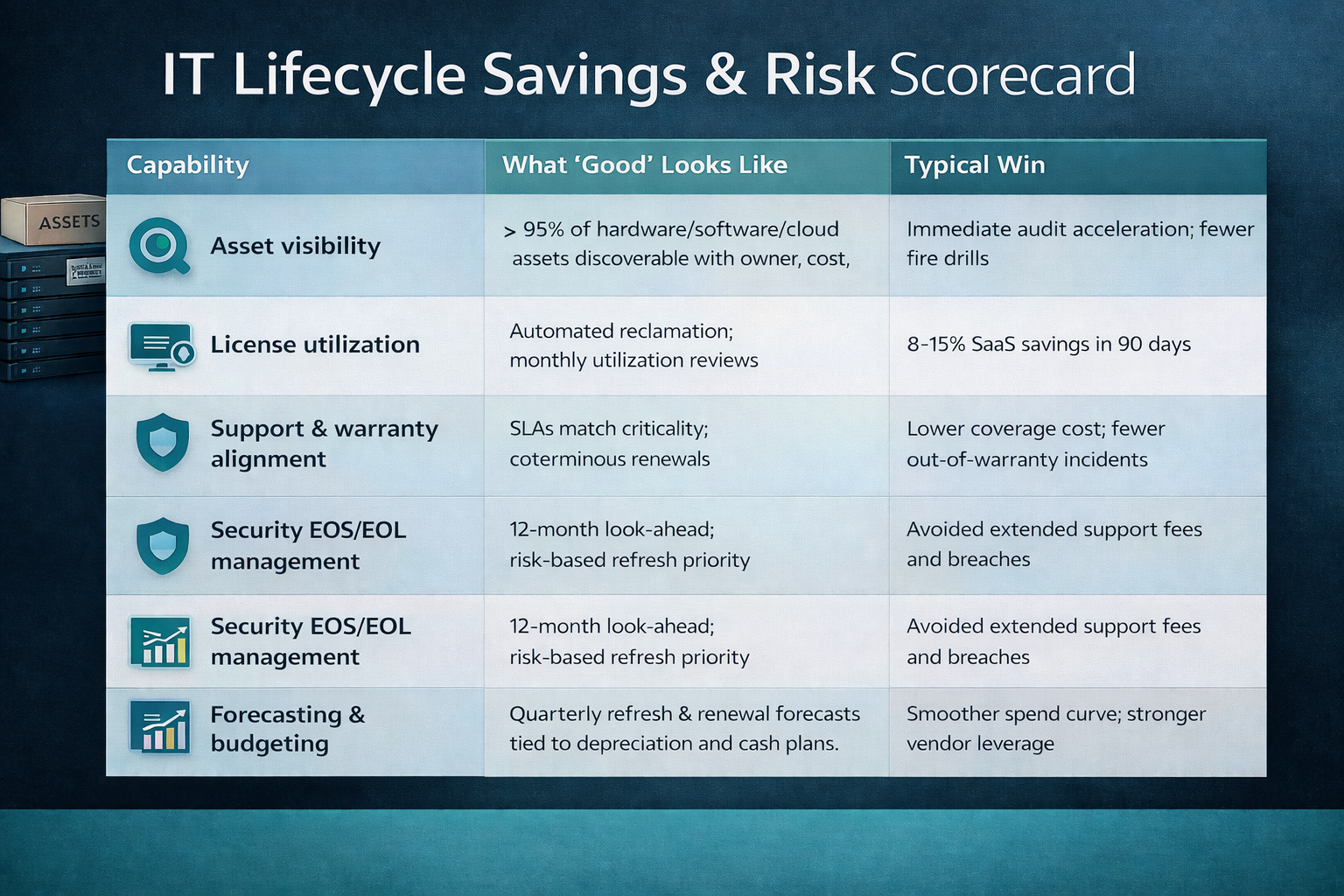
Use this lightweight scorecard to benchmark where you stand today and identify the fastest path to year-one impact. A “green” on the first four rows typically correlates with double-digit savings and a sharp drop in audit exceptions.
| Capability | What “Good” Looks Like | Typical Win |
|---|---|---|
| Asset visibility | >95% of hardware/software/cloud assets discoverable with owner, cost, warranty/EOS | Immediate audit acceleration; fewer fire drills |
| License utilization | Automated reclamation; monthly utilization reviews | 8–15% SaaS savings in 90 days |
| Support & warranty alignment | SLAs match criticality; co-terminus renewals | Lower coverage cost; fewer out-of-warranty incidents |
| Security EOS/EOL management | 12-month look-ahead; risk-based refresh priority | Avoided extended support fees and breaches |
| Forecasting & budgeting | Quarterly refresh & renewal forecasts tied to depreciation and cash plans | Smoother spend curve; stronger vendor leverage |
Where Cyber Advisors can help
If you want expert help in building or accelerating the lifecycle engine described above, our team can step in at any stage—from initial discovery and inventory cleanup, to catalog design, refresh, and EOS/EOL planning, contract right-sizing, and establishing the monthly “spend and risk" rhythm. We’ll assist you in aligning asset data, financials, and security context into a unified operating model so you can demonstrate tangible savings, reduce audit findings, and lower exposure without increasing headcount or slowing down the business.
- Managed IT Services — day-to-day operations, asset & contract management, and refresh execution.
- Cloud Solutions — governance for cloud resources, tagging, cost control, and lifecycle automation.
- Cybersecurity — vulnerability management, patch compliance, and EOS/EOL risk reduction.
Talk to an expert — give us a call at 763-465-GOCA (4622) and ask about getting a tailored 12-month savings & risk model.
Frequently asked questions
How quickly can we see savings?
Many organizations realize quick wins within the first 30–90 days via license reclamation and warranty right-sizing. Larger benefits from refresh governance and standardization build over 6–12 months as exceptions retire and contracts align.
Will standardization limit innovation?
No—standards create a stable baseline that accelerates innovation. Clear patterns make it faster to deploy and safer to experiment. When exceptions are truly needed, grant them with time-boxed approvals and a plan to fold back into standards later.
How does lifecycle management interact with cybersecurity?
They reinforce each other. Accurate asset data is the foundation of vulnerability management, incident response, and patching SLAs. EOS/EOL visibility ensures you don’t run unpatchable systems. Standardization reduces misconfigurations and speeds remediation.
We already have a CMDB—why isn’t that enough?
A CMDB is necessary, but not sufficient. Lifecycle adds commercial context (warranties, contracts, renewal terms), security context (EOS/EOL, patch state), and governance (refresh policy, catalog, exception register) to drive financial and risk outcomes.
What about cloud resources?
Treat cloud as first-class lifecycle citizens. Standardize templates and tags, enforce tagging at deployment, tie resources to owners and cost centers, and define decommission workflows. Apply the same monthly cycle for reclamation and right-sizing.
How should we handle leavers & joiners?
Connect HRIS events to your lifecycle engine. For leavers: trigger device return, secure wipe, and license reclamation automatically. For joiners: fulfill from the standards catalog and auto-assign the correct bundles, which shortens onboarding and prevents shadow IT.
What if we’re a regulated industry?
Lifecycle discipline helps—rather than hinders—compliance. Evidence-ready asset histories, EOS/EOL management, and standardized builds map cleanly to controls in NIST, ISO, CIS, HIPAA, and PCI. During audits, you can produce proof, not promises.
Which metrics should go on the executive scorecard?
Keep it short and outcome-oriented: (1) Year-to-date avoided spend (booked and projected), (2) % estate past EOS/EOL (trending down), (3) % devices out of warranty (trending down), (4) license utilization rate, and (5) incidents attributable to unsupported systems (trending down
Want To Know More? We can't wait to hear from you!