Agentic AI is the moment when “AI in the business” stops being passive and becomes operational. A chatbot that summarizes a policy is useful. An AI agent that can read internal systems and then do things—open tickets, change configurations, create users, update CRM records, send emails, or trigger workflows—is a different category of technology.
That action is what changes your risk profile.
When an agent is connected to real data and real tools, you’re effectively introducing a new type of identity into the environment: a non-human actor that can operate across systems at machine speed. The security questions are no longer just “is the model accurate?”—they’re operational, legal, and technical. They become: What can it access? What can it change? How do we constrain it? How do we investigate it? And how do we shut it down safely when something goes wrong?
This post is a practical checklist for IT and security leaders who want the benefits of agentic AI without creating invisible over-privilege and serious audit blind spots. You’ll get:
- Why agents are different from traditional AI tools
- A 10-question AI agent security checklist (with what “good” looks like)
- Vendor & contract gotchas to address before production
- Implementation checks before go-live
- Incident response considerations for autonomous workflows
- A lightweight scorecard template for readiness
If you only do one thing before deployment: treat the agent like a high-impact system integration plus a privileged identity—because that’s what it is.
WHY AI AGENTS CHANGE YOUR RISK PROFILE
“Agentic AI” generally refers to systems that can plan steps, call tools, and execute actions toward a goal with limited human involvement. Depending on design, an agent might retrieve internal information, generate outputs, and trigger workflows across SaaS and infrastructure platforms.
That combination—planning + tool use—introduces risks that don’t show up as strongly with basic generative AI:
- Tool access risk (over-permissioned actions)
If the agent can call tools, it can take actions. Tool access is where “assistant” becomes “operator” and where mistakes become system changes. - Cross-system blast radius
Agents usually span identity, collaboration, ticketing, cloud platforms, and line-of-business apps. A single compromised token or a single bad instruction can affect multiple systems in minutes. - Prompt injection and indirect manipulation
Agents can be influenced by the content they read (emails, tickets, documents, web pages). An attacker can feed malicious text that is treated as “instructions” and triggers unintended tool calls. - Data governance and retention complexity
Agent workflows may copy data into prompts, logs, outputs, caches, or vector databases. - Accountability and auditability
You need traceability: which agent, which run, which prompt, which tool calls, which approvals, which outputs. - Failure modes you don’t see in manual workflows
Agents can partially complete steps, retry in loops, and produce subtle errors—amplified by speed.
The goal isn’t to slow innovation. It’s to deploy agents with the same discipline you apply to privileged integrations, financial controls, and critical processes.
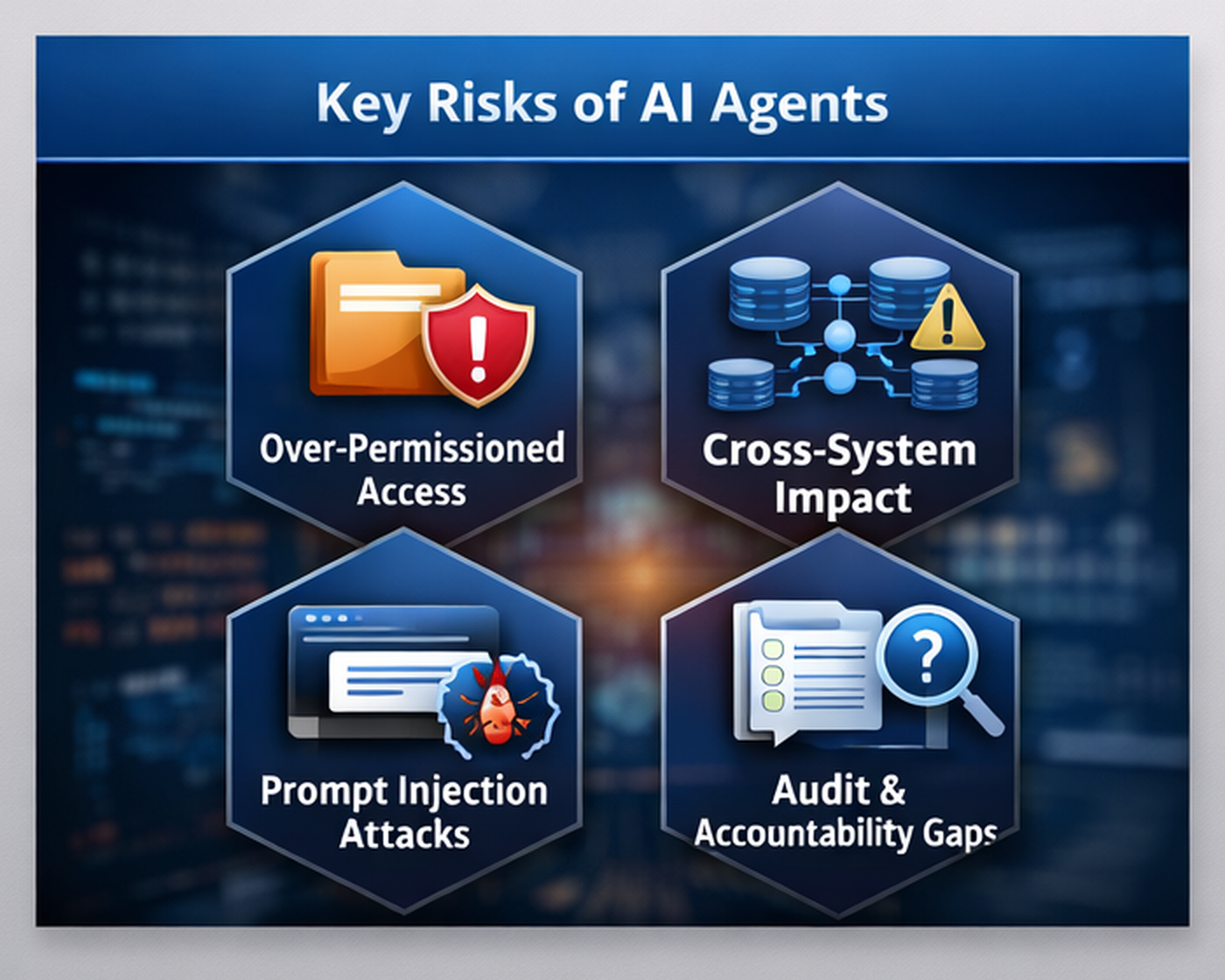
AI agents introduce new operational risk—especially over-permissioned access, cross-system blast radius, prompt injection, and audit gaps.
THE 10 QUESTIONS
Use the following as an agentic AI risk assessment. For each question: why it matters, common red flags, and what “good” looks like. If you’re doing a pilot, score yourself honestly—then use the gaps to decide what the agent is allowed to do in production.
1) What data can the agent access & why?
Why it matters
Data access defines confidentiality risk. If the agent can read broad datasets, it can accidentally expose them in outputs, logs, or downstream systems.
Red flags
- “It needs access to everything to be useful.”
- No data classification for major repositories.
- Regulated data is in scope without a documented business case.
- Vague retrieval with no filtering (“Show me all invoices”).
What “good” looks like
- Map each connected data source and classify its sensitivity.
- Justify access on a per-use-case basis and constrain scope.
- Add controls for high-sensitivity sources (approvals/masking/segregation).
- Test access boundaries and leakage behavior.
- Apply output controls to prevent dumping full records.
Example
A support agent may access “tickets + knowledge base,” but not HR records or executive legal content. Scope broad search tools to only the sites/libraries required.
Implementation tip
Start narrow. Expand only after logging and guardrails are proven.
2) What tools can it call & what actions can it take?
Why it matters
Tool permissions are the agent’s real power—especially write permissions.
Red flags
- Tools enabled “just in case.”
- Admin-level keys or broad OAuth scopes.
- No split between read-only and write/execute actions.
- External email/share is enabled by default.
What “good” looks like
- Document each tool’s allowed actions and permissions/scopes.
- Limit write actions to specific objects/workflows.
- Require approvals/step-up verification for high-risk actions.
- Maintain a tool-action catalog mapping actions to risk and owner.
- Default to read-only; add write when justified and controlled.
Example
In ITSM, allow ticket creation and updates; avoid auto-closing incidents or changing severity without governance.
3) How is least privilege enforced?
Why it matters
Least privilege prevents “shadow admin” behavior—especially when privileges stack across systems.
Red flags
- Global admin is used for convenience.
- Broad scopes, such as full mailbox access or directory write access.
- No periodic permission reviews.
- One agent identity is reused across unrelated use cases.
What “good” looks like
- Dedicated non-human identity with minimal roles and scoped resources.
- Segmentation by use case (separate identities/connectors).
- Approvals/dual control for sensitive operations.
- Just-in-time elevation where possible.
- Scheduled reviews and tracked exceptions.
Example
Scope email access to a workflow mailbox and restrict send domains to internal-only until the workflow is mature.
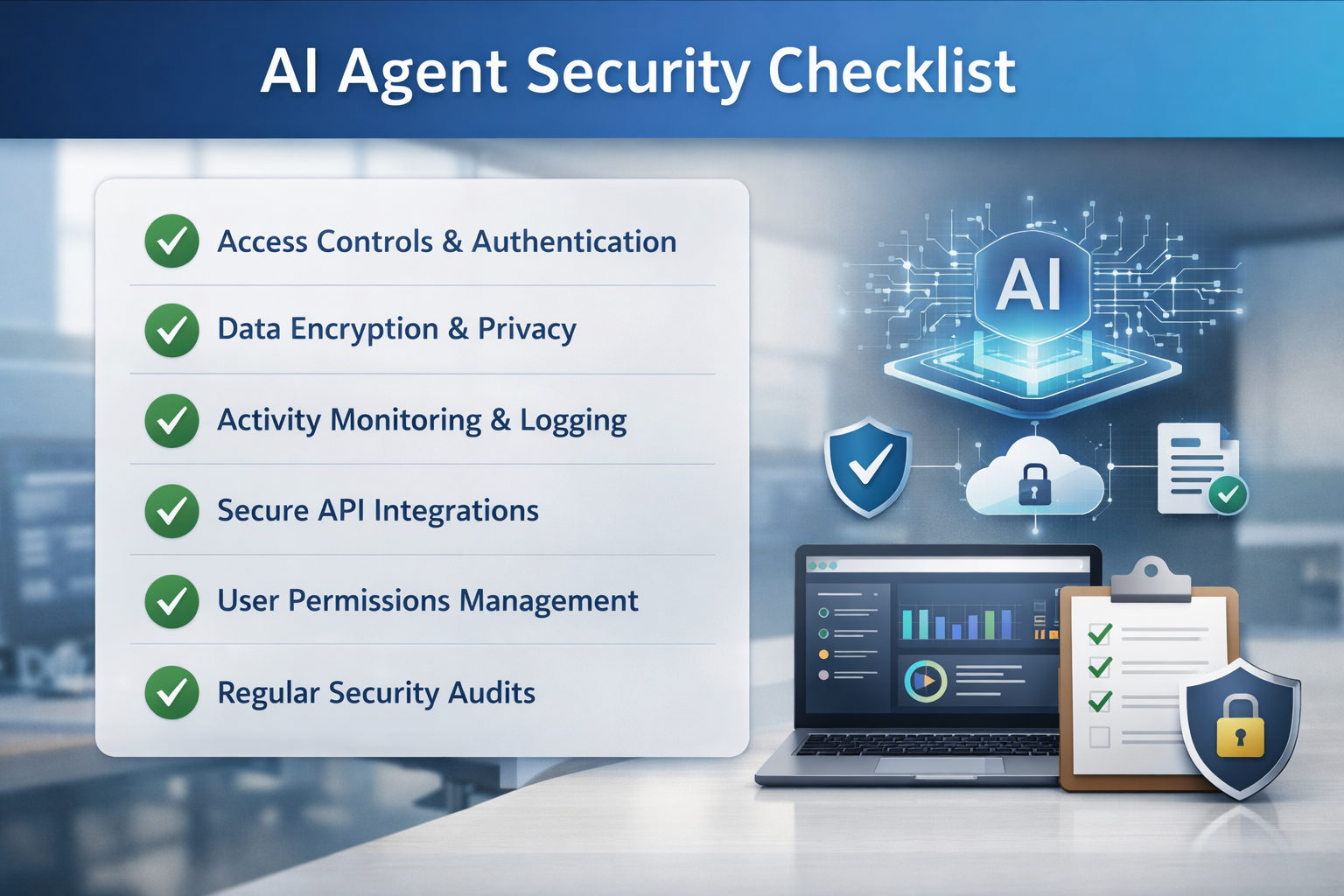
A deployment-ready checklist—validate access controls, permissions, logging, integrations, and audit readiness before go-live.
4) What gets logged?
Why it matters
You need a defensible chain of evidence for investigations, audits, and accountability.
Red flags
- Logs only show success/failure.
- Tool call parameters aren’t captured.
- Prompts/context aren’t recorded.
- Logs are stuck in vendor portals with short retention.
What “good” looks like
- Log agent/run IDs, instructions, retrieved context references, tool calls, approvals, and outputs.
- Export to SIEM/MDR with retention aligned to your needs.
- Restrict and audit access to logs.
- Redact/tokenize sensitive fields instead of disabling logging.
Implementation tip
Define “audit events” and validate that you can quickly reconstruct a run.
5) How do you prevent prompt injection & data leakage?
Why it matters
Untrusted content can hijack behavior; outputs can leak sensitive information.
Red flags
- Inbound content processed without controls.
- Web browsing allowed without guardrails.
- No DLP or output checks.
- Tool calls accept free-form parameters.
What “good” looks like
- Define trusted vs. untrusted sources and default to “untrusted.”
- Use allowlists, content filtering, and strict instruction hierarchy.
- Apply DLP/sensitivity labels and gate external sharing and sending.
- Use structured schemas and validation for tool inputs.
- Test injection patterns for test prompts; enforce refuse/escalate behavior.
Example
Malicious ticket text should never translate directly into tool parameters. Require validation, approval and DLP checks.
6) How do you validate outputs?
Why it matters
Your design must limit how wrong the agent can be before a human intervenes.
Red flags
- Autonomous execution with “we’ll monitor later.”
- No definition of what requires review.
- Users treat outputs as authoritative.
What “good” looks like
- Risk tiers for outputs/actions with clear approval rules.
- Role-based approvals for high-risk actions.
- Guardrails: policy checks, blocked categories, escalation rules.
- Agent prepares; humans commit sensitive actions (especially early).
7) Where does data go?
Why it matters
This is where security meets legal, privacy, and compliance.
Red flags
- Vague retention/data usage statements.
- No subprocessor transparency or notifications.
- Data residency is not addressed.
- Deletion scope unclear (embeddings/backups).
What “good” looks like
- Written confirmation of training usage and data handling tied to your tier.
- Defined retention and verified deletion for prompts/outputs/logs/vector stores.
- Subprocessor disclosure, review, and change notification with the right to object.
- Clear processing/storage regions and access controls.
8) How do you handle secrets?
Why it matters
Poor secret management turns an AI rollout into credential exposure.
Red flags
- Keys stored in code/config files.
- Long-lived tokens and shared accounts.
- Same key across dev/test/prod.
What “good” looks like
- Vaulted secrets with strict access, audit logs, and rotation.
- Scoped, short-lived credentials where possible.
- Monitoring for anomalous token usage.
- Tested revocation and reissue without breaking workflows.
9) What happens on failure?
Why it matters
Autonomous workflows need safe failure modes and a tested stop mechanism.
Red flags
- No timeout/retry strategy.
- No rollback for write actions.
- Untested, “we’ll just disable it.”
What “good” looks like
- Timeouts, rate limits, and safe retries per tool/action.
- Rollback paths documented in runbooks.
- Kill switch to disable tool access and/or the agent identity.
- Testing for partial completion and recovery.
10) Who owns governance & ongoing reviews?
Why it matters
Agents drift. Governance prevents silent privilege creep and audit gaps.
Red flags
- No owner or review cadence.
- Prompt/tool changes without change control.
- Multiple teams are deploying agents with no central inventory.
What “good” looks like
- Business + IT + security ownership and change control.
- Agent registry: use cases, connectors, permissions, risk tier, owners, review dates.
- Regular reviews and a decommissioning process.
- Alignment to vendor risk, privacy, compliance, and SecOps programs.
VENDOR & CONTRACT GOTCHAS
A strong technical design can be undermined by weak terms. Before production, confirm and document:
- Data usage (training/product improvement defaults and opt-out in writing)
- Retention/deletion (prompts, outputs, logs, vector stores, backups)
- Subprocessors (list, notifications, right to object/terminate)
- Evidence access (export/log APIs, retention, SIEM/MDR ingest)
- SLAs/outage behavior (safe mode vs. retries, incident comms)
- Security responsibilities (config/access control ownership)
- Liability posture (understand gaps; compensate with controls)
IMPLEMENTATION CHECKS BEFORE GO-LIVE
Use this pre-production checklist to avoid discovering capabilities after launch:
- Map data sources and classify sensitivity before connecting them.
- Document tool permissions and require approvals for high-risk actions.
- Confirm vendor retention, training usage, and subprocessor lists (in writing).
- Require audit logs suitable for investigations and compliance; centralize them.
- Implement a kill switch and a rollback path for automated actions.
- Run adversarial testing (prompt injection) and a tabletop exercise.
- Train users and publish escalation paths for suspicious behavior and incorrect outputs.
A practical “first production” posture is often: narrow data scope + read-only tools + strong logging + human approval for any external send/share or write action.
INCIDENT RESPONSE FOR AUTONOMOUS WORKFLOWS
Detection
Look for unusual tool calls, large data retrieval, after-hours actions, repeated retries/loops, and unapproved changes to prompts/connectors.
Containment
Have a runbook for revoking tokens/keys, disabling the agent identity, and disabling connectors. A kill switch that takes minutes is not a kill switch.
Investigation
Reconstruct runs using session IDs, prompt/version history, retrieved context references, tool call sequences, approvals, and output artifacts.
Recovery
Roll back unauthorized actions, rotate secrets, tighten guardrails, update monitoring rules, and run a relaunch checklist before re-enabling autonomy.
SCORECARD TEMPLATE AND NEXT STEPS
Score each category 0–2 (0 = not addressed, 1 = partial, 2 = documented + evidenced).
Agentic AI Risk Scorecard (0–20)
1) Data access mapped and justified: 0 1 2
2) Tools/actions documented and risk-tiered: 0 1 2
3) Least privilege enforced across systems: 0 1 2
4) Logging captures prompts, tool calls, outputs: 0 1 2
5) Prompt injection + leakage controls tested: 0 1 2
6) Human-in-the-loop for high-risk actions: 0 1 2
7) Vendor data handling confirmed (training/retention/subprocessors): 0 1 2
8) Secrets managed via vault + rotation: 0 1 2
9) Failure modes tested (timeouts/rollback/kill switch): 0 1 2
10) Governance owner + review cadence established: 0 1 2
Interpretation:
0–8: High risk—keep pilots isolated and read-only.
9–14: Moderate—controlled production use cases; close the biggest gaps first.
15–20: Strong readiness—scale with confidence and continuous review.
Next steps you can take this week:
- Inventory your proposed data sources and tools (one-page list).
- Define two risk tiers: “autonomous allowed” vs. “approval required.”
- Confirm vendor retention/training/subprocessors in writing.
- Stand up logging and a kill switch before expanding permissions.
CYBER ADVISORS can help
Agentic AI can drive real business value—faster operations, better customer experience, and scalable automation—but only if it’s deployed with the same rigor you apply to identity, privileged access, and critical processes.
Cyber Advisors can help you deploy quickly while reducing risk:
- Security Risk Assessments & Roadmapping: Map data/tool exposure and build a phased deployment plan with measurable controls.
- vCISO / Security Leadership Services: Establish governance, policies, and decision frameworks for agentic AI across the organization.
- IAM / Conditional Access: Build least-privilege agent identities, approvals, and access guardrails.
- Microsoft 365 Security & Compliance (DLP, Purview): Apply labeling, DLP, retention, and audit controls to reduce leakage.
- Managed Detection & Response (MDR): Centralize agent telemetry, detect anomalous tool calls, and accelerate response.
- Security Awareness Training / Phishing Testing: Train teams on safe usage patterns and prompt-injection awareness.