
During an incident, the first question is usually “what happened?”—and the second is “do we still have the logs?” If you’ve ever tried to reconstruct a timeline from partial records, you know the pain: a VPN log that rolled over last week, a mailbox audit trail that was never turned on, a firewall that only keeps 7 days of events, and an endpoint that was reimaged before anyone exported telemetry.
Log retention is not a “buy more storage” problem. It’s a strategy problem. You want enough visibility to detect suspicious activity early, investigate decisively when something goes wrong, and satisfy audit/insurance expectations—without collecting more personal data than you need or building an expensive SIEM that no one maintains.
This guide lays out what to collect, how long to keep it, and how to do it cost-effectively across Microsoft 365, endpoints, and network devices. We’ll also cover privacy and access controls, and how to scale retention as your organization matures.
Logging Outcomes & Use Cases
Before you decide “90 days or 1 year,” be clear about the outcomes you need from logs. Most logging programs fail because they try to do everything, everywhere, all at once. Better is to map log sources and retention to three distinct use cases:
1) Detection (near-real-time)
Detection is about spotting suspicious behavior fast enough to contain it. This use case prioritizes timely ingestion, normalization, and alerting. Retention requirements can be shorter, but data needs to be searchable quickly.
Examples:
- Identify impossible travel sign-ins in Microsoft 365.
- Detect mass file downloads from SharePoint or OneDrive.
- Alert on endpoint ransomware-like behavior (rapid file encryption, shadow copy deletion).
- Spot unusual outbound connections to rare domains.
2) Investigation (lookback & timeline reconstruction)
Investigation is about answering “who did what, when, and from where?” after an alert, user report, or third-party notice. The lookback window is often longer than you expect. Many intrusions are discovered weeks or months after initial access, and the “interesting” event might be far earlier than the day you found it.
Examples:
- Confirm when a mailbox forwarding rule was created and by whom.
- Trace lateral movement from one endpoint to another.
- Identify the first suspicious sign-in, token use, or OAuth consent grant.
- Reconstruct data access in M365 during a compromise window.
3) Compliance, audit, & insurance readiness
Compliance may require retention for specific systems, data types, or events. Even when you’re not regulated, cyber insurance questionnaires and customer contracts increasingly ask about log retention, monitoring, and incident response capability.
Examples:
- Evidence of privileged access review and admin actions.
- Audit trails showing changes to security settings and policies.
- Records supporting breach notification or legal hold.
A practical approach: start with investigation as your anchor. If you can investigate well, detection typically improves (because you learn what “bad” looks like in your environment), and compliance becomes easier (because you can produce evidence). Investigation, however, is the most retention-hungry use case. That’s why the retention strategy should begin by deciding how far back you realistically need to go to answer hard questions.
A simple planning question:
If you learned today that an attacker had access three months ago, could you prove what they touched?
If the answer is “not really,” your retention window and/or collection coverage is too small.
Baseline: What You Must Collect
You don’t need every log from every source. You need the right logs from the right systems—especially the systems that represent identity, administrative control, and outbound connectivity. Those three areas show up in the majority of real-world investigations.
Minimum viable logging checklist
Identity and access (highest priority)
- Authentication events: successful and failed sign-ins, including conditional access results.
- MFA events: challenges, approvals/denials, changes to MFA methods.
- Privileged access: role assignments, PIM activation (if used), admin sign-ins.
- Token and session signals: risky sign-ins, unusual device/location, legacy auth usage.
Administrative changes (high priority)
- Changes to directory settings, security configurations, mail flow, and audit policies.
- Creation/changes to mailbox rules and forwarding.
- OAuth app consent grants and permission changes.
- Creation of service principals, certificates, secrets, and application permission assignments.
Endpoint telemetry (high priority)
- EDR detections and process telemetry (process start, parent/child trees, command lines).
- Persistence mechanisms (scheduled tasks, services, registry run keys).
- Credential access attempts and suspicious LSASS interaction indicators (vendor-specific).
- Local admin group membership changes, new user creation, remote execution evidence.
Network egress and access (high priority)
- Firewall allows/denies with source/destination, ports, and NAT, where applicable.
- DNS query logs (internal resolver, firewall DNS, or secure DNS provider logs).
- VPN authentication and session logs (user, IP, device, duration, MFA).
- Proxy or secure web gateway logs if used (URL, category, destination IP).
Why these categories matter: Identity and admin actions tell you how access was obtained and escalated. Endpoint telemetry tells you what was executed and how persistence was established. Network egress and DNS tell you where compromised systems communicated (command-and-control, data exfiltration) and whether you have beaconing or unusual destinations.
If you do nothing else, prioritize: Microsoft 365 / Entra ID sign-in and audit logs, mailbox and admin actions, EDR telemetry on all endpoints, firewall and DNS logs for outbound connections, and VPN/auth logs.
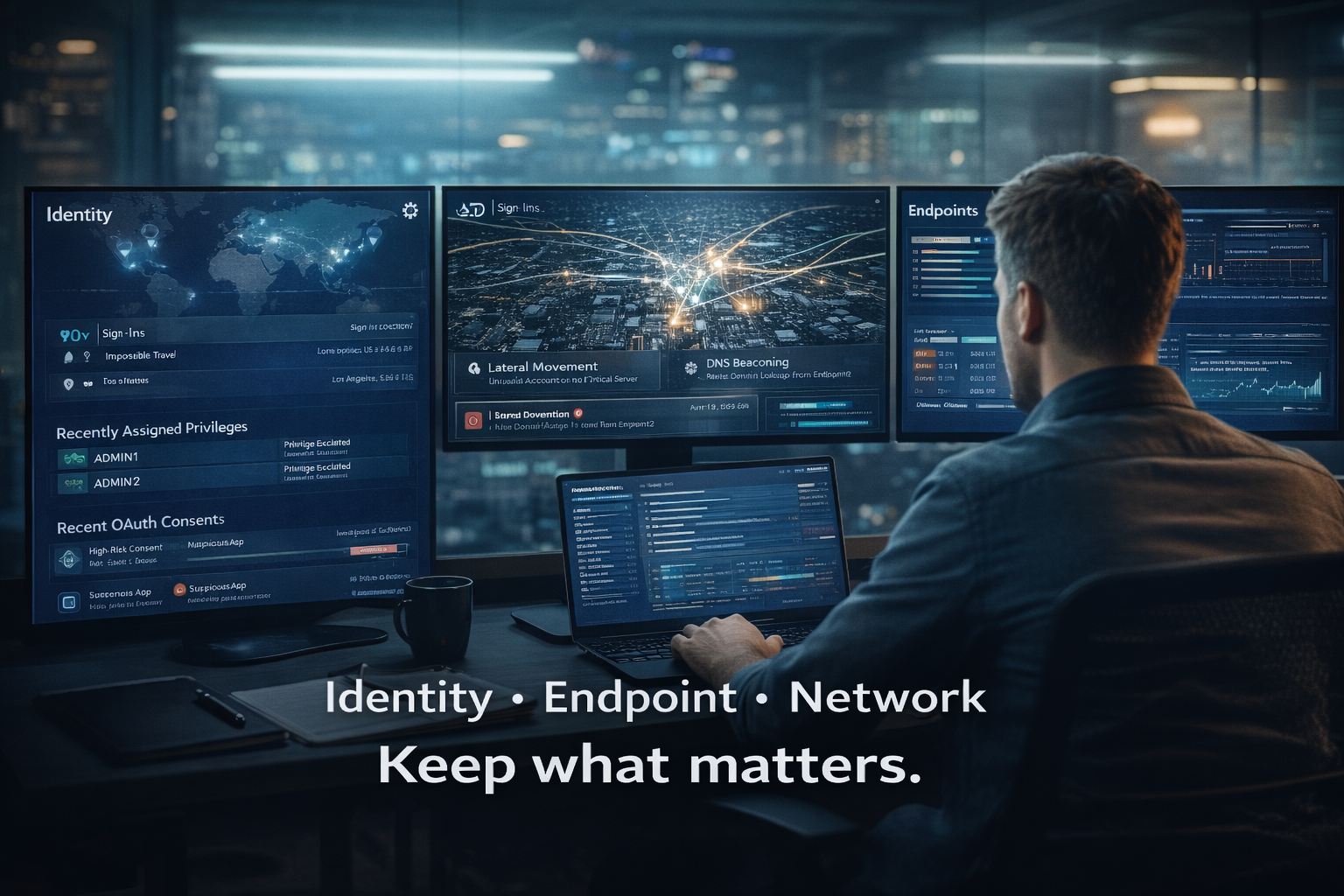
“When the question is ‘what happened?’ your logs are the only reliable timeline.”
M365: Key Audit & Security Logs
For many SMB and mid-market organizations, Microsoft 365 is the “control plane” of the business: identity (Entra ID), email, collaboration, and file storage. If you don’t have strong M365 logging, investigations become guesswork.
M365 unified audit log & identity events
Start with the core: unified audit logging and identity sign-ins. In practice, investigations frequently hinge on these questions: Was the account compromised via password spray, MFA fatigue, token theft, or legacy auth? What administrative actions were taken after access? What data was accessed or exported?
- Entra ID (Azure AD) sign-in logs (interactive and non-interactive)
- Entra ID audit logs (directory changes, role changes, app registrations)
- Unified audit logs for Exchange, SharePoint, OneDrive, Teams, and Power Platform activity
- Conditional Access evaluation results and risk signals (if available)
- Defender for Office 365 / Defender for Endpoint alerts (where deployed)
Key practices: Ensure audit logging is enabled and retention is appropriate for your licensing and needs. Centralize collection (SIEM or log platform) so you’re not depending on portal-only lookups during an incident. Capture both successful and failed authentication events—failed events often show the intrusion attempt pattern before success.
Mailbox rules, OAuth app consents, admin actions
Three M365 investigation “greatest hits” show up repeatedly:
1) Mailbox forwarding, inbox rules, and transport rules
Attackers love email rules because they are quiet, durable, and effective.
- Creation or modification of inbox rules
- Automatic forwarding to external addresses
- Changes to mail flow rules or connectors
- Delegated mailbox access and send-as permissions
Retention matters because these changes might have happened long before you noticed suspicious activity.
2) OAuth app consents and malicious applications
Attackers can obtain persistent access via OAuth app consent grants or by compromising an application registration and using its permissions.
- User or admin consent events for new apps
- Changes to app permissions (especially high-privilege scopes)
- Creation of service principals and credential changes
- Unusual token use patterns (where available)
3) Privileged admin actions and security setting changes
If an attacker gains admin privileges, they may disable security controls or create backdoors.
- Role assignments (including temporary/eligible role activations)
- Changes to conditional access policies
- Changes to MFA requirements and authentication methods
- Creation of new admin accounts or break-glass accounts
- Changes to security alerts, audit settings, and retention settings
Practical retention guidance for M365 logs
Because identity and admin events are so central, you typically want to retain them longer than other sources. Even if your SIEM budget is limited, consider at least archiving raw identity and audit events (compressed, encrypted) for a longer lookback.
Endpoints: EDR/OS Logs That Matter
Endpoints remain a primary battleground. Even in cloud-first organizations, attackers often aim to run code on endpoints to steal tokens, capture credentials, pivot laterally, and access data.
EDR telemetry, process trees, persistence
If you have EDR (Endpoint Detection and Response), you have your best shot at “what ran on the system?” For investigation, the most valuable EDR data generally includes:
- Process execution events with parent/child relationships (process trees)
- Command line arguments (critical for PowerShell, rundll32, regsvr32, wmic, mshta, etc.)
- File creation/modification events (especially in user profile and temp directories)
- Network connections from processes (destination IP/port/domain when available)
- Registry modifications and service/scheduled task creation
- User logons, RDP sessions, and remote execution indicators
Retention is not just about the EDR console. Some EDR platforms retain detailed telemetry for a limited period, then summarize. If you need a longer lookback, you may need to export to a log platform or archive. The difference between “we saw an alert” and “we can prove the timeline” often hinges on whether the detailed events were retained.
Sysmon considerations
If you don’t have an EDR platform, or if you want richer Windows event data, Sysmon can help—but it must be deployed thoughtfully. Sysmon can generate high-volume events quickly. A misconfigured Sysmon deployment can overwhelm storage and create noise, while still missing the events you actually need.
- Use a vetted configuration (avoid “log everything”).
- Focus on process creation, network connections, and image loads relevant to common attacker techniques.
- Forward events centrally and ensure your pipeline can handle the volume.
- Align retention expectations to budget; Sysmon at full fidelity for a year is often expensive.
For many organizations, EDR is the better starting point. EDR tends to provide curated, investigation-friendly data and detections. Sysmon is a powerful supplement, especially for deeper Windows telemetry, but it requires more operational maturity.
Network: Firewall, DNS, & VPN Logs
Network logs are your “where did it go?” visibility. Even in a world of encrypted traffic, outbound destination, timing, and authentication records are essential for understanding command-and-control, data exfiltration, and remote access.
Firewall allow/deny & NAT
- Outbound allow logs (especially from user subnets to the internet)
- Inbound deny logs (useful for scanning and attack attempts)
- VPN and remote access events (sometimes separate from firewall traffic logs)
- NAT translations (critical if internal IPs are mapped to public IPs)
Why NAT matters: During an investigation, you may need to map a suspicious public IP observed in cloud logs or a third-party alert back to an internal device. Without NAT logs (or equivalent), you may not be able to confidently identify the originating host.
DNS queries for beaconing
DNS is one of the most valuable—and underused—sources for investigation. Many malware families and attackers rely on DNS for command-and-control, domain generation algorithms, and initial staging.
- Which devices looked up a suspicious domain?
- When did the first query occur (patient zero clues)?
- Is there periodic beaconing (regular intervals)?
- Are there rare domains that only one device queried?
VPN/auth logs for lateral movement
VPN logs are not just “did they connect?” They can provide username, source IP, device identifiers, authentication method and MFA status, session times, assigned internal IPs, and reputation signals (depending on platform).
If you use multiple remote access methods (VPN, RDP gateways, ZTNA, SASE), ensure each has logs centralized with consistent retention. Fragmented remote access logging is a common blind spot.
Retention Targets by Maturity
There is no universal “correct” retention period. The right target depends on your risk, regulatory requirements, cyber insurance expectations, and how quickly you realistically detect and respond to incidents.
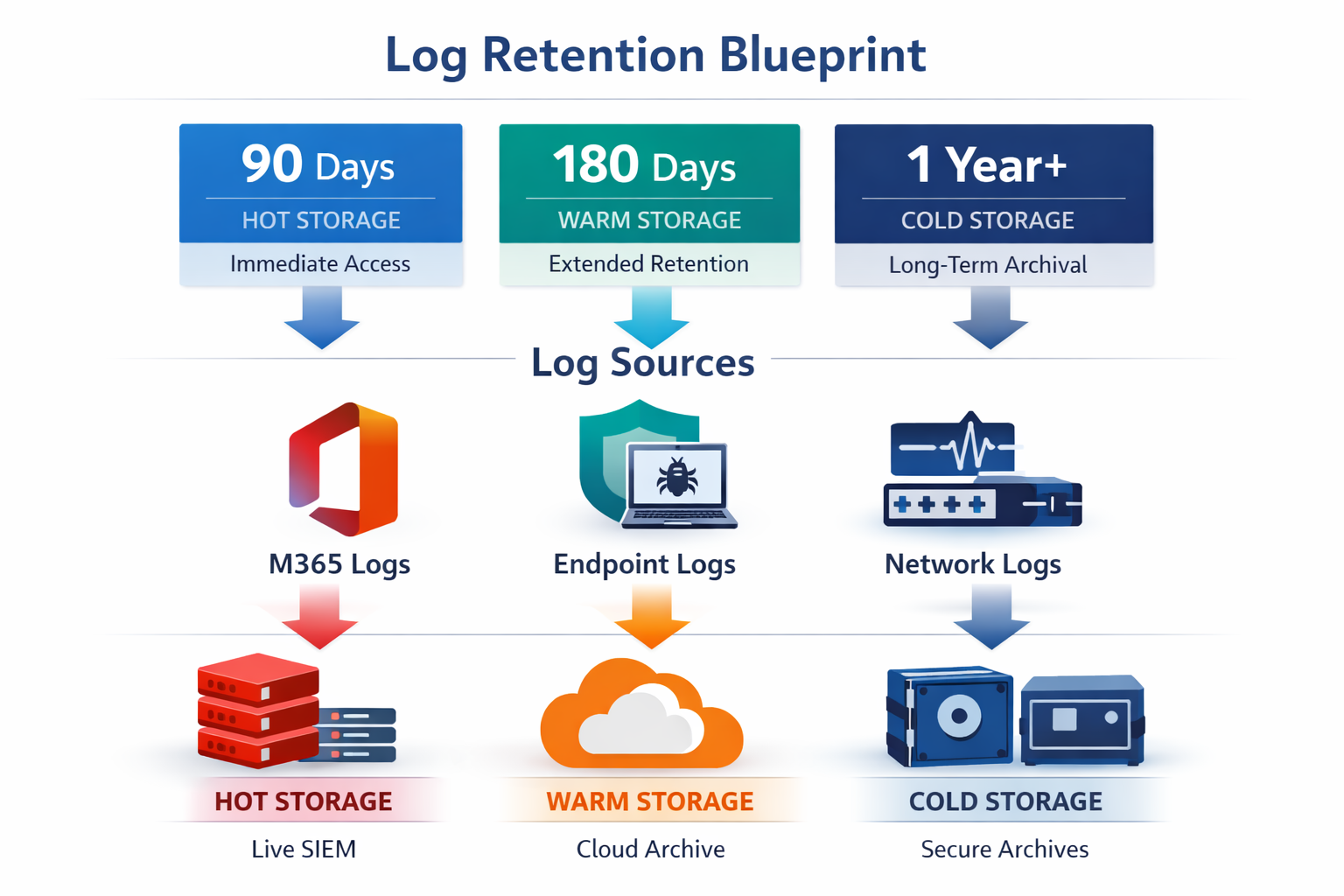
“A simple blueprint: keep high-value logs searchable longer, and push the rest into secure archive tiers.”
90 days vs 180 vs 1 year (tradeoffs)
Tier 1: 30–90 days (minimum viable) — investigate only if discovered quickly; higher risk of missing initial access and scope.
Tier 2: 180 days (practical baseline) — supports investigations discovered months later; better correlation across identity/endpoint/network.
Tier 3: 1 year searchable + longer archive — strong capability for regulated/higher-risk orgs; supports annual audits and longer-dwell attacks.
A key point: searchable vs stored. Not all retention needs to be “hot” in a SIEM. Use hot/warm for rapid investigations and cold/archive for longer compliance lookback.
Storage Options: SIEM vs Archive
Cold storage + rehydration
Cold storage enables long retention without paying premium SIEM costs for every event. Keep high-value logs searchable and archive the rest; rehydrate archived data into a searchable environment when needed.
Cost-control levers
- Reduce noisy logs at the source (filter non-essential events).
- Normalize only what you need for detection; store raw for archive.
- Adjust verbosity (e.g., firewall logging levels).
- Keep long retention for the highest ROI sources (identity, admin, DNS, VPN).
Privacy, Access Control, & Legal Holds
Role-based access + encryption
Logs can include sensitive personal data (usernames, IPs, URLs/DNS queries, file names). Apply RBAC, separation of duties, MFA, encryption, and audit trails for log access.
Legal holds & incident preservation
Plan for “incident mode”: preserve logs beyond normal retention when required, export relevant evidence quickly, and document chain-of-custody.
Putting It Together: A Practical Retention Plan You Can Execute
Step 1: Define your investigation lookback goal
Minimum: 90 days. Practical baseline: 180 days. Strong: 1 year searchable (identity/admin) plus archive beyond. Align with insurance, contracts, and risk.
Step 2: Prioritize sources by investigation value
Start with M365/Entra ID sign-in + audit logs, unified audit logs, EDR telemetry, firewall egress + NAT, DNS queries, and VPN/auth logs. Expand to servers, SaaS, and cloud logs as needed.
Step 3: Decide what must be searchable vs archived
Common design: 180 days searchable for identity/admin + key M365 audit events; 90–180 days searchable for endpoint/network (volume-driven); 1–3 years archived for key sources.
Step 4: Implement collection & normalization
Centralize logs, normalize key fields for correlation, and validate time sync and completeness.
Step 5: Tune & test
Tabletop a compromised account and confirm you can answer initial access, admin changes, mail forwarding, endpoint execution, and outbound destinations. Document gaps and improve.
Step 6: Govern & maintain
Assign ownership, review coverage quarterly, and revisit retention annually. Logging degrades quietly unless someone owns it.
Common Pitfalls to Avoid
- Portal-only retention: export the logs you need so you’re not limited by vendor defaults.
- “Log everything” ingestion: start with identity/admin, endpoint telemetry, and network egress/DNS.
- Missing NAT/DNS: these are often the difference between suspicion and proof.
- Weak log access controls: restrict, encrypt, and audit who searches what.
Cyber Advisors' Services &Next Steps
If you can’t confidently answer “what happened?”, you either don’t have enough logs or don’t keep them long enough.
Cyber Advisors helps SMB and mid-market organizations build logging and retention programs that are practical, defensible, and cost-effective. We focus on the sources that matter most—identity, admin activity, endpoint telemetry, and network egress—then design retention tiers that align with your incident response timeline, cyber insurance expectations, and compliance requirements.
How we can help:
- Cyber Maturity Review (Cyber Advisors): Identify your biggest visibility gaps, prioritize log sources, and define retention targets aligned to your risk and business needs. [Internal Link: Cyber Maturity Review]
- Incident Response Readiness (DigiTek Security): Build a response plan, test investigations, and ensure you can preserve evidence and execute quickly when incidents occur. [Internal Link: Incident Response Readiness]
- Microsoft 365 Security Hardening (eDot Solutions): Improve identity security, conditional access, auditing, and admin controls—so your M365 logs are meaningful and your environment is harder to compromise. [Internal Link: Microsoft 365 Security Hardening]
- Secure Network & VoIP Review (Chicago Voice & Data): Validate firewall logging, VPN/auth events, DNS visibility, and network segmentation—so you can trace egress and reduce lateral movement risk. [Internal Link: Secure Network & VoIP Review]
Ready for a practical plan? Get a Log Retention & Collection Plan tailored to your environment—what to log, how long to keep it, where to store it, and how to access it fast during an incident.
Schedule a session with Cyber Advisors to align retention with investigation needs, budget, and privacy—and to make sure the next time you ask “what happened?”, the evidence is there.