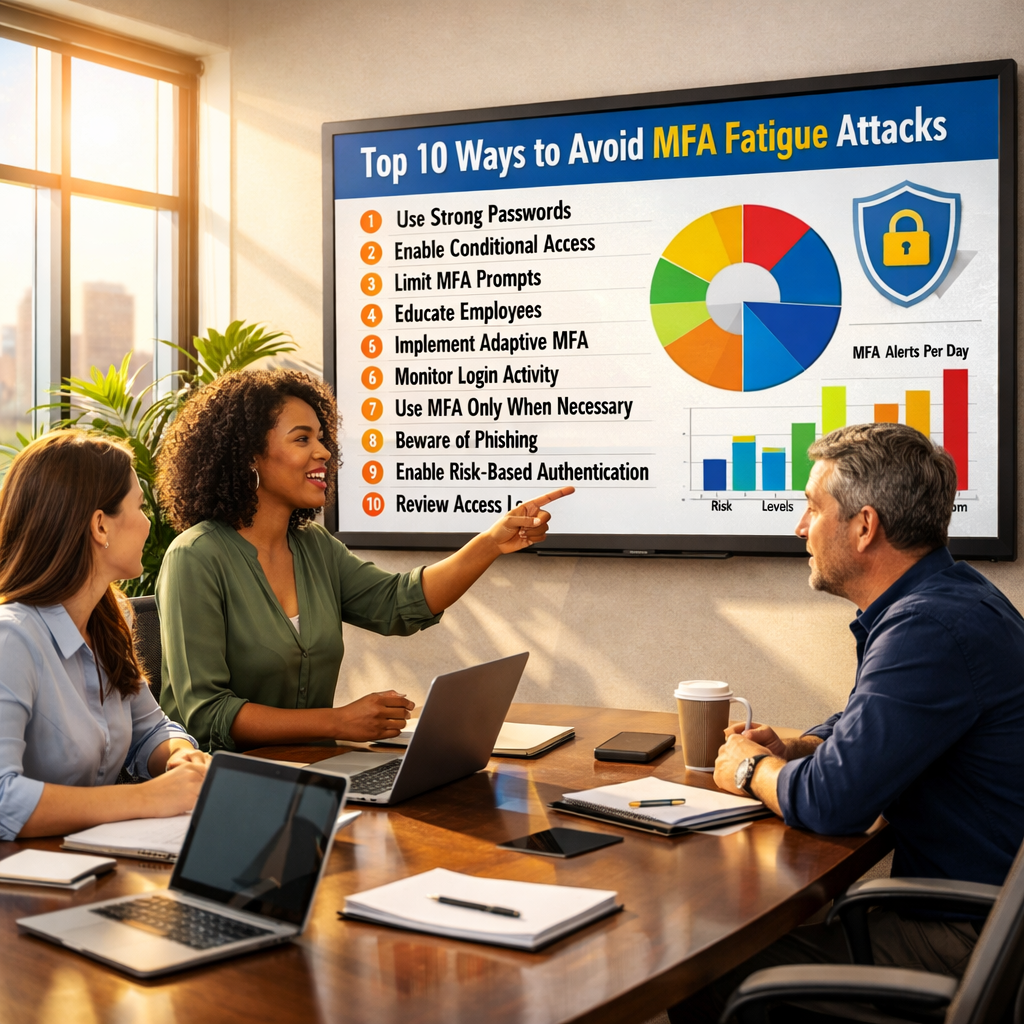
A practical blueprint for SMB and mid-market teams under pressure to reduce risk without adding headcount.
What’s at Stake
MFA fatigue attacks (also called push fatigue, MFA bombing, or prompt flooding) exploit a simple reality: people are busy, interrupts are constant, and authentication prompts are designed to be quick. Attackers take advantage by triggering repeated MFA approvals until someone accepts just to make the prompts stop—often when they’re distracted, traveling, or trying to finish a task.
For SMB and mid-market organizations, these attacks are especially dangerous because identity has become the control plane for everything: email, file storage, collaboration tools, finance systems, HR platforms, and administrative consoles. Once an attacker is inside a legitimate account, they can move fast with fewer alarms—and they don’t need malware to do damage.
Why leadership should care (business impact)
- Account takeover becomes a launchpad: compromised email enables invoice fraud, credential phishing, and lateral movement into SaaS.
- Downtime and disruption: attackers can disable security tooling, create mail forwarding rules, or tamper with backups before deploying ransomware.
- Data exposure: one successful approval can expose customer data, contracts, employee records, and regulated information.
- Vendor and partner risk: a single compromised account can be used to attack customers or suppliers (especially via email threads).
- Reputation and compliance: incident response and notification costs can easily exceed the cost of prevention.
Bottom line: MFA reduces risk—when it’s implemented the right way. The goal is not “MFA enabled.” The goal is authentication that’s hard to trick, plus fast detection and response when something looks wrong.
Want a fast read on your exposure?
We’ll benchmark your identity controls, email security, endpoint coverage, and backup recoverability—then deliver a prioritized plan you can execute this quarter.
How MFA Fatigue Attacks Work & Succeed
MFA fatigue attacks aren’t sophisticated in the “zero-day exploit” sense. They’re effective because they exploit human attention and predictable workflows. Understanding the attacker’s sequence helps you decide where to apply controls.
Typical attack sequence
- Credential access: The attacker obtains a username and password (phishing, password reuse, credential stuffing, purchased lists).
- Repeated sign-in attempts: They trigger MFA prompts over and over, sometimes rotating IPs/devices to avoid simple blocks.
- Timing + context manipulation: They hit users during busy windows (early morning, travel days, month-end close, meetings).
- Approval (the “yes” moment): The user taps “approve” to stop the prompts—or mistakes the prompt for a legitimate login.
- Persistence setup: The attacker adds mailbox rules, OAuth app consent, new MFA methods, or session tokens to retain access.
- Monetization: They move to fraud (payments/invoices), data theft, ransomware staging, or partner-facing attacks.
Why it works: the “three friction gaps”
- Authentication friction gap: Push prompts are too easy to approve, and users lack sufficient context to decide.
- Policy friction gap: Conditional access is too permissive (any device, anywhere, anytime), so the attacker can keep trying.
- Response friction gap: Even when users suspect something, there isn’t a fast, well-rehearsed path to contain it.
What “good” looks like
A strong program makes fatigue attacks hard to succeed and fast to detect. You’re aiming for a system where repeated prompts trigger automatic controls (step-up auth, session revocation, blocks) and where users know exactly what to do within 60 seconds—without needing a committee meeting.
Common Failure Patterns
MFA fatigue attacks don’t succeed because MFA is “bad.” They succeed because MFA is often deployed in a way that leaves gaps—technical, procedural, and human. Here are the patterns we see most often in real environments.
1) Push-based MFA without additional safeguards
“Approve / Deny” prompts are convenient, but convenience is a weakness. If your default MFA method is push approvals, you need compensating controls (number matching, device compliance, risk-based conditional access, and strong alerting) to make approvals meaningful.
2) Too many exceptions That never get cleaned up
Legacy protocols, service accounts, shared mailboxes, and “temporary” bypasses become permanent. Attackers love exceptions because they are rarely monitored. Every exception should have an owner, an expiration date, and a replacement plan.
3) Incomplete identity lifecycle management
When joiner/mover/leaver processes are inconsistent, dormant accounts and over-permissioned users accumulate. MFA fatigue attacks are more likely to succeed when attackers can target users with elevated privileges or access to sensitive systems.
4) No clear “what to do when…” playbook
If a user receives repeated prompts, do they know what to do in the next 60 seconds? Many organizations rely on “report it” without giving a clear path: who to contact, what to screenshot, how to verify the login, and how IT/security will respond.
5) Security signals aren’t connected
MFA fatigue is an identity event, but it often correlates with suspicious email activity, risky sign-ins, unusual endpoints, or impossible travel patterns. Without a monitoring and response capability (internal or outsourced), events become “noise” instead of actionable alerts.
Reality check: If you’re only measuring “MFA enabled,” you’re missing the point. The goal is to achieve resistant-to-bypass authentication, plus fast detection and response.
How to Act: The Top 10 Ways to Avoid MFA Fatigue Attacks
You don’t need a hundred controls. You need a handful of high-leverage moves that reduce the likelihood of approval and shorten the time to detect and contain suspicious activity.
Below are 10 practical controls you can implement with clear ownership, quick wins, and notes on what “good” looks like for SMB and mid-market teams. If you’re using Microsoft 365, many of these map cleanly to Conditional Access, Entra ID (Azure AD), and security baselines.
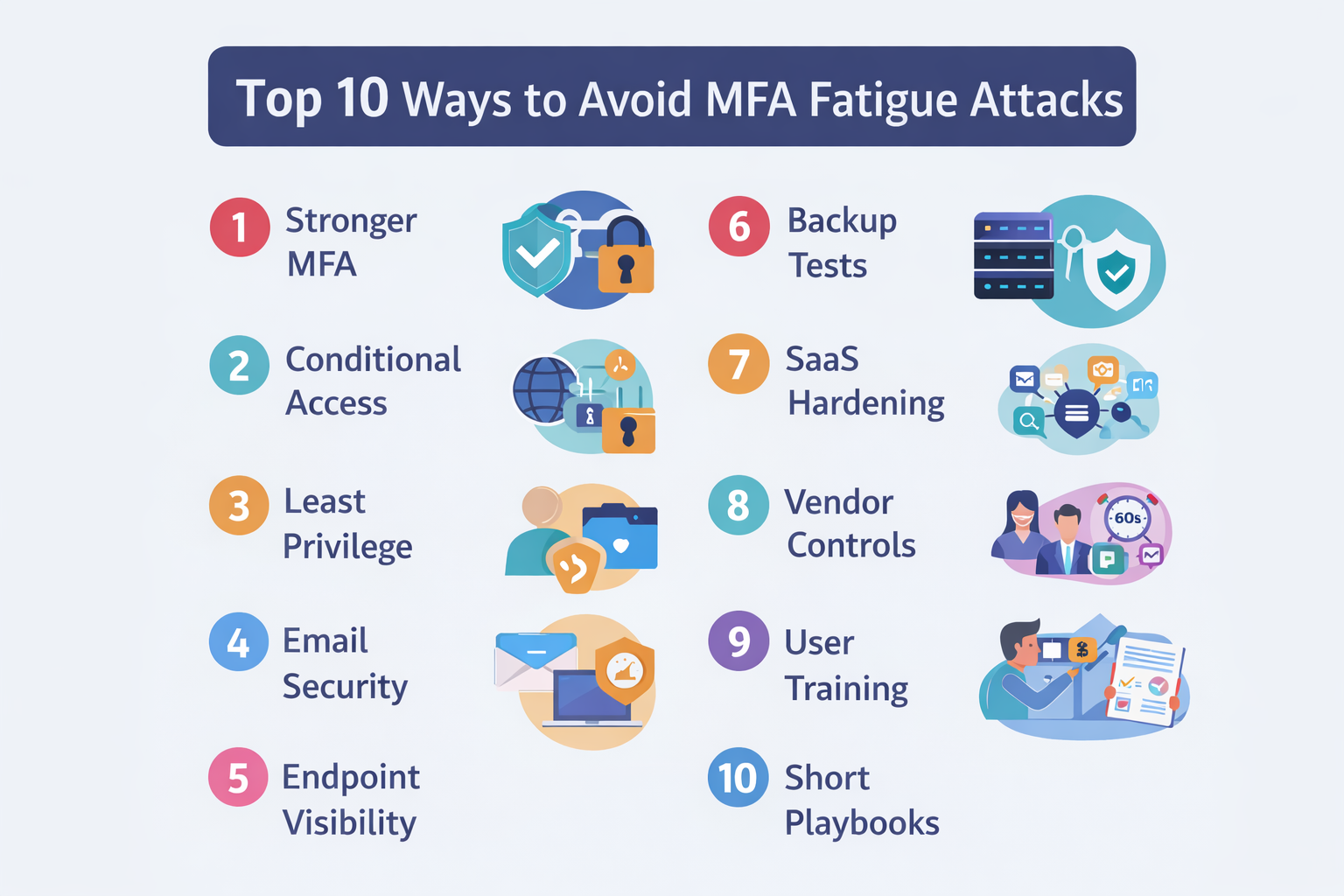
1) Replace “Approve/Deny” with phishing-resistant MFA wherever possible
The most effective way to stop MFA fatigue is to reduce reliance on prompts that can be spammed. Prioritize phishing-resistant authentication methods such as:
- FIDO2 security keys (hardware-backed, resistant to remote approval abuse)
- Certificate-based authentication on managed devices
- Passkeys where supported in your identity stack
Owner: IT + Security
Quick win: Start with admins and finance users first (highest impact), then expand to all staff.
Practical tip: If you can’t roll out phishing-resistant MFA to everyone immediately, focus on the “keys to the kingdom” first: global admins, helpdesk admins, finance approvers, payroll, and anyone with access to backup consoles and security tooling.
2) Enforce number matching & additional context for push prompts
If push prompts remain in your environment, make them harder to approve accidentally. Configure MFA so users must enter a number shown on the sign-in screen (or otherwise confirm contextual details). This reduces “muscle memory” approvals and adds friction that attackers can’t easily automate.
Owner: Identity admin
Quick win: Apply to all users, with a staged rollout to avoid support spikes.
Leadership-friendly message: “We’re not adding friction everywhere—we’re adding clarity so approvals mean something.”
3) Lock down high-risk sign-in paths with Conditional Access (risk-based controls)
MFA fatigue attacks often originate from unfamiliar devices, suspicious IP ranges, or risky geographies. Conditional Access lets you set rules such as:
- Require strong MFA (or block) when sign-in risk is high
- Require compliant, managed devices for sensitive apps
- Block legacy authentication protocols that bypass modern MFA
- Restrict admin portals and privileged roles to trusted locations/devices
Owner: Security + IT (identity)
Quick win: Start by protecting admin accounts and disabling legacy auth. Then expand policies to sensitive SaaS and finance apps.
Common mistake: Turning on a policy “for everyone” without a pilot group. Use a staged rollout: admins → pilot users → all users, and include a break-glass account protected by strong controls and stored securely.
4) Reduce the blast radius: enforce least privilege & privileged access hygiene
MFA fatigue is dangerous because a single successful approval can open doors. Reduce the damage from any one compromised account by:
- Separating admin accounts from daily user accounts
- Enforcing just-in-time elevation for privileged roles
- Reviewing and right-sizing access quarterly (especially finance, HR, and IT)
- Limiting OAuth app consent and restricting high-risk third-party app permissions
Owner: IT + Security + App owners
Quick win: Identify users with admin roles and move them to separate admin identities immediately.
Why it matters: When an attacker compromises a standard user account, you want the impact to be contained to that user’s data—not the entire environment.
5) Tune email security to stop the “setup” attacks that precede MFA fatigue
Many MFA fatigue incidents start with credential phishing, malicious OAuth consent, or email thread hijacking. Improve the odds by tightening email protections:
- Enable robust phishing protections and safe link/safe attachment scanning
- Enforce DMARC/SPF/DKIM alignment to reduce spoofing
- Block auto-forwarding to external domains (or alert heavily on it)
- Alert on suspicious inbox rules, forwarding rules, and unusual mailbox activity
Owner: Messaging admin + Security
Quick win: Block external auto-forwarding and alert on new inbox rules; these are high-signal indicators of compromise.
High-signal alert examples: new inbox rule + new MFA method + sign-in from a new device in the same hour. Correlating signals is where detection becomes powerful.
6) Ensure endpoint coverage (EDR) & close visibility gaps
MFA fatigue is often “identity first,” but attackers commonly use the compromised session to pivot to endpoints, remote tools, or stored credentials. Make sure you have:
- EDR deployed to all supported endpoints (including remote and rarely used machines)
- Policies that prevent tampering and disabling security tooling
- Alerts for suspicious remote access tools and abnormal process behavior
- Device compliance signals feeding Conditional Access (where possible)
Owner: IT (endpoint) + Security
Quick win: Run a coverage report: devices without EDR + stale check-ins are your priority list.
What “good” looks like: You can answer, quickly and confidently, “Which devices have access to our SaaS and email—and are we actively monitoring them?”
7) Make backups & recovery “real” (prove recoverability, not just “backup success”)
Attackers know backups are your insurance policy, so they try to neutralize them early—especially after identity compromise. Build resilience by focusing on recoverability:
- Immutable backups (where available) and separate admin credentials
- Offline or segregated backup copies for critical systems
- Routine recovery tests (not just backup job status)
- Documented recovery time (RTO) and recovery point (RPO) targets aligned to business needs
Owner: IT infrastructure + Business owners
Quick win: Schedule a quarterly “restore drill” for the systems that would stop revenue if down.
Key mindset shift: “Backups completed” is not a business outcome. “We restored critical systems in X hours” is a business outcome.
8) Reduce SaaS data exposure: harden sharing, tokens, & app integrations
Once attackers gain access to a cloud account, they often exploit permissive sharing settings and long-lived tokens. Tighten SaaS posture by:
- Restricting anonymous sharing links and requiring expiration
- Reviewing external collaboration and guest access policies
- Limiting OAuth app consent to approved publishers/apps
- Auditing token lifetimes and revoking sessions when risk is detected
Owner: SaaS admin + Security
Quick win: Review third-party app permissions and remove any unused or high-risk permissions.
Why it matters: OAuth consent and tokens can become “quiet persistence” even after a password reset—so you need visibility and governance.
9) Address third-party risk: vendors, MSP access, & shared admin paths
Third parties often have powerful access paths—such as support portals, delegated admin privileges, VPNs, or shared credentials. MFA fatigue defenses should include vendor controls:
- Require strong MFA for vendors and contractors (prefer phishing-resistant methods)
- Use least privilege and time-bound access for vendor accounts
- Monitor vendor sign-ins and enforce IP/device restrictions where feasible
- Ensure contract language includes security requirements and notification timelines
Owner: IT + Procurement + Security
Quick win: Identify your “top 10” most-privileged vendors and validate their access methods now.
Practical control: If a vendor needs admin access, require a dedicated named account + strong MFA + access only when needed. Shared credentials are a liability you can’t audit well.
10) Train users with a 60-second response script & run tabletop drills
User awareness isn’t a poster. It’s a repeatable response habit. Give employees a simple script for MFA fatigue events:
- Do not approve any unexpected prompt.
- Capture context: screenshot the prompt (time + app) and note what you were doing.
- Report immediately via your fastest channel (hotline, Teams channel, ticket shortcut).
- Follow the identity reset flow if instructed (password change + sign out of all sessions).
- Wait for verification from IT/security before re-approving any sign-in.
Then practice it. Tabletop drills reveal gaps in escalation paths, after-hours coverage, and decision-making. The goal is to make “report + contain” automatic.
Owner: Security lead + HR/Comms + IT
Quick win: Add the script to onboarding, your intranet, and quarterly training—then run a 30-minute tabletop focused on identity compromise.
Additional “high leverage” control: Reduce unnecessary prompts
If your users get constant MFA prompts during normal work, they’re more likely to approve a bad one. Reducing prompt volume can improve security and productivity:
- Use trusted devices and device compliance to avoid repetitive prompts
- Set sensible session lifetimes for low-risk scenarios while tightening high-risk sign-ins
- Fix broken SSO integrations that cause repeated login loops
- Eliminate legacy apps that force frequent re-authentication
Goal: Prompts should feel meaningful and rare—not constant background noise.
Short Playbooks: What To Do When Prompts Start
When MFA fatigue hits, minutes matter. The playbooks below are designed for speed. Keep them short, test them, and ensure employees know exactly where to go for help—especially after hours.
Playbook A: User receives unexpected MFA prompts (the 60-second response)
- Deny the prompt. Do not “approve to see what happens.”
- Capture a screenshot and note: time, app, location, and what you were doing.
- Report immediately using your fastest channel (security hotline, Teams channel, “Report” button, or a dedicated ticket shortcut).
- Pause sign-ins until IT/security confirms your account is safe.
Playbook B: IT/Security triage steps (first 15 minutes)
- Confirm user status: Are they actively trying to sign in? Did they recently change devices?
- Check sign-in logs: Look for risky sign-ins, unfamiliar IPs/locations, new devices, and repeated failures.
- Contain: revoke sessions, reset passwords, remove suspicious MFA methods, and force re-registration if needed.
- Hunt for persistence: mailbox rules, forwarding, OAuth consents, and new app registrations.
- Escalate: if you see signs of broader compromise (admin access attempts, unusual mail activity, endpoint alerts), engage incident response.
Playbook C: Confirmed compromise (first hour)
- Temporarily disable the account if needed, especially for privileged users.
- Invalidate tokens/sessions and reset credentials.
- Remove persistence mechanisms (rules, forwards, OAuth apps, new MFA methods).
- Check adjacent systems (finance approvals, HR portals, CRM, file shares) for suspicious access.
- Review recent email activity (sent items, unusual replies, thread hijacks) and warn internal teams if business email compromise is possible.
Operational tip: Write down who does what before an incident. If the plan depends on “the one person who knows identity,” you have a continuity risk.
If You Use Microsoft 365: Practical Configuration Priorities
Many SMB and mid-market organizations run Microsoft 365 and Entra ID. The good news is you can implement strong defenses without reinventing your stack—if you prioritize the right settings and roll them out safely.
Priority 1: Protect privileged accounts first
- Create separate admin accounts (no email, no day-to-day browsing)
- Require phishing-resistant MFA for privileged roles
- Restrict admin portal access to compliant devices and trusted locations
- Ensure break-glass accounts are protected and monitored
Priority 2: Reduce risky sign-in paths
- Disable legacy authentication protocols that bypass modern controls
- Implement Conditional Access policies for high-risk sign-ins
- Require device compliance for sensitive apps (finance, HR, admin tools)
- Alert on unusual sign-in patterns (new device + new location + repeated prompts)
Priority 3: Strengthen email protections & audit trails
- Block external auto-forwarding (or allow only approved exceptions with monitoring)
- Alert on new inbox rules and suspicious mailbox permission changes
- Harden DMARC/SPF/DKIM and monitor alignment
- Ensure audit logging is enabled and retained appropriately for investigations
Priority 4: Control OAuth app consent & third-party app risk
- Restrict user consent to verified/approved apps
- Review existing app consents quarterly
- Remove unused/high-risk permissions
- Set a process for requesting and approving business apps
Implementation reminder: Avoid “big bang” changes. Use pilot groups, monitor impact, and document exceptions with expiration dates. Strong security is sustainable security.
KPIs That Prove Progress
MFA fatigue defenses work best when you measure both prevention (how hard it is to succeed) and response (how quickly you detect and contain). Below are practical KPIs that are understandable to leadership and actionable for IT/security teams.
Identity & MFA KPIs
- % of privileged users on phishing-resistant MFA (target: 100%)
- % of users on number matching / contextual prompts (target: trending up monthly)
- # of MFA prompts per user per day (outliers) (target: investigate spikes quickly)
- # of high-risk sign-in events triaged (target: 100% triaged)
- Time to revoke sessions after confirmed suspicious sign-in (target: minutes, not hours)
Email Security KPIs
- # of phishing messages reported vs. delivered (target: reduce delivered; increase reporting)
- # of suspicious inbox rules created (target: near zero; investigate every instance)
- External auto-forwarding attempts blocked (target: monitor trend; validate policy coverage)
Endpoint & Coverage KPIs
- % of endpoints with active EDR check-in (target: >95%)
- Mean time to isolate a suspicious device (target: as low as your operations allow)
- Stale devices over X days (target: steady decline)
Backup & Recovery KPIs
- Last successful restore test for critical systems (target: quarterly or better)
- Recovery time achieved vs. required (target: meets business RTO)
- Backup admin separation & immutability enabled (target: yes)
Operational Readiness KPIs
- Time to triage identity alerts (target: <30 minutes during business hours)
- Time to contain confirmed account compromise (target: fastest practical containment)
- Tabletop drill cadence (target: 2–4 per year, with lessons learned tracked)
- User reporting rate (target: trending up; indicates awareness + trust in the process)
Book a Cyber Maturity Review
If you want a clear, prioritized plan to reduce MFA fatigue risk without slowing the business, we’ll review your identity controls, email security, endpoint coverage, backup recoverability, and response readiness—then deliver a roadmap your team can execute.
Bonus: One-Page Monthly Scorecard
Security improves faster when you can measure it and communicate it. Here’s a simple one-page scorecard format you can publish monthly. Keep it consistent, trend it over time, and focus on the few controls that crush the most risk: identity, email, endpoints, and backups.
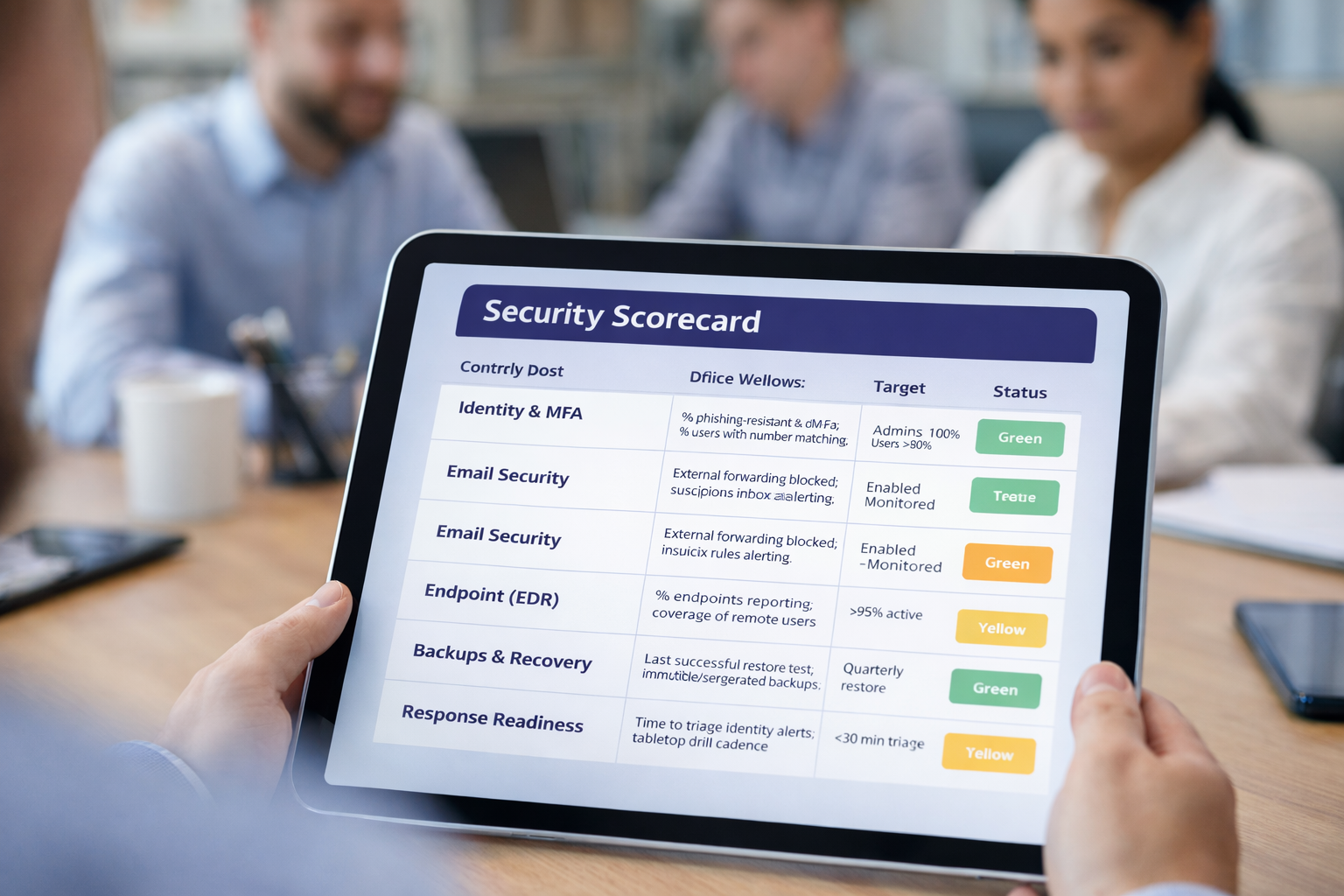
| Control Area | What You Measure | Target | Owner | Status |
|---|---|---|---|---|
| Identity & MFA | % phishing-resistant MFA for admins; % users with number matching | Admins 100%; Users >80% | IT/Security | Green/Yellow/Red |
| Email Security | External forwarding blocked; suspicious inbox rules alerting | Enabled + monitored | Messaging Admin | Green/Yellow/Red |
| Endpoint (EDR) | % endpoints reporting; coverage of remote users | >95% active | IT | Green/Yellow/Red |
| Backups & Recovery | Last successful restore test; immutable/segregated backups | Quarterly restore | IT/Infra | Green/Yellow/Red |
| Response Readiness | Time to triage identity alerts; tabletop drill cadence | <30 min triage | Security | Green/Yellow/Red |
Tip: Automate evidence collection wherever you can. The goal is to spend less time compiling proof and more time reducing risk.
How to communicate this scorecard to leadership
Keep your message consistent month-to-month: (1) what improved, (2) what’s at risk, (3) what you’re doing next, and (4) what you need from leadership. This turns security into a business-managed program instead of a series of one-off projects.
Next Steps: A 90-Day Execution Plan
If you’re deciding what to do first, here’s a simple sequencing plan that works well for SMB and mid-market teams: do the moves that reduce risk the most, then reinforce with monitoring and repeatable response.
Phase 1 (Weeks 1–2): Stop the easy wins
- Enable number matching/context on MFA prompts
- Disable legacy authentication and remove unnecessary exceptions
- Separate admin accounts and tighten privileged access
- Block external auto-forwarding and alert on suspicious inbox rules
- Publish the user 60-second MFA fatigue response script
Phase 2 (Weeks 3–6): Reduce blast radius & improve detection
- Implement Conditional Access for high-risk sign-ins and sensitive apps
- Validate EDR coverage and close gaps (stale devices, remote endpoints)
- Inventory and limit third-party/OAuth app permissions
- Define escalation paths and after-hours coverage expectations
- Start a monthly scorecard and baseline your KPIs
Phase 3 (Weeks 7–12): Prove recoverability & response readiness
- Run restore drills and document RTO/RPO performance
- Conduct tabletop drills for identity compromise and ransomware scenarios
- Automate reporting/evidence collection to reduce operational drag
- Refine policies based on pilot feedback and real-world sign-in patterns
Remember: The goal isn’t “more security.” It’s less risk with less friction. Focus on identity controls, email security, endpoint visibility, and backup recoverability—then measure what improves.
FAQ
What is an MFA fatigue attack?
An MFA fatigue attack is when an attacker triggers repeated MFA prompts—often push notifications—until the user mistakenly approves one. Once approved, the attacker can gain access to the account and use it to move into email, SaaS apps, and administrative portals.
Is MFA still worth it if fatigue attacks exist?
Yes. MFA is still a major security improvement compared to passwords alone. The key is to implement MFA in a way that is resistant to abuse: prefer phishing-resistant methods, add contextual verification to prompts, and enforce Conditional Access to block risky sign-ins.
What’s the fastest way to reduce MFA fatigue risk?
Start with three high-impact moves: (1) enable number matching/context for prompts, (2) lock down privileged accounts with stronger authentication and Conditional Access, and (3) implement high-signal alerts and a clear response playbook so suspicious activity is contained quickly.
What should a user do if they receive repeated MFA prompts?
They should deny the prompts, capture a screenshot/time context, report it immediately through your fastest channel, and follow your identity reset process as instructed (often including a password change and session revocation). The organization should then investigate the sign-in logs and contain the event.
Do I need a full security team to monitor for these attacks?
Not necessarily, but you do need coverage for monitoring and response. Many organizations use a managed detection and response (MDR) service to ensure identity and endpoint events are triaged and contained quickly—especially outside business hours.
How do we avoid annoying users while improving MFA security?
Reduce unnecessary prompts by fixing SSO loops, using device compliance for trusted devices, and reserving the most friction for the highest-risk scenarios. Users accept MFA more readily when prompts are infrequent, contextual, and clearly tied to protecting the business.
What are the signs an attacker already succeeded?
Watch for suspicious inbox rules, external forwarding, unusual sign-ins from new devices/locations, newly registered MFA methods, unexpected OAuth app consents, sudden spikes in MFA prompts, and changes to security settings or admin roles.