
Penetration testing is most valuable when it answers a business question: “Could an attacker actually get in—and what would they take or disrupt?” A good pen test doesn’t just produce a list of technical issues. It produces evidence your leadership can use to make decisions: where you’re exposed, how far an adversary could go, and which fixes materially reduce risk.
If you’re an SMB or mid-market organization, the tricky part is that “time for a pen test” rarely arrives with a neon sign. It shows up as change: a new system exposed to the internet, a cloud migration, an acquisition, or a shift to remote work. Those changes can quietly create scope gaps—places your vulnerability scans and day-to-day IT processes don’t fully validate—and that’s exactly where attackers like to operate.
This post covers:
- What a penetration test proves (and what it doesn’t)
- The top 10 triggers that signal you should run a pen test
- How to choose the right test type (external, internal, web app, cloud)
- How to scope and schedule a test without wasting time or money
- What to do with results so they translate into real risk reduction
What a Pen Test Proves (& What It Doesn’t)
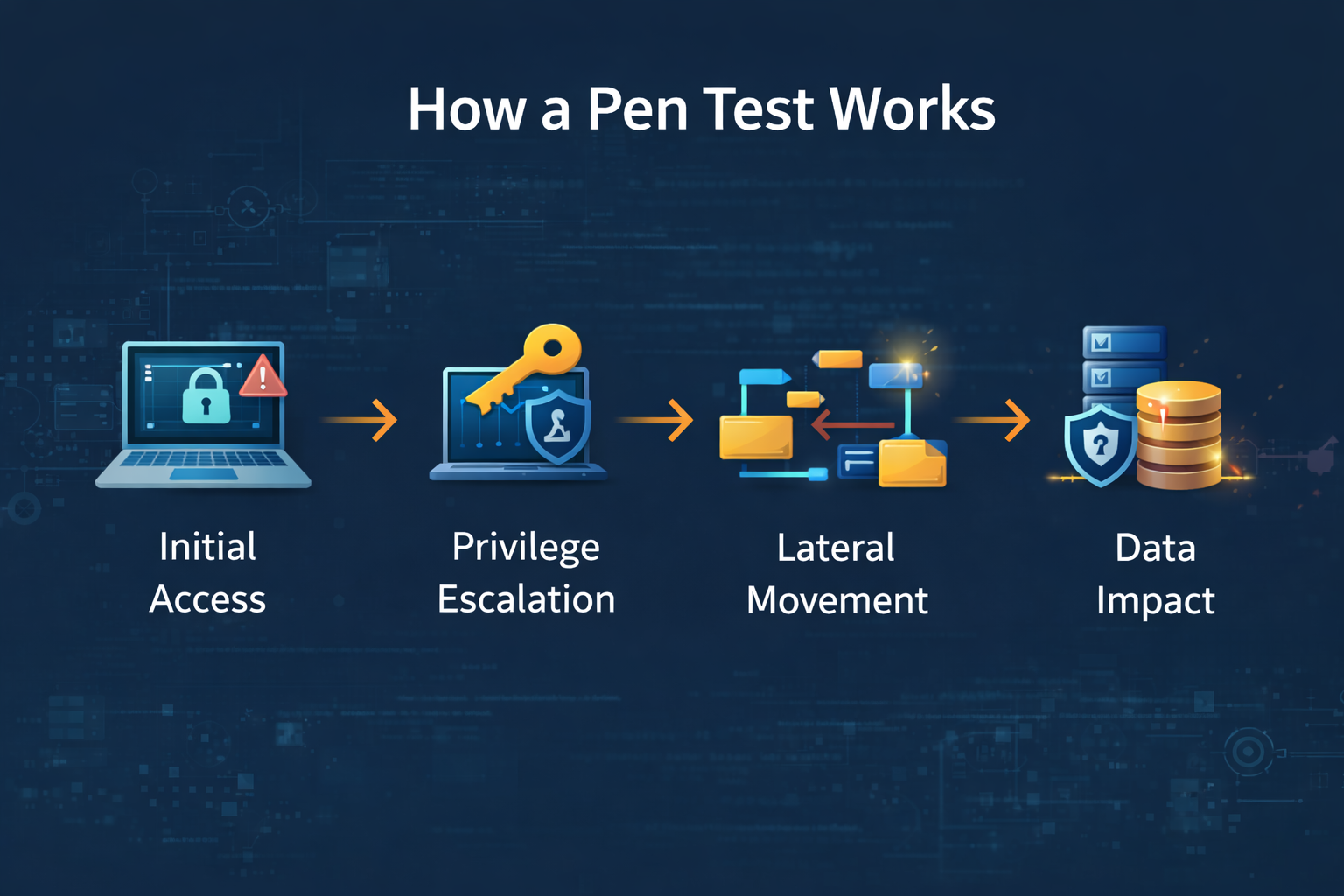
Before you look for triggers, align on what you’re buying. A penetration test is a controlled, authorized attack simulation performed by experts to discover whether—and how—someone could compromise your environment. The goal is not to “catch your IT team doing something wrong.” The goal is to validate risk in realistic conditions.
A well-run pen test helps answer questions like:
- Can an attacker gain initial access from the internet?
- If they do, can they escalate privileges?
- Can they move laterally to reach critical systems?
- Can they access sensitive data (customer data, financials, health records, IP)?
- Could they disrupt operations (encryption, deletion, business interruption)?
- Which security controls detect and stop the activity?
A penetration test is not the same as a vulnerability scan, and you need both for a reliable picture of risk.
A vulnerability scan is broad, automated coverage. It uses signatures and known patterns to flag issues like missing patches, weak or default configurations, outdated software versions, and exposed services across large portions of your environment. It’s excellent for scale and consistency and should run regularly, but its output is mostly “potential risk” findings: long lists of items that might be exploitable, without confirming whether an attacker could actually use them in your environment, in the way you’re really configured.
A penetration test is narrower, deeper, and primarily manual. Instead of just listing weaknesses, testers think and act like attackers. They chain multiple conditions together—misconfigurations, weak credentials, exposed services, overly permissive roles—to see whether they can gain a foothold, escalate privileges, move laterally, and ultimately reach systems and data that matter to your business. They validate exploitability, measure real-world impact, and provide evidence you can show to leadership and auditors.
You can think of it this way:
-
Vulnerability scan: “These doors might be unlocked, and here’s a list of all the ones that look suspicious.”
-
Penetration test: “We used this specific unlocked door, got into this hallway, bypassed this camera, entered this room, and accessed these assets—and here’s how to stop it from happening again.”
A pen test is also different from a red team. A red team engagement is usually longer in duration, operated at lower noise levels, and tightly aligned to specific business objectives and threat scenarios—for example, “exfiltrate this production customer dataset without being stopped,” “gain domain admin from an external foothold without triggering alerts,” or “demonstrate how an attacker could impact plant operations.” Red teamers are explicitly tasked with emulating realistic adversaries, blending technical intrusion, social engineering, and physical avenues as appropriate, and testing not just your controls, but your people, processes, and monitoring.
Penetration testing, by contrast, is typically more time‑boxed, more constrained by defined in-scope systems, and focused on coverage of those assets. The goal is to identify and validate exploitable weaknesses across that scope, demonstrate impact, and provide clear remediation guidance—rather than to run an extended, stealth campaign.
What a pen test does not do:
- It doesn’t guarantee you’re “secure” after remediation.
- It doesn’t replace ongoing vulnerability management, patching, and monitoring.
- It doesn’t cover everything unless you scope it to cover everything (and most engagements shouldn’t).
Top 10 Triggers: Signs You Need a Pen Test Now
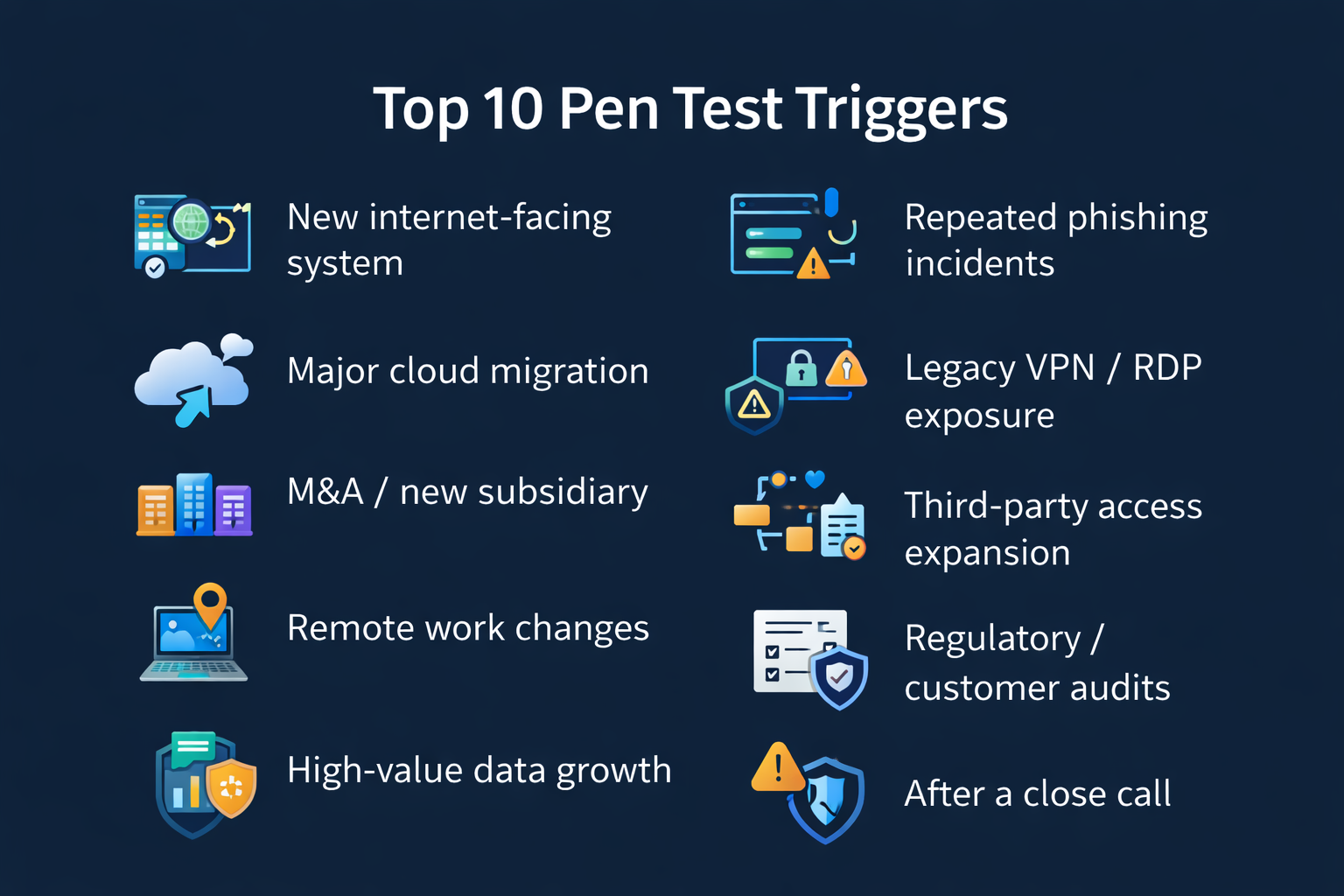
If any of the scenarios below are true for your organization, you’re in “pen test territory.” Not because you’ve failed, but because your environment changed, your risk profile increased, or leadership needs verified evidence—not assumptions.
1) You launched a new internet-facing system (or changed an existing one)
The easiest way to increase risk is to expose something to the internet. That could be a new VPN concentrator, remote access gateway, customer portal, web app, API endpoint, or even a misconfigured cloud service that becomes publicly reachable.
Why it matters: Internet-facing systems are continuously scanned by attackers.
What to test:
- External network penetration testing
- Web application testing
- Cloud configuration and identity testing
What to look for:
- Weak authentication and MFA gaps
- Insecure remote access paths
- Exposed management interfaces
- Web app vulnerabilities
- Misconfigurations that bypass intended controls
2) You completed (or are in the middle of) a major cloud migration
Cloud migrations are change on top of change: new identity flows, new network boundaries, new logging, and new opportunities for misconfiguration.
What to test:
- Cloud penetration testing
- External testing (if cloud services are internet-facing)
- Web app testing (for cloud-hosted apps)
What to look for:
- Excessive permissions (roles, service principals, API keys)
- Publicly accessible storage or databases
- Weak segmentation between workloads
- Logging gaps
- Privileged pathways that were “temporary” during migration
3) You acquired a company, merged, or added a new subsidiary
M&A often creates duplicated identity systems, temporary VPN tunnels, inconsistent endpoint controls, and unmanaged assets—exactly the conditions attackers exploit. Each newly connected environment brings its own user directories, legacy VPN configurations, and device standards, and those are rarely harmonized on day one. As a result, you see orphaned accounts that still work, “quick fix” tunnels that bypass normal security monitoring, endpoints that don’t have your standard EDR or patching in place, and servers or applications no one clearly owns. For an attacker, that combination of overlap, exception handling, and unclear ownership creates low-friction entry points and quiet pathways to move deeper into both organizations.
4) Your remote work model changed (or hybrid work became permanent)
Remote work shifts the security boundary from a set of office networks and physical controls to the identities and devices your people use every day. Instead of assuming that “on-premises” equals trusted, you now have to assume users may connect from any network, on a mix of corporate and personal devices, with varying patch levels and security controls. That identity and device posture—how well accounts are protected, how strongly MFA is enforced, how endpoints are monitored and hardened—effectively becomes your new perimeter. When those controls are weak or inconsistent, remote access solutions like VPNs, remote desktops, and cloud portals turn into high‑value targets. That’s why remote access is one of the most common initial entry points for ransomware operators: they look for exposed or misconfigured gateways, stolen or phished credentials, and unmonitored endpoints they can use as a beachhead to move deeper into the environment.
5) Your “crown jewel” data grew or moved
If your data footprint expanded or moved into new platforms, your attack surface likely expanded with it. Every new data store, SaaS application, cloud workload, or analytics environment introduces additional identities, permissions, integrations, and network paths that an attacker can target. Data that used to live in a single, tightly controlled system may now be replicated across backups, staging environments, third-party tools, and vendor portals—often with different (and sometimes weaker) controls than your primary system. That change warrants a fresh look at how data is segmented, who has access, how it’s monitored, and whether your existing controls still protect the information you now consider “crown jewel” across all of the places it resides.
6) You’ve had repeated phishing incidents or a spike in suspicious logins
Identity compromise is often the starting point of modern intrusions because most attackers find it easier to steal or abuse valid accounts than to breach hardened perimeter controls. Once they have a foothold—through a phished login, a reused password, or a hijacked session—they can quietly test how much access that identity really has, which systems it can reach, and what data it can touch. A penetration test helps you validate this in a controlled way: by simulating a compromised user and measuring how far that account can go, which privileges it can escalate to, which systems and “crown jewels” it can reach, and where your existing controls actually stop the attack path.
7) You still have legacy VPN, exposed RDP, or aging remote access components
Legacy remote access is a common root cause of ransomware and intrusion cases because older VPNs, exposed RDP, and unsupported remote access tools often lack modern controls such as enforced MFA, strong encryption, and robust logging. These systems are frequently overlooked during upgrades, left with default or weak credentials, or left more open than necessary to “just keep things working,” making them prime targets for automated scanning and credential‑stuffing attacks. Validate exactly what’s exposed to the internet, confirm which users and vendors can reach what, and test whether segmentation actually contains a compromised remote session—or whether an attacker could pivot from that foothold into your core network, OT environments, or crown‑jewel systems.
8) Third-party & vendor access expanded
Vendor pathways can bypass standard controls if they’re not carefully designed and governed. Treat every vendor connection—VPN, remote access tool, API, portal, or managed service account—as a potential attack path, and validate that it truly operates on least privilege, uses strong and enforced authentication (including MFA and unique credentials), and is continuously monitored with alerting tied to your SOC or equivalent. Confirm that vendor traffic is segmented from your core network and crown-jewel systems, that access is time-bound and approved, and that you can rapidly revoke or adjust permissions if a vendor account is compromised or their environment is breached.
9) A customer, insurer, regulator, or audit requirement calls for a pen test
Meet regulatory and customer requirements while actually reducing risk in your environment—by tightly aligning scope to your real attack surface, turning findings into a prioritized remediation plan with clear owners and timelines, and validating fixes through targeted retesting so you can prove closure to leadership, auditors, and insurers.
10) You had a “close call” (or an incident that didn’t become a headline)
Close calls are signals. Treat them as controlled warning shots, not lucky breaks. After any near-miss—whether it was a blocked ransomware attempt, an unauthorized login that was caught, or a misconfiguration discovered just in time—step back and formally analyze what happened. Validate whether the same conditions could be exploited again, which controls actually prevented impact (and which ones didn’t fire at all), and how quickly you’d detect a similar attempt if it happened tomorrow. Use that review to drive concrete actions: tighten or remove risky access, close exposed pathways, improve monitoring and alerting, and, where appropriate, scope a penetration test or red team exercise that deliberately recreates the scenario so you can measure detection and response in a repeatable way.
How to Choose the Right Test Type
- External network penetration test: Validates what attackers can do from the internet.
- Internal penetration test: Assumes a foothold and tests lateral movement and crown-jewel access.
- Web application penetration test: Tests portals, apps, and APIs for auth, access control, and logic flaws.
- Cloud penetration test: Focuses on identity, permissions, storage exposure, and cloud guardrails.
How to Scope & Schedule Without Creating False Confidence
False confidence happens when the scope is too narrow to reflect reality. Start with the business question, define crown jewels and likely attack paths, agree on rules of engagement, and align success criteria to outcomes (initial access, privilege escalation, lateral movement, and data impact).
What to Do With Results: Turn Findings Into Real Risk Reduction
- Translate findings into business risk: What could be reached, disrupted, or exfiltrated?
- Fix root causes: Address patterns (identity, segmentation, privilege sprawl) rather than one-off issues.
- Prioritize by exploitability and pathway: Focus on initial access and routes to crown jewels.
- Retest: Verify closure.
- Operationalize: Feed improvements into vuln management, MDR/SOC playbooks, and IR readiness.
A Simple Pen Test Readiness Checklist
- Updated asset inventory (especially internet-facing assets)
- Crown-jewel systems and owners identified
- Escalation point of contact during testing
- MFA status and privileged account lists current
- Backups current and tested
- Maintenance windows and blackout periods are known
- Time/resources reserved to remediate findings
How Often Should You Pen Test?
- After a major change, new internet-facing apps, cloud migrations, identity changes, and new remote access methods.
- After M&A: before broad connectivity, and again after standardization.
- On a cycle: annually is common; higher-risk orgs may test more frequently or rotate test types quarterly.
- After high-impact fixes: retest promptly.
Common Misconceptions That Lead to Bad Outcomes
- “We passed our last test, so we’re good.” Pen testing is a snapshot; your environment changes.
- “A pen test replaces vulnerability management.” It doesn’t—discipline prevents repeat findings.
- “Exclude critical systems to avoid downtime.” Use safe ROE, don’t skip the crown jewels.
- “The report is the deliverable.” Reduced risk is the deliverable; plan remediation and retesting.
How Cyber Advisors Helps: Pen Testing That Drives Outcomes
Cyber Advisors helps SMB and mid-market organizations reduce real-world risk by combining experienced offensive testing with practical remediation guidance. With the addition of Stratum Security, our testing abilities have increased. With our expanded skill sets and experience, we deliver penetration testing and red teaming aligned with business outcomes—not just compliance checkboxes.
- Penetration Testing (external, internal, web application, cloud)
- Red Teaming and attack simulation for mature environments
- Vulnerability Management & Remediation programs
- Incident Response Readiness (including tabletop exercises)
- vCISO Risk Roadmapping to connect results to priorities and budget
Talk to a Pen Testing Expert
If you’ve launched a new internet-facing system, migrated critical workloads to the cloud, expanded or formalized remote work, brought a newly acquired company onto your network, or weathered a security “near miss,” you’ve materially changed your attack surface. Those shifts often introduce blind spots that basic vulnerability scans and day-to-day IT processes won’t fully catch. That’s the point where a properly scoped penetration test stops being a nice-to-have and becomes a necessary validation step—so you can see exactly what’s exposed, how an attacker could take advantage of it in your real environment, and which fixes will most effectively reduce business risk.
Let’s make the outcome clear:
- Confirm whether attackers can gain access
- Identify realistic paths to your crown jewels
- Prioritize fixes that reduce business risk
- Retest to prove closure
- Strengthen your security program using the findings