
Salt Lake City businesses run into some unique IT hurdles. The region's tech scene is booming, and every industry—healthcare, finance, manufacturing, even outdoor recreation—needs infrastructure that keeps up with growth and still checks all the boxes for security and compliance.

Selecting the right IT strategy means understanding local rules, managing cyber risks, and finding providers who actually get what Utah businesses are up against. The city's economy isn't slowing down, so tech solutions need to scale and keep data safe across all sorts of industries.
Small businesses and big players both have to juggle vendor relationships, compliance, and new tech trends if they want to stay in the game. Here’s a look at what Salt Lake City companies should think about as they invest in technology and try to build digital infrastructure that won’t let them down.
Key Takeaways
- Salt Lake City businesses need IT solutions that actually fit their industry and meet local compliance standards
- Managing technology well means picking good service providers, getting serious about cybersecurity, and handling vendors smartly
- Future-ready IT strategies mix solid infrastructure, strong data protection, and seamless integration with business operations
Technology Infrastructure Needs for Salt Lake City Business
Salt Lake City companies need strong network setups, flexible storage, and backup systems that actually work when things go sideways. It’s worth taking a hard look at current bandwidth and processing needs—especially if growth is on the horizon or disruptions are a real risk.
Assessing Network & Hardware Requirements
Bandwidth needs depend on how many people are working and what apps they're using. For a typical office of 20-50 employees, you’ll want at least 100-500 MB per second to keep things smooth—email, video calls, and cloud access included.
Hardware matters too. Check server capacity, workstation specs, and the age of your gear. Outdated or slow equipment can drag productivity down more than most folks realize.
Switches, routers, and wireless points all need regular checkups. If the connection between network segments isn’t up to speed, you’ll hit annoying slowdowns, especially during busy hours.
Track bandwidth use throughout the day. That info tells you if your current setup is holding up or if you’ll need to upgrade before expanding.
Cloud Solutions & Data Storage
Cloud platforms give Salt Lake City businesses room to grow without buying a ton of hardware. Hybrid cloud setups—mixing on-site servers and cloud resources—offer more control over sensitive stuff but still let you scale up quickly.
Storage needs range from a few gigs for small shops to terabytes if you’re handling lots of data or video. If you’re moving big files around, make sure your transfer speeds won’t slow everyone down.
Common cloud storage options include:
- Infrastructure as a Service (IaaS): Full control over virtual machines and storage
- Platform as a Service (PaaS): Managed environments for development
- Software as a Service (SaaS): Apps with built-in storage, ready to go
Cloud costs change depending on how much storage you use, how fast you need to move data, and what kind of backup you want. Compare providers and read the fine print on their contracts before locking anything in.
Disaster Recovery Planning
Disaster recovery plans are a must for Salt Lake City businesses—hardware fails, hackers get in, and sometimes Mother Nature throws a curveball. You’ll want both local and off-site backups to keep the lights on.
The recovery time objective (RTO) tells you how fast you need things back online. The recovery point objective (RPO) sets how much data you can afford to lose between backups.
Critical systems, like finance and customer databases, usually need backups happening constantly. Stuff that doesn’t change much might be fine with daily copies.
Test your recovery plan every few months. Assign clear roles for who does what if things go wrong, and make sure everyone knows the drill.
Choosing Managed IT Services Providers
Picking an MSP in Salt Lake City isn’t just about price. Check their skills, support setup, and what they actually promise in writing. The right partner brings both know-how and real accountability.
Evaluating MSP Capabilities
Look for MSPs with up-to-date certifications from big names like Microsoft, Cisco, or VMware. Those badges mean they know their stuff and can get help from the vendors if needed.
Experience in your industry is a huge plus. If they’ve helped similar companies, they’ll get your compliance needs and probably solve your problems faster.
Depth matters. Ask about the MSP’s team—do they have cybersecurity, cloud, and network pros on staff? How long have folks been there, and do they keep learning new things?
Response times show how dialed-in a provider is. Make sure they’re clear about how they monitor, handle tickets, and escalate issues when needed.
Local Support vs. Remote Support
Remote support solves most IT headaches fast—screen sharing, remote access, password resets, and all that. No need to wait for someone to drive over.
But when hardware dies or you’re setting up new gear, local support is a lifesaver. Salt Lake City businesses benefit from having techs who can show up in person when it counts.
Honestly, a mix works best. Use remote support for the day-to-day, but make sure your provider can send someone over quickly if things really break. Ask what counts as on-site work and how fast they’ll get there.
Service Level Agreements
SLAs matter—they spell out how fast you’ll get help and what uptime you can expect. Critical stuff should get attention in under an hour, while less urgent issues might wait a bit longer.
Key SLA Components:
- Response times for various priorities
- System uptime guarantees (usually 99.5% or higher)
- Maintenance windows and how they’ll let you know
- Performance credits if they miss the mark
Be sure the SLA lists exactly what’s covered. Some providers leave out older systems or certain apps. Monthly reports tracking their performance can help keep everyone honest.
Cybersecurity Challenges & Best Practices
Cyber threats aren’t letting up in Salt Lake City. Businesses need solid endpoint protection and regular staff training to keep breaches and system takedowns at bay.
Understanding Local Threats
Salt Lake City companies deal with risks that tie directly to the area’s economy and tech profile. Ransomware has hit healthcare, finance, and manufacturing here—often through unpatched systems or insecure remote logins.
Phishing is getting sneakier. Attackers use local names and relationships to trick employees, even referencing regional vendors or partners to get past filters.
Smaller businesses don’t always have dedicated security staff, making them easy targets. A single compromised laptop can open the door to sensitive data and financial info. If you’re holding regulated data, compliance headaches are real too.
Endpoint Protection Solutions
Modern endpoint protection isn’t just antivirus anymore—it’s behavioral analysis and real-time threat detection. Salt Lake City businesses should use tools that actually watch for weird activity and flag it before things get out of hand.
Key protection components include:
- Anti-malware that updates constantly
- Firewalls on every device
- Patch management that keeps systems current within a day or two
- Encryption for laptops and mobile devices
Multi-factor authentication (MFA) is a no-brainer, especially for remote teams. Make it standard for all logins, especially admin accounts and cloud apps.
Endpoint Detection and Response (EDR) tools help spot threats across your whole network. They can even quarantine infected devices automatically, which is honestly pretty handy.
Security Awareness Training
Employee training can cut phishing success rates by a lot—sometimes 70% or more if you do it every quarter. Salt Lake City businesses should run regular simulations and give feedback right away.
Cover password basics, push for password managers, and make sure everyone knows how to report sketchy emails or weird system behavior. There’s no such thing as too much practice here.
Tabletop exercises aren’t just for IT—get management and regular users involved so everyone knows what to do if something goes wrong. Update training materials to match the latest threats you’re seeing locally.
Regulatory Compliance & Data Privacy

Salt Lake City businesses have to follow a mix of local and federal rules—especially if they’re handling customer data or are in regulated industries.
Local & Federal Regulations
Utah requires businesses to notify people within 30 days if there’s a data breach. The Utah Consumer Privacy Act isn’t as tough as California’s, but it still means you need good data handling practices if you’re processing personal info.
Federal laws come into play based on what you do. HIPAA covers healthcare, GLBA hits financial institutions, and PCI DSS applies to anyone taking credit cards.
Keep records of compliance efforts alongside your business license stuff. Even the city’s licensing system asks about your data protection practices now. Regular audits, staff training, and a real incident response plan aren’t just nice—they’re pretty much required.
Data Protection for Sensitive Industries
Healthcare providers in Salt Lake City deal with PHI, so encrypted storage and tight access controls are non-negotiable. Regular risk checks help spot weak points in health record systems.
Financial services need MFA and solid transaction logs for audits. Law firms should use secure document management with versioning and access tracking—no shortcuts there.
Schools and colleges processing student records have to follow FERPA. That means tight control over who can see records and getting consent before sharing anything.
Business Licensing: Technology Considerations
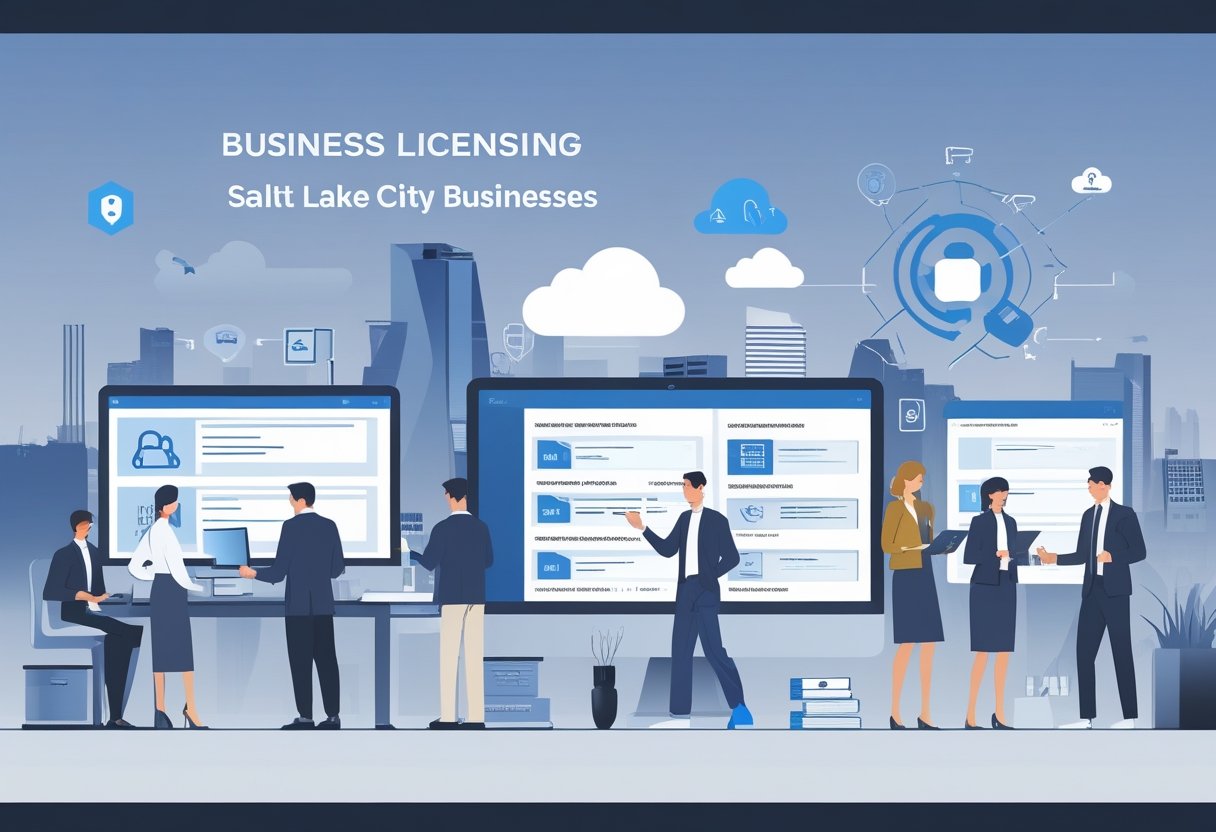
Salt Lake City businesses need decent IT systems just to handle digital license applications and stay compliant with local rules. The right tech makes renewals and paperwork way less painful.
Digital Business License Applications
The city’s moved a lot of licensing online, so you don’t have to trek down to the municipal building. A solid internet connection and a basic computer are enough for most applications, whether you’re a sole proprietor, partnership, or corporation.
You’ll probably need a scanner for PDFs—think ID, leases, certifications. Keep digital copies of everything you submit. The system takes PDFs, JPEGs, PNGs, but there are file size limits, so watch out for that.
You can do simple stuff from a phone, but for anything complicated, a desktop with a big screen is just easier. Nobody wants to fill out forms on a tiny screen if they don’t have to.
IT Needs for Compliance
A Salt Lake City business has to set up systems to track licensing requirements unique to their industry. Database software or even just spreadsheets can help keep tabs on expiration dates, renewal deadlines, and shifting regulations.
Companies with more than one location usually need centralized tools to manage licenses for all their addresses. It’s a lot to juggle without a system in place.
Document management systems come in handy for organizing digital certificates, permits, and back-and-forth with licensing authorities. Cloud storage gives secure access to these files from anywhere, which is a relief if you’re working remotely or on the go.
Backup protocols are a must—losing this kind of data is just not an option. Nobody wants to explain to the city that their license vanished with a hard drive crash.
Email systems need to be set up so they don’t miss official communications from licensing departments. Spam filters, in particular, should be tweaked so city emails don’t end up in the junk folder.
Ongoing Licensing Management
Automated reminders help businesses avoid letting business licenses lapse. Calendar alerts and notification software keep things from slipping through the cracks.
Many Salt Lake City businesses use project management tools or compliance software to track renewal cycles. These systems send alerts 60, 30, and 15 days before something expires—maybe a bit much, but better safe than scrambling last minute.
System audits should happen regularly to make sure all licenses are current and accessible in digital form. It’s smart to have specific staff members with login credentials for municipal portals.
Password management tools are a lifesaver here—keeping credentials secure but still accessible for the right people. Integration between accounting software and licensing systems helps track fees and payment confirmations.
Digital payments speed up renewals, which is a big improvement over mailing paper checks. Nobody misses those days.
Support for Small & Minority-Owned Enterprises
Salt Lake City offers targeted tech help and networking for minority-owned businesses (MB) and small enterprises trying to get their digital footing. Local programs connect startups with IT resources, and specialized directories boost visibility for minority entrepreneurs.
Technology Resources for Startups
The Salt Lake City business scene includes tech support programs aimed at new and minority-owned companies. The City Economic Development Office runs workshops on cloud computing, cybersecurity basics, and digital marketing—sometimes free, sometimes just cheap.
Local accelerators and business incubators open doors to shared IT infrastructure. That means high-speed internet, server resources, and software licenses that would otherwise eat up a startup’s budget.
Groups like the Utah Black Chamber and Latino Business Alliance partner with tech providers to offer MB members discounted services. Sometimes, those discounts make all the difference.
Key Technology Resources Available:
- Free or low-cost Microsoft Office 365 and Google Workspace licenses through business development programs
- Subsidized cybersecurity assessments for qualifying small businesses
- Access to co-working spaces with enterprise-grade IT infrastructure
- Training sessions on point-of-sale (PT) systems and e-commerce platforms
These programs chip away at the tech investment barrier that trips up many minority-owned startups. It’s not a silver bullet, but it helps level the playing field a bit.
Inclusion in Local Business Directories
Salt Lake City keeps up several digital directories designed to shine a light on minority-owned and small businesses. The city’s official website hosts a searchable database where MB owners can register for free, making them easier to find for locals and companies looking for diverse suppliers.
The Salt Lake Chamber runs a certified minority business directory connecting MB enterprises with larger corporations aiming to hit diversity procurement goals. You’ll need to verify ownership, but the networking perks are real.
Local directories let you filter by business type, location, and certification status. That makes it simpler for customers to support minority entrepreneurs. Many directories also sync with Google Business profiles, so search engine visibility gets a boost automatically.
Integrating IT With Key Salt Lake City Industries
Salt Lake City’s economy stretches across tech, finance, healthcare, and outdoor recreation, each with its own IT needs. Local businesses have to find solutions that fit their industry’s quirks and compliance headaches.
Sector-Specific IT Solutions
The financial services sector here needs tough security protocols and compliance management to meet federal rules. Banks and credit unions use encryption, multi-factor authentication, and real-time fraud detection systems.
Healthcare organizations run on electronic health records (EHR) and HIPAA-compliant storage. Medical facilities also rely on telehealth platforms, patient portals, and diagnostic imaging systems—those chew through a lot of bandwidth and storage.
Outdoor recreation and sporting goods companies use inventory management, e-commerce platforms, and CRM software. Many need point-of-sale systems that sync across different retail locations, which can get complicated fast.
Tech companies themselves? They need scalable cloud infrastructure, development environments, and all the collaboration tools. Continuous integration and deployment pipelines are pretty much standard at this point.
Notable Local Companies Leveraging IT
Zions Bancorporation runs big data centers and cybersecurity operations to keep customer financial data safe across its regional banking network. They’ve got disaster recovery systems and use analytics for risk assessment.
Intermountain Healthcare manages one of the country’s most advanced healthcare IT systems, handling patient data for over 2.7 million people. Predictive analytics and clinical decision support are baked into their tech stack.
Backcountry.com deals with millions of e-commerce transactions thanks to robust IT infrastructure. Inventory tracking, customer data, logistics coordination—it’s a lot, and they use machine learning for product recommendations and demand forecasting.
Procurement, Vendor Management, & IT Contracts
Salt Lake City businesses need smart strategies for picking vendors and managing contracts to get reliable IT services without blowing the budget. Good procurement practices protect your interests and help build lasting partnerships with tech providers.
Selecting IT Vendors in Salt Lake City
There’s a growing pool of IT vendors here, from big enterprise outfits to smaller local shops. It’s worth vetting vendors for technical chops, certifications, and relevant experience.
The selection process really comes down to digging into vendor portfolios and checking client references. Ask for case studies showing they’ve done similar work in your industry. Service level agreements (SLAs) should lay out response times, uptime guarantees, and support hours.
Key evaluation criteria include:
- Technical expertise and certifications
- Local presence and support infrastructure
- Pricing transparency and cost structure
- Security compliance and data protection measures
- Scalability to accommodate business growth
Vendors who know the local market and regulations are a plus. Being nearby often means faster on-site support and smoother communication during emergencies.
Negotiating & Managing Tech Contracts
Tech contracts can get dense, so review terms around service scope, pricing, and how you can end the agreement. Negotiate for flexibility so you’re not boxed in if your tech or business needs change.
Standard contract points include payment schedules, intellectual property rights, and liability limits. Make sure you know who owns custom-developed solutions and what happens to your data if you switch vendors. Annual reviews of renewal terms help keep pricing competitive.
Essential contract provisions:
- Detailed scope of services and deliverables
- Performance metrics and quality standards
- Termination rights and exit procedures
- Confidentiality and data security requirements
Ongoing vendor management isn’t glamorous, but it matters. Set up regular check-ins and document everything. Clear escalation procedures help when things go sideways, and compliance monitoring keeps vendors honest about service levels.
Public Relations & IT: Building Business Reputation
Salt Lake City businesses need PR and IT working together to keep their digital presence sharp. How you manage your online footprint speaks volumes to customers.
Digital Presence & Online Listings
Staying on top of online listings across Google Business Profile, Yelp, and niche directories is a must. IT teams should use automated monitoring to track mentions, reviews, and listing accuracy across a whole bunch of platforms at once.
Key platforms requiring regular updates:
- Google Business Profile
- Bing Places
- Apple Maps
- Facebook Business
- Industry-specific directories
Inconsistent info hurts SEO and erodes customer trust. Management software that syncs NAP data (Name, Address, Phone) across all platforms from one place saves a ton of headaches.
PR teams get value from IT systems that collect customer reviews and run sentiment analysis. Spotting issues early is way better than scrambling after a bad review goes viral. Responding to reviews within a day? That’s been shown to boost customer retention.
Local search rankings can make or break foot traffic for retail and service businesses. IT should track how the business ranks for location-based keywords and keep an eye on visibility trends.
Leveraging PR Strategies in IT Deployments
Big IT upgrades are actually solid PR moments, even though they’re often overlooked. Launching new systems, rolling out security improvements, or shifting to digital platforms shows customers you’re serious about service and data protection.
IT leaders should loop in PR when rolling out customer-facing tech. Announcing new security measures or upgraded service platforms can help position your business as forward-thinking.
Strategic PR moments in IT:
- Cybersecurity certification achievements
- Platform modernization projects
- Customer portal launches
- Data privacy compliance milestones
When systems go down, honesty is the best policy—transparency beats silence every time. IT should prep PR with clear, non-technical updates for customers.
For businesses chasing enterprise contracts, documented IT capabilities are a real asset. Case studies about successful deployments pull double duty as PR content and sales material.
Future-Proofing IT Strategies
Salt Lake City businesses need IT setups that can handle growth and change. Planning ahead keeps systems efficient as the company expands or new tech hits the market.
Planning for Scalability
It’s important to design IT systems that can grow without needing a total overhaul. Scalable infrastructure lets you add users, bump up storage, or expand networks as needed.
Cloud solutions are a go-to for flexibility, especially if business demand spikes and dips. You can ramp up server capacity during busy seasons and scale back when things slow down, which is way more cost-effective than overbuilding physical infrastructure.
Key scalability considerations include:
- Network bandwidth that supports additional devices and users
- Storage solutions that expand without data migration
- Software licenses structured for incremental user additions
- Security protocols that maintain effectiveness at larger scales
Quarterly IT assessments help catch bottlenecks before they become real problems. Regular reviews also make budgeting for upgrades less of a guessing game.
Emerging Technologies in Salt Lake City
The city’s tech sector is all about AI, automation, and next-level cybersecurity these days. Local businesses are adopting these tools to stay sharp and efficient.
AI analytics let companies process customer data and spot market trends faster than ever. Automation cuts out a lot of the repetitive stuff—data entry, report generation, you name it.
Security has gotten more intense as threats keep evolving. Multi-factor authentication, endpoint detection, and frequent audits are now pretty much expected.
Edge computing is catching on too, especially for businesses that need fast data processing. It keeps info closer to the source, which seriously reduces lag.
Frequently Asked Questions
Most Salt Lake City businesses have questions about picking IT services, figuring out costs, and making sure their tech setups meet local standards for operations and security.
What are the most important IT services small businesses in Salt Lake City typically need?
Small businesses here usually need network setup and maintenance, data backups, and email hosting. These basics keep things humming and protect their essential info.
Cybersecurity is right up there—firewall management, antivirus, and regular updates are non-negotiable. Cloud storage and remote access are also in demand, especially with people working from all over now.
Help desk support is clutch for troubleshooting. As businesses grow, services like hardware procurement, software licensing, and tech planning become increasingly important.
How do I choose between a managed IT provider & an in-house IT team for my business?
Managed IT providers usually make sense for businesses with 10 to 100 employees that can’t justify full-time IT staff. They offer predictable costs and a roster of specialists.
In-house IT teams work better for bigger organizations with complex systems or heavy compliance needs. Companies handling sensitive data often want more direct control.
Budget is a big factor. A full-time IT employee in Salt Lake City might cost $60,000 to $90,000 a year plus benefits, while managed services start around $100 to $150 per user each month.
Some businesses split the difference—keeping one in-house tech and outsourcing the specialized stuff, like security monitoring or cloud management. That hybrid approach is getting more popular.
What should I look for when comparing IT provider reviews & ratings in the Salt Lake City area?
Start by finding reviews that talk about specific services the provider actually delivered. Vague compliments don’t tell you much about what you’ll really get.
Notice how people describe the provider’s response time. Did they jump in quickly when something broke, or did they leave clients waiting and frustrated?
It’s a good sign when reviewers mention working with the same provider for years—that hints at steady, reliable service. Watch for comments about clear billing and whether the tech folks explain things in plain English (not everyone loves jargon).
Feedback from businesses that look a lot like yours—same size, same industry—matters more than random praise. A handful of fresh reviews on different sites will always beat a few stale testimonials buried on the provider’s own page.
How much do managed IT services usually cost for a small or mid-sized business in Salt Lake City?
For small businesses, managed IT services here usually run between $100 and $200 per user each month. That covers the basics: help desk, network watching, security, and regular tune-ups.
If you’ve got 50 to 100 people, the price per user often drops to $75–$150 thanks to volume. So, a company with 25 folks might see a bill between $2,500 and $5,000 every month.
Going with break-fix support? Expect to pay $125 to $175 an hour in Salt Lake City. It can look cheaper at first, but costs pile up fast when things go sideways.
Don’t forget the extras: hardware, special software licenses, and one-off project fees for big upgrades. Some providers tack on setup charges too—anywhere from $500 to $3,000 just to get started.
What cybersecurity protections should a local business have in place to meet common compliance requirements?
If you take credit cards, PCI DSS is non-negotiable. That means encrypted payments, regular security checkups, firewalls, and tight controls on who touches cardholder data.
Healthcare? HIPAA’s your world. You’ll need encrypted storage, secure email, detailed logs, and plenty of paperwork showing you train your team and check your risks.
Multi-factor authentication is a must for any system holding sensitive info. Backups should be automated, encrypted, and stored somewhere safe offsite—disasters happen, right?
Keep up with software patches and antivirus updates, since most compliance frameworks expect it. And honestly, more and more local businesses are picking up cyber liability insurance, but carriers often demand you prove you’ve got solid protections in place first.
How can I find a reliable directory or shortlist of reputable IT providers serving Salt Lake City businesses?
The Salt Lake Chamber keeps a member directory that features local IT service providers. You’ll usually find company profiles, a rundown of their services, and sometimes how long they’ve been around.
Industry groups like CompTIA have searchable directories of certified providers by location. If you’re into networking, BNI chapters in Salt Lake City can connect you with folks who’ve actually worked with local IT companies.
Online platforms like Clutch and TechBehemoths let you filter IT providers by city, services, and even client size. They tend to include real client reviews and examples of past projects, which is honestly pretty useful.
Sometimes, local business publications or the Salt Lake Tribune put out lists of top tech service providers in the area. And, of course, just asking other business owners in your field? That’s often where the best tips come from.