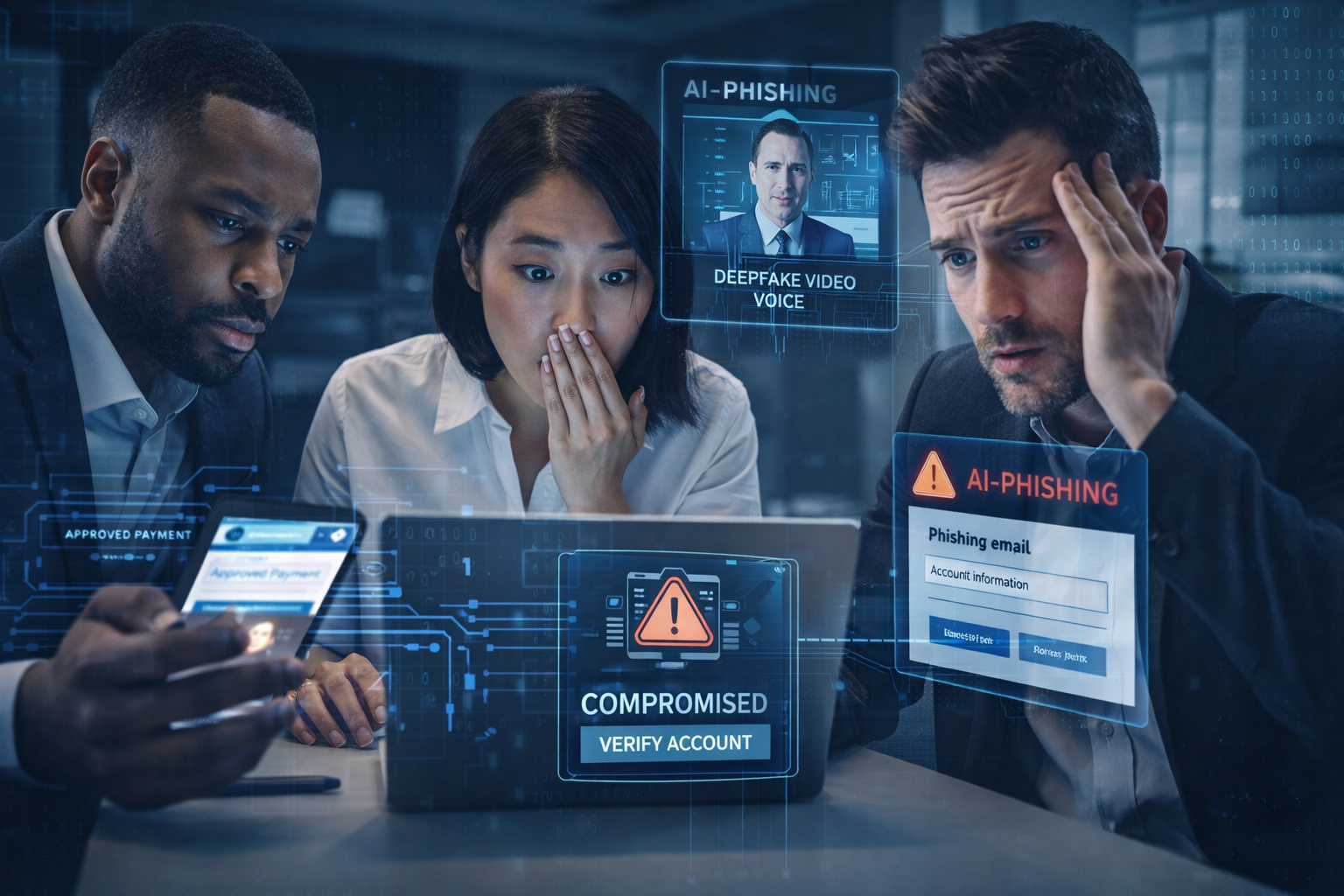
If you feel like phishing suddenly got “smarter,” you’re not imagining it. Generative AI has changed the economics of social engineering. Attackers can now produce convincing emails, texts, voice calls, and even video clips at scale—tailored to your business, your vendors, your executives, and your workflows. The result is a sharp rise in targeted business email compromise (BEC), more realistic impersonation (including deepfakes), and faster reconnaissance that helps criminals choose the easiest path to credentials and money.
For SMB and mid-market organizations, 2026 won’t be about buying “one more security tool” and hoping it solves the problem. Defense will be about tightening identity controls, hardening the processes that attackers exploit (especially around payments and account recovery), improving detection for modern credential theft and session hijacking, and training teams to recognize and rapidly report AI-written lures and deepfake-driven vishing.
This guide breaks down how AI changes attacks, the top AI-assisted tactics to expect, and a practical set of controls and playbooks that help you prevent credential theft, reduce fraud, and respond faster when something slips through.
How AI Changes Attacks
AI doesn’t create “new” cybercrime so much as it amplifies the old tactics that already worked. Social engineering has always been effective because it targets human decision-making, not software bugs. What AI changes is speed, realism, and personalization.
1) Speed: From hours to minutes
Historically, spearphishing took time. Criminals needed to research targets, write believable messages, and iterate. Generative AI compresses that work into minutes. Attackers can generate a dozen variations of an email, tune the tone to match your organization, and quickly adapt to replies.
2) Realism: Fewer tells, more trust
Basic phishing often has obvious tells—poor grammar, awkward formatting, inconsistent branding. AI-driven content reduces those tells. Language is smooth, context is plausible, and the attacker can mimic internal “voice” from samples. Add voice cloning and deepfake video, and the “proof” people rely on (a familiar voice, a face on camera) becomes less reliable.
3) Personalization: Micro-targeting at scale
Attackers increasingly tailor lures to a role and workflow: finance, HR, IT support, procurement, and executives. AI makes it easier to write role-specific requests and use publicly available details to reference real vendors, recent events, or internal initiatives. Even a generic company website and LinkedIn profiles can be enough to craft a believable pretext.
4) Reconnaissance: Better target selection
Attackers use AI-assisted research to map your organization—key decision makers, vendor relationships, tech stack signals, and likely weak points. Instead of a mass blast, they can choose targets more efficiently, and SMBs often look attractive because they have valuable access but fewer dedicated security resources.
The takeaway: If your defenses still assume phishing is “mostly generic spam,” you’re operating with an outdated threat model. In 2026, you should expect well-written lures, plausible scenarios, and attackers who are comfortable conducting multi-step conversations to gain trust.
Top AI-Assisted Tactics SMBs Will Face
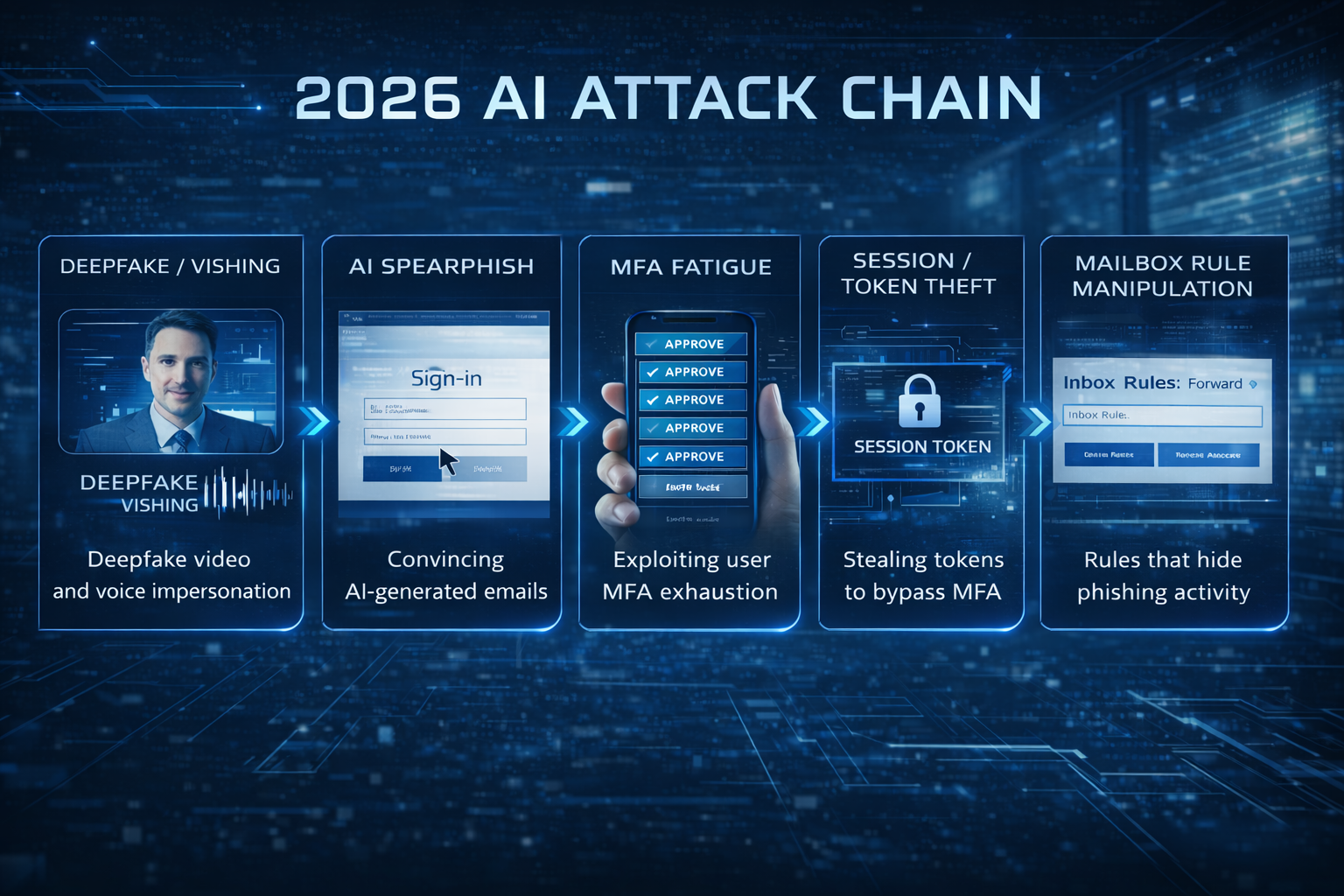
Deepfake voice & video impersonation
Deepfakes aren’t just a headline anymore. Attackers can clone a voice from short recordings and use it in calls to finance teams, help desks, or executives’ assistants. Video deepfakes can be used in quick “camera on” moments, or in recorded messages that create urgency.
Common scenarios:
- A “CEO” calls finance to authorize an urgent wire.
- A “vendor” calls accounts payable to “confirm updated banking details.”
- A “new hire” appears on video to request a payroll change.
- A “CIO” calls IT support to reset MFA after “getting a new phone.”
Why it works: people trust voices and faces, especially under time pressure. Deepfakes exploit that trust and push teams to bypass normal verification.
AI-written spearphishing that feels internal
AI can generate emails that look like they came from your own organization’s templates and tone. It can reference internal projects or vendor names based on public information. Attackers can also run long email threads—answering questions and matching style—so the exchange feels legitimate.
Common objectives:
- Getting a user to log into a fake Microsoft 365 or Google Workspace page.
- Convincing someone to open a document that triggers malware or steals tokens.
- Starting a BEC conversation that ends with payment diversion.
MFA fatigue & session theft
As SMBs roll out MFA more widely, attackers adapt. MFA fatigue attacks bombard users with push notifications, hoping someone hits “approve” to stop the noise. But a bigger shift is session theft: instead of trying to break MFA directly, attackers steal session tokens or cookies to impersonate a logged-in user.
Common paths:
- Adversary-in-the-middle phishing kits that capture credentials and session tokens in real time.
- Malware that steals browser cookies or tokens.
- OAuth consent phishing that tricks users into granting a malicious app access.
Lookalike domains & brand spoofing
AI makes it easier to create convincing vendor portals, “secure document” sites, and support pages. Combine that with lookalike domains (e.g., a single character swap) and the result is phishing infrastructure that feels professional and believable.
Conditional access evasion & “living off the land”
Attackers increasingly avoid noisy malware. Once they gain access to cloud accounts, they use legitimate tools—email rules, forwarding, OAuth apps, and admin consoles—to persist and move laterally. The damage comes from account takeover and abuse of trusted identities.
Reporting gaps & slow response
Even the best controls won’t stop everything. What separates a contained incident from a major business disruption is how quickly your team recognizes an attack and initiates the right response steps: locking down sessions, revoking tokens, isolating endpoints, and validating payment changes.
In short: AI-assisted attacks are not one trick. They’re a set of accelerants that make impersonation and credential theft easier—and they target the places where SMBs tend to have process gaps.
Controls That Stop Credential Theft
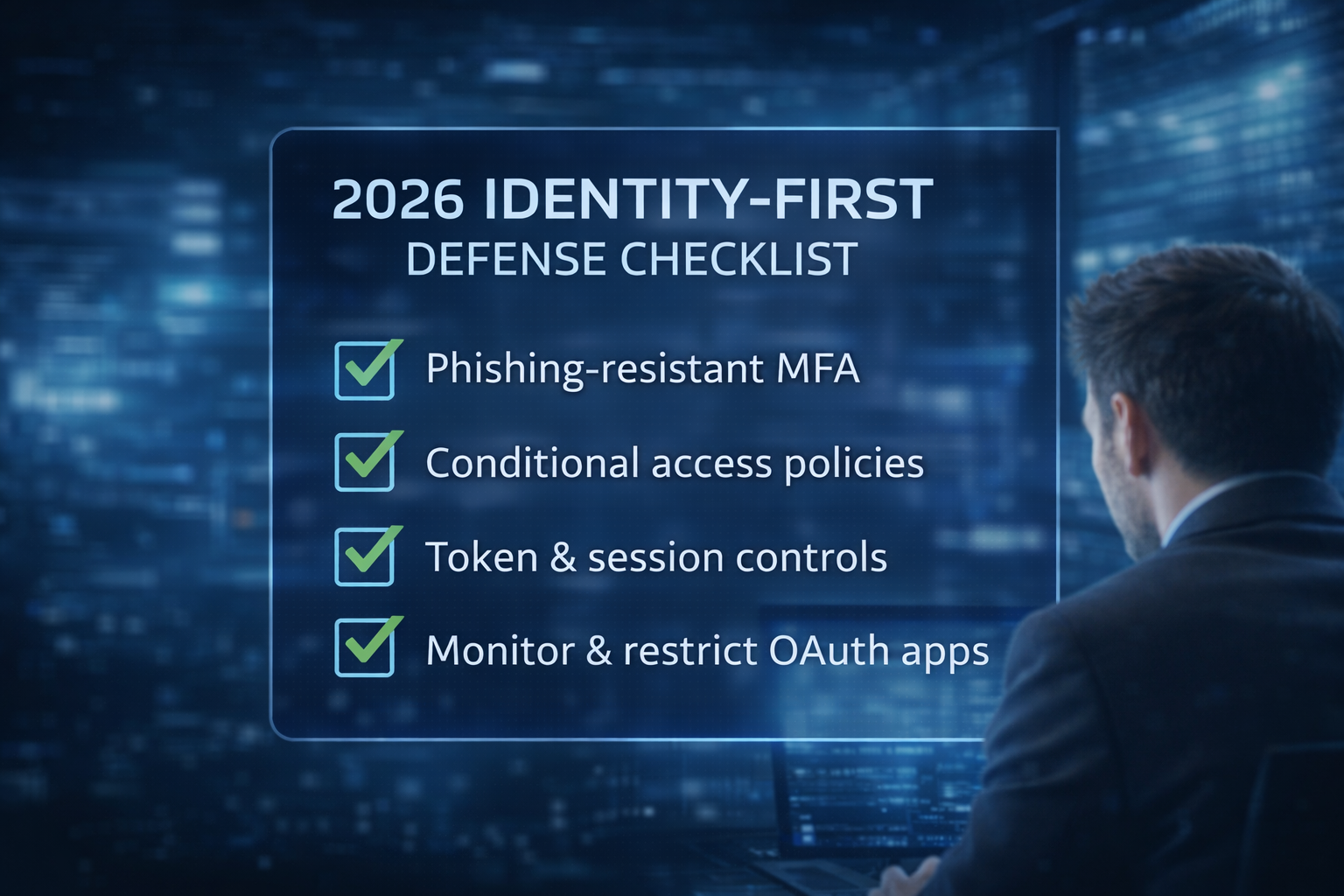
Because most AI-driven attacks aim to steal credentials or manipulate a business process, the single most important defensive focus for 2026 is identity. If you can prevent account takeover and reduce the blast radius of a compromised account, you turn many “successful” phishing attempts into dead ends.
Prioritize phishing-resistant MFA
Not all MFA is equal. Push-based MFA is better than passwords alone, but it’s vulnerable to fatigue attacks and real-time phishing. Phishing-resistant MFA (like FIDO2/WebAuthn security keys or platform passkeys) makes it dramatically harder for attackers to reuse captured credentials.
What to do:
- Move critical users—admins, finance, HR, and executives—to phishing-resistant MFA first.
- Disable SMS MFA where possible; treat it as a last resort.
- Reduce reliance on push approvals without number matching and context.
- Require strong MFA for remote access, admin actions, and high-risk sign-ins.
If you’re worried about user friction, start with the highest-risk accounts and build momentum. The goal isn’t perfection overnight; it’s reducing the number of accounts attackers can compromise with a single convincing lure.
Implement conditional access & risk-based policies
Conditional access helps you enforce “trust but verify” based on context. In a world of token theft and cloud account takeover, it’s essential to set guardrails around when and how accounts can sign in.
Key policies to consider:
- Require MFA (or phishing-resistant MFA) for high-risk sign-ins.
- Block sign-ins from countries you don’t do business in.
- Require compliant devices for access to sensitive apps.
- Use “step-up” authentication for privileged actions.
- Enforce session controls (re-authentication, limited token lifetime) for critical systems.
Harden session controls to reduce token abuse
Session tokens are the keys to the kingdom in modern cloud environments. If a criminal steals a valid token, they can act as the user without re-prompting for MFA. That’s why session control is a growing priority.
Controls to deploy:
- Shorten session durations for sensitive applications.
- Require re-authentication for risky actions (payment approvals, mailbox rule changes, security settings).
- Use token protection features where available.
- Monitor and alert on suspicious refresh token usage and impossible travel.
Manage privileged access like a high-value asset
- Separate admin accounts from daily-use accounts.
- Use just-in-time privilege elevation where possible.
- Enforce phishing-resistant MFA for admins.
- Restrict admin logins to managed devices and trusted networks.
- Audit privilege assignments and remove unnecessary roles.
Controls That Reduce Social Engineering Success
LOCK DOWN HELP DESK & ACCOUNT RECOVERY PROCESSES
- Require strong identity verification for password resets and MFA changes.
- Use a call-back process to a known number (not the number provided in the request).
- Require manager approval for high-risk changes, especially for executives and finance.
- Log and review all account recovery events.
- Train IT support on deepfake/vishing scenarios and escalation triggers.
Protect payment workflows against BEC & vendor fraud
- Out-of-band verification for any change to payment instructions.
- Dual approval for wires and ACH changes above a threshold.
- A verified vendor directory with known phone numbers and banking details.
- A mandatory waiting period for first-time payments to new accounts.
- Clear rules: “No banking changes via email alone.”
Build verification playbooks for voice & video requests
- Use a pre-shared phrase or code word for urgent financial requests.
- Confirm via a second channel (chat + phone, or phone + known executive assistant).
- Require a follow-up approval inside the finance system.
- Encourage staff to slow down: urgency is a manipulation tactic.
Detection & Response Updates for 2026
IMPROVE DETECTION FOR ANOMALOUS SIGN-INS & ACCESS PATTERNS
- Impossible travel and unusual geolocation.
- Sign-ins from new devices or unfamiliar browsers.
- Repeated failed sign-ins or password spray patterns.
- High-risk sign-in indicators from your identity provider.
- Login activity outside normal business hours for key roles.
Monitor mailbox rules, forwarding, & “inbox hiding”
- New inbox rules that move messages to RSS, Archive, or obscure folders.
- Automatic forwarding to external addresses.
- Changes to mailbox permissions or delegates.
- OAuth app grants that provide mail access.
Detect token abuse & suspicious OAuth activity
- New OAuth applications with broad permissions.
- Consent grants to apps not approved by IT.
- Unusual API access patterns.
- Token refresh activity from unexpected locations.
Create fast reporting playbooks
- A single, easy reporting method (button in email client + hotline + chat channel).
- Clear triage steps: isolate, gather, escalate.
- “No blame” culture: better to report a false alarm than stay silent.
- Defined response actions for common events: reset password, revoke sessions, disable forwarding, investigate endpoint.
Awareness That Works in the Age of Deepfakes
TRAIN ON SCENARIOS, NOT TRIVIA
- A vendor requests updated banking details.
- A CEO asks for gift cards or an urgent wire.
- An IT support call requests MFA approval.
- An HR request asks for W-2s or employee data.
- A “document share” requires a login.
Run deepfake & vishing drills
Tabletop exercises and short drills help teams build muscle memory. After the drill, refine the verification playbook and improve scripts so employees feel confident saying, “I need to verify this request.”
Reinforce identity hygiene
- Use password managers and avoid password reuse.
- Never approve unexpected MFA prompts.
- Report repeated MFA prompts immediately.
- Check the sender’s domain and reply-to address.
- Hover over links and use bookmarks for key portals.
Next Steps: A Practical 2026 Checklist for SMBs
IDENTITY & ACCESS
- Roll out phishing-resistant MFA for admins, finance, HR, and executives.
- Enforce conditional access: block risky geos, require compliant devices, and step-up authentication for sensitive actions.
- Separate admin accounts; implement just-in-time privilege where possible.
- Review OAuth app consent policies; restrict and monitor new app grants.
- Reduce session lifetimes and require re-authentication for critical actions.
Email & collaboration security
- Improve anti-phishing controls and banner external emails where appropriate.
- Enable and monitor alerts for mailbox forwarding, inbox rules, and permission changes.
- Use DMARC/DKIM/SPF properly and monitor for lookalike domains.
Process hardening
- Implement out-of-band verification for vendor banking changes and payment requests immediately.
- Require dual approval for high-risk financial actions.
- Lock down help desk and account recovery verification; document “no exceptions” rules.
- Build deepfake verification playbooks (code words, call-backs, second-channel confirmations).
Detection & response
- Centralize logs for identity, email, endpoints, and key SaaS platforms.
- Define alerts for anomalous sign-ins, token abuse indicators, and mailbox manipulation.
- Create a rapid reporting channel and triage playbook; practice quarterly.
- Consider 24x7 monitoring via MDR/SOC if your team can’t cover nights and weekends.
- Update your incident response plan to include cloud account takeover, token theft, and BEC scenarios.
Awareness & culture
- Run scenario-based training quarterly; include deepfake/vishing examples.
- Teach employees to report unexpected MFA prompts and suspicious financial requests immediately.
- Reinforce a “report first, no blame” culture.
Role-Based Guidance: What to Do in Finance, IT, & Leadership
FOR FINANCE & ACCOUNTS PAYABLE
- Segregation of duties: no single person should be able to create a vendor, change banking details, and approve payment.
- Positive pay and bank alerts: enable bank-side controls that flag unusual transfers, new beneficiaries, or large-dollar wires.
- Invoice anomaly review: look for changes in routing numbers, last-minute “rush” requests, or subtle spelling changes in vendor email addresses.
- Escalation scripts: give staff a simple script for pushback (“Company policy requires a call-back to a verified number.”).
For IT & help desk teams
- Ticket authenticity: require tickets to originate from authenticated portals, not email alone.
- Verification steps: use known contact methods, manager confirmation, and identity checks before making high-impact changes.
- Privileged workflows: create separate, stricter procedures for executives, finance, and admins.
- Monitoring: review daily reports of password resets, MFA method changes, and device enrollments.
For executives & leaders
- Embrace verification: model the behavior of accepting call-backs and code words without frustration.
- Reduce public oversharing: limit details that help attackers craft pretexts (travel schedules, projects, vendor names).
- Support “slow down” policies: make it clear that no one will be penalized for taking time to verify urgent requests.
- Sponsor investment in identity and response: phishing-resistant MFA and 24x7 response capability are leadership decisions.
Technical Enhancements That Provide Outsized Value
1) DOMAIN PROTECTION & MONITORING
Register common lookalike domains for your brand and monitor for new registrations that resemble your name. Pair this with hardened email authentication (SPF, DKIM, and DMARC) to reduce spoofing and improve deliverability of legitimate mail.
2) Endpoint hardening for token theft
- Modern endpoint protection with behavioral detection.
- Browser hardening and extension control.
- Rapid patching of browsers and collaboration apps.
- Least-privilege on endpoints; remove local admin rights where feasible.
3) Centralized visibility
- Who signed in, from where, and using what device?
- What mailbox rules changed, and by whom?
- What admin actions were taken in the last 24 hours?
- What endpoints show suspicious browser credential access?
Metrics: How to Know Your Defenses Are Improving
- Percentage of high-risk users on phishing-resistant MFA.
- Number of accounts with legacy authentication disabled.
- Time from suspicious email receipt to user report (aim to reduce).
- Time from alert to containment action (disable account, revoke sessions, isolate endpoint).
- Count of payment instruction changes verified out-of-band (aim for 100%).
- Frequency of tabletop exercises and incident response drills.
A Simple 90-Day Implementation Roadmap
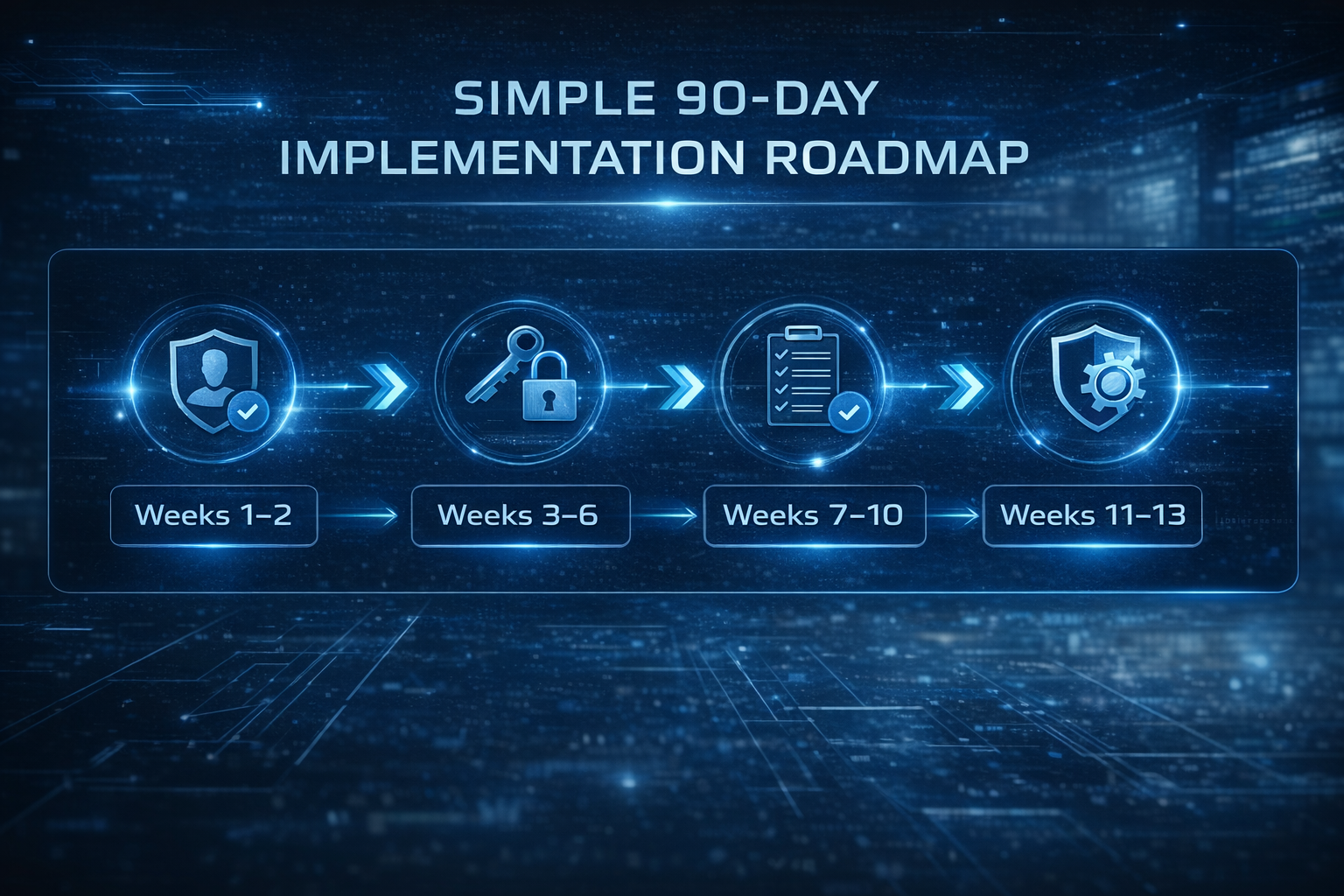
Weeks 1–2: Baseline & quick wins
- Identify your high-risk roles and privileged accounts.
- Enable alerts for mailbox forwarding/rules and suspicious sign-ins.
- Implement out-of-band verification for payment changes immediately.
- Update the help desk reset process and document “no exceptions.”
Weeks 3–6: Identity hardening
- Roll out phishing-resistant MFA for admins and finance.
- Deploy conditional access policies for device compliance and risky geos.
- Separate admin accounts and reduce standing privilege.
Weeks 7–10: Detection & response maturity
- Centralize logs and tune alerting for token abuse indicators.
- Build reporting channels and response runbooks for common scenarios.
- Run a deepfake/BEC tabletop exercise and refine verification playbooks.
Weeks 11–13: Sustain & improve
- Extend phishing-resistant MFA to additional users.
- Launch scenario-based awareness sessions.
- Consider MDR/SOC support if response coverage is limited.
Cyber Advisors Services: Get Ahead of AI-Driven Threats
AI-assisted attacks are escalating, but you don’t have to tackle 2026 alone. Cyber Advisors helps SMBs and mid-market organizations reduce credential theft, stop BEC, and improve resilience with practical, business-aligned security programs.
Our team can help you:
- Assess and strengthen identity controls (phishing-resistant MFA, conditional access, privileged access management).
- Implement and tune detection for cloud account takeover, token abuse, and mailbox manipulation.
- Build and test BEC, deepfake, and incident response playbooks that match your real workflows.
- Provide 24x7 Security Operations Center (SOC) and Managed Detection & Response (MDR) coverage so suspicious activity is investigated and contained fast—day or night.
- Deliver modern security awareness training that focuses on scenarios and reporting, not outdated “spot the typo” tips.
Ready to see what 24x7 monitoring and modern identity defense looks like in action?